How to Create a Scalable Sitemap for Enterprise and News Websites
Learn how to build Google-compliant sitemap architecture for enterprise and news websites. Includes news sitemap, article management, and scalable structure.

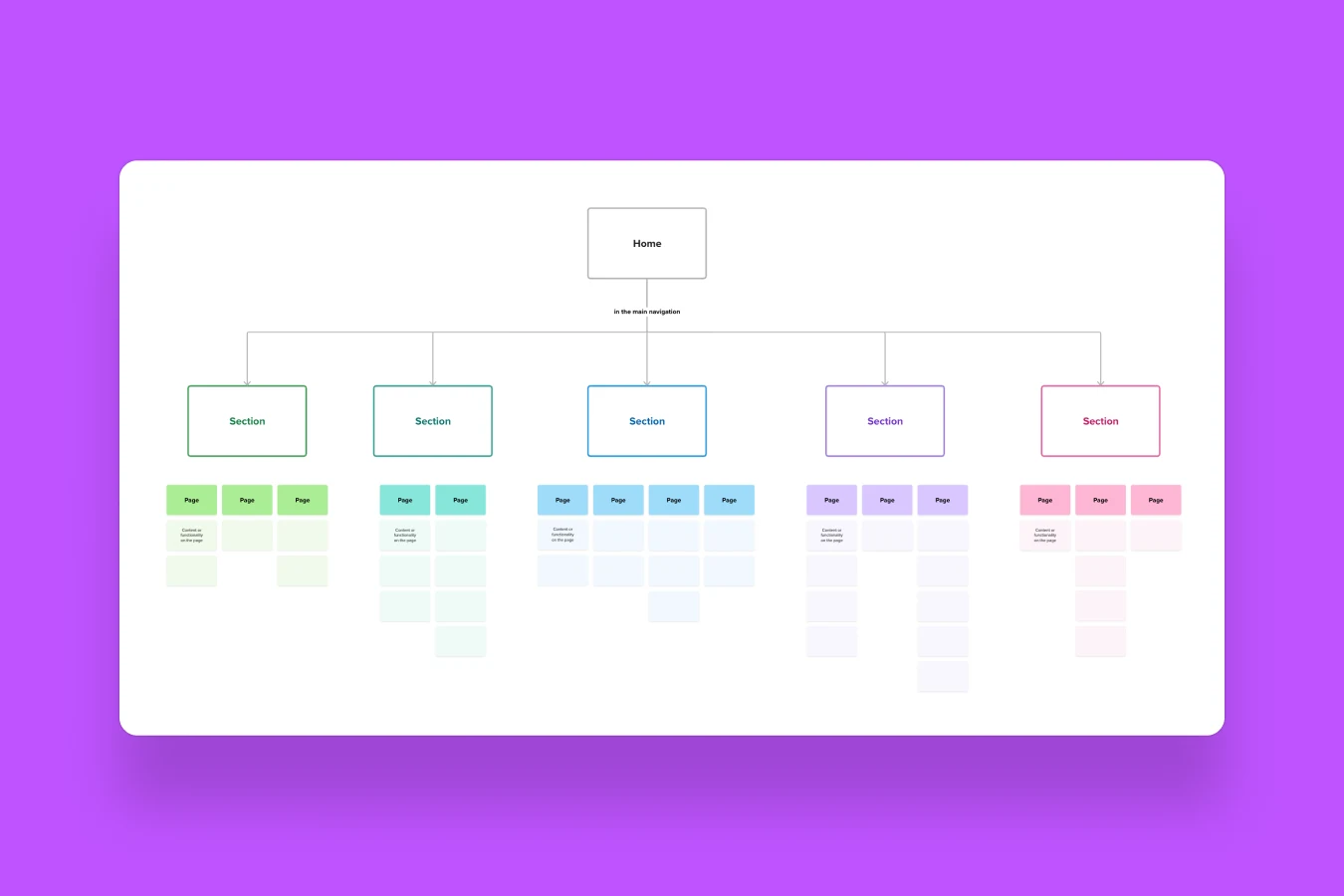
Sitemap architecture for enterprise and news websites requires systematic organization to ensure efficient crawling, rapid indexation, and compliance with Google's specific requirements for different content types. Large-scale news publishers face unique challenges managing thousands of articles, multiple categories, and time-sensitive content that demand specialized sitemap structures.
This technical guide provides comprehensive implementation instructions for creating scalable, Google-compliant sitemap systems suitable for high-volume news websites and enterprise platforms publishing hundreds of articles daily.
What is an Enterprise Sitemap?
An enterprise sitemap is a hierarchical XML sitemap structure designed to manage large-scale websites with tens of thousands to millions of URLs. Unlike simple sitemaps listing all pages in a single file, enterprise sitemaps use sitemap index files referencing multiple specialized sitemaps organized by content type, date, or category.
Sitemap Limitations and Structure Requirements
According to Google's Large Site Owner Guidelines, sitemaps must adhere to specific technical limitations:
Size limits:
- Maximum 50,000 URLs per sitemap file
- Maximum 50MB file size (uncompressed)
- Maximum 50,000 sitemaps in a sitemap index file
Protocol requirements:
- UTF-8 encoding
- XML formatting following sitemaps.org protocol
- Absolute URLs (not relative)
- URLs returning HTTP 200 status codes
For sites exceeding these limits, sitemap index files provide hierarchical organization referencing multiple individual sitemaps.
Learn about related technical requirements through our technical SEO tips guide.
Understanding News Website Sitemaps
News website sitemaps serve dual purposes: facilitating general search engine discovery of evergreen content while providing specialized fast-track indexation for breaking news through Google News-specific sitemaps.
News Sitemap vs. Regular Sitemap
Standard XML sitemaps:
- Include all indexable pages regardless of age
- Updated when content changes significantly
- Focus on comprehensive site coverage
- No specific freshness requirements
Google News sitemaps:
- Include only articles from last 48 hours (2 days)
- Updated immediately upon publication
- Follow Google News XML schema requirements
- Maximum 1,000 URLs per file
- Dedicated to time-sensitive news discovery
According to Google Search Central documentation, news sitemaps enable rapid discovery of breaking content, with Google News crawling these sitemaps more frequently than standard sitemaps.
Time-Sensitive Content Management
News publishers face unique challenges managing content lifecycle:
Breaking news (0-48 hours):
- Appears in news-sitemap.xml
- Receives priority crawling
- Eligible for Google News inclusion
- High discovery urgency
Recent articles (2 days - 6 months):
- Moved to article sitemaps
- Standard crawling frequency
- Continues generating long-tail traffic
- Searchable in general index
Archive content (6+ months):
- Remains in article sitemaps
- Lower crawl priority
- Evergreen traffic potential
- Historical reference value
Proper sitemap structure ensures each content lifecycle stage receives appropriate crawler attention.
Scalable Sitemap Architecture for News Websites
A complete enterprise news sitemap system comprises multiple specialized sitemaps coordinated through a master sitemap index.
Sitemap Index Structure (sitemap.xml)
The main sitemap index acts as the master reference file listing all subordinate sitemaps. This is the only sitemap submitted directly to Google Search Console.
Structure example:
<?xml version="1.0" encoding="UTF-8"?>
<sitemapindex xmlns="http://www.sitemaps.org/schemas/sitemap/0.9">
  <sitemap>
    <loc>https://www.example.com/category-sitemap.xml</loc>
    <lastmod>2026-02-10T12:00:00+00:00</lastmod>
  </sitemap>
  <sitemap>
    <loc>https://www.example.com/tag-sitemap.xml</loc>
    <lastmod>2026-02-10T12:00:00+00:00</lastmod>
  </sitemap>
  <sitemap>
    <loc>https://www.example.com/news-sitemap.xml</loc>
    <lastmod>2026-02-10T15:30:00+00:00</lastmod>
  </sitemap>
  <sitemap>
    <loc>https://www.example.com/article-sitemap-2026-02.xml</loc>
    <lastmod>2026-02-10T15:30:00+00:00</lastmod>
  </sitemap>
  <sitemap>
    <loc>https://www.example.com/article-sitemap-2026-01.xml</loc>
    <lastmod>2026-01-31T23:59:00+00:00</lastmod>
  </sitemap>
  <sitemap>
    <loc>https://www.example.com/author-sitemap.xml</loc>
    <lastmod>2026-02-01T10:00:00+00:00</lastmod>
  </sitemap>
  <sitemap>
    <loc>https://www.example.com/region-sitemap.xml</loc>
    <lastmod>2026-02-05T14:00:00+00:00</lastmod>
  </sitemap>
</sitemapindex>
Implementation rules:
- Must be accessible at
https://www.domain.com/sitemap.xml - Contains only sitemap URLs, not individual page URLs
- Auto-updates
<lastmod>whenever child sitemaps change - Includes all specialized sitemaps
- Single submission point for Search Console
Category Sitemap (category-sitemap.xml)
Category sitemaps list all indexable category and subcategory pages organizing news content thematically.
Structure example:
<?xml version="1.0" encoding="UTF-8"?>
<urlset xmlns="http://www.sitemaps.org/schemas/sitemap/0.9">
  <url>
    <loc>https://www.example.com/politics/</loc>
    <lastmod>2026-02-10T14:00:00+00:00</lastmod>
    <changefreq>daily</changefreq>
    <priority>0.9</priority>
  </url>
  <url>
    <loc>https://www.example.com/politics/elections/</loc>
    <lastmod>2026-02-10T14:00:00+00:00</lastmod>
    <changefreq>daily</changefreq>
    <priority>0.8</priority>
  </url>
  <url>
    <loc>https://www.example.com/business/</loc>
    <lastmod>2026-02-10T13:30:00+00:00</lastmod>
    <changefreq>daily</changefreq>
    <priority>0.9</priority>
  </url>
</urlset>
Inclusion rules:
- Only indexable category pages
- Exclude empty categories (no published articles)
- Exclude noindex categories
- No pagination URLs (
/category/page/2/) - Canonical URLs only
- Include
<lastmod>when category content updates
Scaling considerations:
If total categories exceed 50,000:
category-sitemap-1.xmlcategory-sitemap-2.xml- Reference all in sitemap index
For comprehensive category optimization, review our guide on category page SEO problems.
Tag Sitemap (tag-sitemap.xml)
Tag sitemaps list all indexable topic/tag pages used for content organization and discovery.
Structure example:
<?xml version="1.0" encoding="UTF-8"?>
<urlset xmlns="http://www.sitemaps.org/schemas/sitemap/0.9">
  <url>
    <loc>https://www.example.com/tag/climate-change/</loc>
    <lastmod>2026-02-10T12:00:00+00:00</lastmod>
  </url>
  <url>
    <loc>https://www.example.com/tag/artificial-intelligence/</loc>
    <lastmod>2026-02-10T11:30:00+00:00</lastmod>
  </url>
</urlset>
Inclusion rules:
- Public, indexable tag pages only
- Exclude tags with fewer than minimum article threshold (e.g., <3 articles)
- Exclude duplicate or similar tags
- Canonical URLs only
News Sitemap (news-sitemap.xml)
News sitemaps follow strict Google News requirements for rapid discovery of breaking content.
Structure example:
<?xml version="1.0" encoding="UTF-8"?>
<urlset xmlns="http://www.sitemaps.org/schemas/sitemap/0.9"
        xmlns:news="http://www.google.com/schemas/sitemap-news/0.9">
  <url>
    <loc>https://www.example.com/breaking/article-title/</loc>
    <news:news>
      <news:publication>
        <news:name>Example News</news:name>
        <news:language>en</news:language>
      </news:publication>
      <news:publication_date>2026-02-10T15:00:00+00:00</news:publication_date>
      <news:title>Breaking Story Headline Here</news:title>
    </news:news>
  </url>
</urlset>
Strict requirements (non-negotiable):
- 48-hour limit: Only articles published within last 48 hours
- URL limit: Maximum 1,000 URLs per sitemap
- Automatic removal: Articles older than 48 hours must be removed
- Schema compliance: Must follow Google News XML schema
- Language specification: Publication language required
- Publication date: ISO 8601 format (YYYY-MM-DDTHH:MM:SS+TZ)
Automation requirements:
New article published
  → Immediately added to news-sitemap.xml
  → Remains for 48 hours
  → Automatically removed after 48 hours
  → Simultaneously added to article-sitemap-YYYY-MM.xml
Articles must never exist in both news sitemap and article sitemap simultaneously.
For comprehensive news site optimization, review our guide on news site crawl issues.
Article Sitemap (article-sitemap-YYYY-MM.xml)
Article sitemaps provide permanent indexation for all archived and evergreen content using date-wise organization.
Date-wise structure (mandatory):
article-sitemap-2024-12.xml (December 2024 articles)
article-sitemap-2025-01.xml (January 2025 articles)
article-sitemap-2025-02.xml (February 2025 articles)
article-sitemap-2026-01.xml (January 2026 articles)
article-sitemap-2026-02.xml (February 2026 articles - current month)
Structure example:
<?xml version="1.0" encoding="UTF-8"?>
<urlset xmlns="http://www.sitemaps.org/schemas/sitemap/0.9">
  <url>
    <loc>https://www.example.com/analysis/article-title/</loc>
    <lastmod>2026-02-05T10:30:00+00:00</lastmod>
  </url>
  <url>
    <loc>https://www.example.com/opinion/column-title/</loc>
    <lastmod>2026-02-03T14:00:00+00:00</lastmod>
  </url>
</urlset>
Inclusion criteria:
- ALL published articles after 48-hour news period
- Evergreen content (editorials, features, opinions, analysis)
- Updated articles (reflected in
<lastmod>) - Long-form investigative pieces
Exclusion criteria:
- Noindex articles
- Deleted or unpublished articles
- URLs returning 404 or 301 status
- Duplicate content
Scaling within months:
If single month exceeds 50,000 URLs:
article-sitemap-2026-02-1.xml
article-sitemap-2026-02-2.xml
article-sitemap-2026-02-3.xml
Content flow logic:
Article published
  ↓
Added to news-sitemap.xml (Day 0-2)
  ↓
After 48 hours
  ↓
Removed from news-sitemap.xml
  ↓
Permanently added to article-sitemap-2026-02.xml
This date-wise organization provides:
- Logical content organization
- Easy archive management
- Efficient sitemap updates
- Clear historical reference
Author Sitemap (author-sitemap.xml)
Author sitemaps list all public author profile pages (particularly important for sites with 4,000+ authors).
Structure example:
<?xml version="1.0" encoding="UTF-8"?>
<urlset xmlns="http://www.sitemaps.org/schemas/sitemap/0.9">
  <url>
    <loc>https://www.example.com/author/john-smith/</loc>
    <lastmod>2026-02-01T12:00:00+00:00</lastmod>
  </url>
  <url>
    <loc>https://www.example.com/author/jane-doe/</loc>
    <lastmod>2026-01-28T15:30:00+00:00</lastmod>
  </url>
</urlset>
Inclusion rules:
- Active authors with published articles only
- Canonical author URLs
- Exclude inactive or hidden author profiles
- Exclude pagination URLs (
/author/name/page/2/)
Scaling:
If authors exceed 50,000:
author-sitemap-1.xmlauthor-sitemap-2.xml- Reference all in sitemap index
Region Sitemap (region-sitemap.xml)
Region sitemaps contain location-based news pages for geographic content organization.
Structure example:
<?xml version="1.0" encoding="UTF-8"?>
<urlset xmlns="http://www.sitemaps.org/schemas/sitemap/0.9">
  <url>
    <loc>https://www.example.com/region/dhaka/</loc>
    <lastmod>2026-02-10T14:00:00+00:00</lastmod>
  </url>
  <url>
    <loc>https://www.example.com/region/chittagong/</loc>
    <lastmod>2026-02-10T13:30:00+00:00</lastmod>
  </url>
  <url>
    <loc>https://www.example.com/region/sylhet/</loc>
    <lastmod>2026-02-09T16:00:00+00:00</lastmod>
  </url>
</urlset>
Purpose:
- Helps Google index state/region-specific news pages
- Supports local SEO strategies
- Organizes geographic content discovery
- Enables regional targeting
Implementation Best Practices
Successful sitemap implementation requires automation, quality control, and ongoing maintenance.
Automation Requirements
Manual sitemap management for news sites publishing 50-100 articles daily is impossible. Implement automatic generation and updates:
Trigger-based updates:
- On publish: Article immediately added to news-sitemap.xml
- After 48 hours: Article moved from news to article sitemap
- On update:
<lastmod>timestamp refreshed - On delete: URL removed from all sitemaps
- On status change: Noindex/unpublish triggers removal
Scheduling automation:
Every 30 minutes:
  - Check for new published articles
  - Add to news-sitemap.xml
  - Update sitemap index <lastmod>
Every 2 hours:
  - Identify articles >48 hours old in news sitemap
  - Remove from news-sitemap.xml
  - Add to appropriate article-sitemap-YYYY-MM.xml
Daily (2 AM):
  - Validate all sitemap files
  - Check for broken URLs
  - Remove 404/301 redirects
  - Update category/tag sitemaps
URL Quality Control
Sitemaps must include only valid, indexable URLs:
Pre-inclusion validation:
| Check | Requirement | Action if Failed |
|---|---|---|
| HTTP status | Returns 200 | Exclude from sitemap |
| Robots meta | No noindex tag | Exclude from sitemap |
| Canonical | Self-referencing or none | Include only canonical |
| Redirect status | No 301/302 | Exclude redirected URLs |
| Content existence | Actual content present | Exclude empty pages |
| Publication status | Published (not draft) | Exclude unpublished |
Common sitemap errors to avoid:
- Including 404 error pages
- Listing non-canonical URL variations
- Including noindex pages
- Broken XML formatting
- Exceeding size/URL limits
- Using relative instead of absolute URLs
Fix these through our guide on sitemap problems.
Google Search Console Submission
After creating sitemap structure, submit the master sitemap index to Search Console:
Submission process:
- Verify domain ownership in Search Console
- Navigate to Sitemaps section
- Enter sitemap index URL:
https://www.domain.com/sitemap.xml - Click "Submit"
- Monitor "Discovered" vs. "Submitted" counts
- Address any errors reported
Only submit the master sitemap index (sitemap.xml). Do not submit individual child sitemaps—Google automatically discovers them through the index.
Monitoring metrics:
- Submitted URLs: Total URLs in all sitemaps
- Discovered URLs: URLs Google found
- Indexed URLs: URLs actually in Google's index
- Coverage errors: Problems preventing indexation
Address discrepancies between submitted and indexed counts through systematic troubleshooting.
Performance Optimization
Large sitemaps can impact server performance without optimization:
File compression:
# .htaccess - Compress sitemap files
<IfModule mod_deflate.c>
  AddOutputFilterByType DEFLATE application/xml
  AddOutputFilterByType DEFLATE text/xml
</IfModule>
Compressed sitemaps can be 90% smaller, reducing bandwidth and improving delivery speed.
Caching configuration:
# Cache sitemap files for 1 hour
<FilesMatch "\.(xml)$">
  Header set Cache-Control "max-age=3600, public"
</FilesMatch>
Caching reduces server load from frequent crawler requests while ensuring updates propagate within reasonable timeframes.
Database optimization:
Generate sitemaps from optimized database queries:
-- Optimized query for recent articles
SELECT url, modified_date
FROM articles
WHERE status = 'published'
  AND noindex = 0
  AND publish_date >= DATE_SUB(NOW(), INTERVAL 48 HOUR)
ORDER BY publish_date DESC
LIMIT 1000;
Indexed columns and efficient queries prevent sitemap generation from impacting site performance.
For comprehensive performance optimization, review our Core Web Vitals guide.
Common Problems & Solutions
Several recurring issues affect enterprise sitemap implementations.
Problem 1: News Sitemap Not Updating
Symptoms:
- Articles older than 48 hours remain in news sitemap
- New articles not appearing in news sitemap
- Google Search Console shows outdated news URLs
Causes:
- Automation failures
- Cron job not running
- Time zone configuration errors
- Publish date calculation incorrect
Solutions:
// PHP automation example - Remove old news articles
function update_news_sitemap() {
    $cutoff = strtotime('-48 hours');
    $articles = get_articles_before($cutoff, 'news-sitemap');

    foreach ($articles as $article) {
        // Remove from news sitemap
        remove_from_sitemap($article->id, 'news-sitemap.xml');

        // Add to article sitemap
        $month = date('Y-m', strtotime($article->publish_date));
        add_to_sitemap($article->id, "article-sitemap-{$month}.xml");
    }

    // Update sitemap index lastmod
    update_sitemap_index_timestamp();
}
// Schedule via cron: */30 * * * * (every 30 minutes)
Problem 2: Sitemap Size Exceeding Limits
Symptoms:
- Search Console reports sitemap errors
- Sitemap exceeds 50MB or 50,000 URLs
- Incomplete sitemap processing
Solutions:
Implement automatic splitting:
# Python example - Split large sitemaps
def split_sitemap(articles, base_filename, max_urls=50000):
    chunks = [articles[i:i + max_urls] for i in range(0, len(articles), max_urls)]

    sitemaps = []
    for idx, chunk in enumerate(chunks, 1):
        filename = f"{base_filename}-{idx}.xml"
        generate_sitemap_file(chunk, filename)
        sitemaps.append(filename)

    return sitemaps
# Usage
articles = get_all_articles_for_month('2026-02')
if len(articles) > 50000:
    sitemaps = split_sitemap(articles, 'article-sitemap-2026-02')
    # Add all splits to sitemap index
else:
    generate_sitemap_file(articles, 'article-sitemap-2026-02.xml')
Problem 3: Duplicate URLs Across Sitemaps
Symptoms:
- Same URL appears in multiple sitemaps
- Google Search Console shows duplicate submissions
- Inconsistent crawling patterns
Solutions:
Implement deduplication logic:
// Node.js example - Ensure no duplicates
function addToSitemap(articleId, targetSitemap) {
    // Check all sitemaps for existing URL
    const existingLocation = findUrlInSitemaps(articleId);

    if (existingLocation) {
        // Remove from existing location
        removeFromSitemap(articleId, existingLocation);
    }

    // Add to target sitemap
    insertIntoSitemap(articleId, targetSitemap);

    // Log transition
    logSitemapTransition(articleId, existingLocation, targetSitemap);
}
Problem 4: Category Sitemap Containing Empty Categories
Symptoms:
- Low-value category pages in sitemap
- High "Discovered - not indexed" counts
- Crawl budget waste
Solutions:
Filter empty categories:
// Only include categories with published articles
function get_indexable_categories() {
    $categories = get_all_categories();
    $indexable = [];

    foreach ($categories as $category) {
        $article_count = count_published_articles($category->id);

        // Minimum threshold: 3 published articles
        if ($article_count >= 3 && $category->robots != 'noindex') {
            $indexable[] = $category;
        }
    }

    return $indexable;
}
Real-World Implementation Example
Based on implementation for a news publisher with 50,000+ articles and 100+ daily publications:
Site structure:
- 25 main categories
- 150 subcategories
- 4,200 active authors
- 8 regional sections
- 50-100 articles published daily
Sitemap architecture implemented:
sitemap.xml (Main index)
  ├── category-sitemap.xml (175 category URLs)
  ├── tag-sitemap.xml (840 tag URLs)
  ├── news-sitemap.xml (150-200 recent articles, rotating)
  ├── article-sitemap-2026-02.xml (Current month: 2,800 URLs)
  ├── article-sitemap-2026-01.xml (Last month: 3,100 URLs)
  ├── article-sitemap-2025-12.xml (December: 3,400 URLs)
  ├── [Historical article sitemaps...]
  ├── author-sitemap-1.xml (First 50,000 authors)
  ├── author-sitemap-2.xml (Remaining authors)
  └── region-sitemap.xml (8 regional pages)
Results after 90 days:
- New article indexation time: 2-4 hours (previously 24-48 hours)
- Indexed article percentage: 94% (previously 67%)
- "Discovered - not indexed": Reduced from 15,000 to 2,100
- News sitemap compliance: 100% (0 errors in Search Console)
- Organic traffic increase: 38%
Key implementation factors:
- Automated news sitemap rotation every 30 minutes
- Date-wise article sitemap organization
- Quality filtering (minimum article thresholds for categories/tags)
- Proper
<lastmod>implementation - Regular Search Console monitoring
Professional Implementation Support
Complex sitemap architecture for large-scale news sites requires technical expertise, particularly for custom CMS implementations and automation systems.
If your news or enterprise website needs:
- Scalable sitemap architecture design
- Google News sitemap implementation
- Automation system development
- Technical SEO audit identifying sitemap issues
- Search Console error resolution
Professional SEO services can provide systematic implementation ensuring compliance, automation, and ongoing optimization.
As an SEO specialist, I help news publishers and enterprise websites implement scalable sitemap systems through:
- Custom sitemap architecture design
- Automation script development
- Google News compliance verification
- Search Console integration and monitoring
- Performance optimization
Book a meeting to discuss your specific sitemap challenges and explore implementation solutions, or contact me for preliminary assessment of your current sitemap structure.
You can also review case studies showing real implementations for news publishers facing similar challenges.
Frequently Asked Questions
What is the maximum number of URLs allowed in a news sitemap?
According to Google's News Sitemap documentation, news sitemaps can contain a maximum of 1,000 URLs. If your site publishes more than 1,000 articles within 48 hours, you must create multiple news sitemaps and reference them in your sitemap index. However, this scenario is rare—most publishers create one news sitemap that rotates content as articles exceed the 48-hour threshold. The 1,000 URL limit applies specifically to news sitemaps; regular article sitemaps allow up to 50,000 URLs per file.
How long should articles remain in the news sitemap?
Articles must be removed from news sitemaps after 48 hours (2 days) from publication date. This is a strict Google News requirement, not a recommendation. Articles remaining in news sitemaps longer than 48 hours violate Google News guidelines and may cause sitemap errors in Search Console. Implement automated removal processes ensuring articles transition from news-sitemap.xml to article-sitemap-YYYY-MM.xml precisely at the 48-hour mark. Google may keep articles in the Google News index for up to 30 days, but your sitemap must only include the most recent 48 hours.
Should I use one large sitemap or multiple smaller sitemaps?
For enterprise and news websites, multiple specialized sitemaps organized through a sitemap index is the best practice. This approach provides better organization, easier maintenance, improved tracking in Search Console, and efficient updates. A single monolithic sitemap for 50,000+ pages becomes unwieldy and must be regenerated entirely for each small change. Specialized sitemaps allow updating only affected sections—publish new article updates only article-sitemap-2026-02.xml without touching category, tag, or author sitemaps. Additionally, Search Console reporting becomes more granular when using multiple sitemaps, helping identify category-specific or content-type-specific indexation issues.
What happens if I include URLs older than 48 hours in my news sitemap?
Including articles older than 48 hours in news sitemaps violates Google News guidelines and creates Search Console errors. Google may ignore the entire news sitemap or downgrade your site's Google News standing. More importantly, including stale articles wastes the news sitemap's purpose—rapid discovery of breaking content. Crawlers encountering mostly old articles in your news sitemap may reduce crawl frequency, defeating the fast-indexation benefit. Implement strict date filtering ensuring only articles published within the last 48 hours appear in news-sitemap.xml. Regular audits should verify compliance, and automation should handle removal automatically.
Do I need separate sitemaps for mobile and desktop versions?
No—responsive websites serving the same URL for mobile and desktop should use one sitemap listing each URL once. With mobile-first indexing, Google primarily crawls and indexes mobile versions, but the URLs are identical for responsive sites. If you maintain separate mobile URLs (m.example.com or /mobile/ paths), include only canonical desktop URLs in sitemaps and implement proper canonical tags on mobile versions pointing to desktop URLs. Duplicate listings for mobile/desktop variations waste sitemap space and create confusion. Follow Google's recommendation: use responsive design serving identical URLs across devices, requiring only one sitemap entry per page.
How often should sitemaps be updated?
Update frequency depends on sitemap type. News sitemaps should update immediately (within minutes) when articles publish, with automated checks every 15-30 minutes removing articles exceeding 48 hours. Article sitemaps should update daily or when content publishes/updates, with the specific month sitemap (article-sitemap-2026-02.xml) receiving updates as current-month articles publish. Category and tag sitemaps should update when categories are created/deleted or when category content changes significantly (typically daily for active news sites). Author sitemaps can update weekly unless new authors frequently join. The sitemap index (sitemap.xml) should update its <lastmod> timestamp whenever any child sitemap changes, signaling Google to recrawl.
What's the difference between changefreq and lastmod in sitemaps?
Google ignores the <changefreq> tag entirely—it's deprecated for Google's purposes though part of the sitemaps.org protocol. The <lastmod> (last modification) tag, however, Google does use if it's consistently accurate. <lastmod> should reflect the actual date/time of the page's last significant content update—not cosmetic changes like sidebar updates, but changes to main content, structured data, or important page elements. Use <lastmod> for article pages when content is updated, for category pages when articles are added/removed, and update the timestamp in ISO 8601 format (YYYY-MM-DDTHH:MM:SS+00:00). Inaccurate <lastmod> values cause Google to distrust and ignore the tag, so only include it if you can maintain accuracy.
Can I include parameter URLs in sitemaps?
Generally no—sitemaps should include only canonical URLs without parameters. URL parameters for tracking (utm_source), sorting (sort=date), or session management (sessionid=xyz) create duplicate content issues and waste sitemap space. Include the clean base URL once: https://www.example.com/article-title/, not parameter variations like https://www.example.com/article-title/?ref=homepage. If parameters genuinely change content (like filtered category pages), either implement separate URLs without parameters or use canonical tags pointing to the primary version and include only that canonical in sitemaps. Configure Google Search Console's URL Parameters tool to specify how Google should handle parameters, reducing need to include parameter variations in sitemaps.
How do I handle articles that exist in multiple categories?
Include each article URL only once in sitemaps, using the canonical URL. If an article appears in multiple category paths (/politics/article and /national-news/article), choose one canonical URL (typically the primary category) and include only that version in article sitemaps. Implement proper canonical tags on all category access points directing to the chosen canonical URL. This prevents duplicate URLs in sitemaps while allowing users to discover articles through multiple navigation paths. The sitemap represents what you want Google to index, while site navigation provides user convenience—these are independent concerns. Use canonical tags to bridge them, ensuring Google indexes the preferred URL while users can access content flexibly.
What should I do if Google reports sitemap errors?
Investigate Search Console's specific error messages systematically. Common errors include: "Sitemap is HTML" (uploaded wrong file type—must be XML), "HTTP error" (sitemap URL returns 404/500—verify file location and permissions), "Parsing error" (malformed XML—validate syntax), "Unsupported file format" (wrong format—must be XML, RSS, or text), and "URL not found" (sitemap lists 404 pages—remove broken URLs). For each error, Search Console provides affected URLs and error counts. Address errors by fixing underlying causes rather than just removing error-triggering URLs. Validate fixed sitemaps using online XML validators before resubmitting. Monitor the Sitemaps section regularly to catch and address errors quickly, preventing indexation delays.
For more technical SEO insights, explore our related content on technical SEO, SEO tools, and website development.

Written by Sadekur Rahman
SEO & Website Strategy Specialist at Pixelvega and SEO Executive at Daily Amar Desh. 6+ years helping brands grow with data-driven SEO.