How to Fix 404 Errors Without Harming SEO Performance
Learn how to fix 404 errors without harming SEO. Discover when to redirect, when to leave them, and proven strategies to maintain rankings.

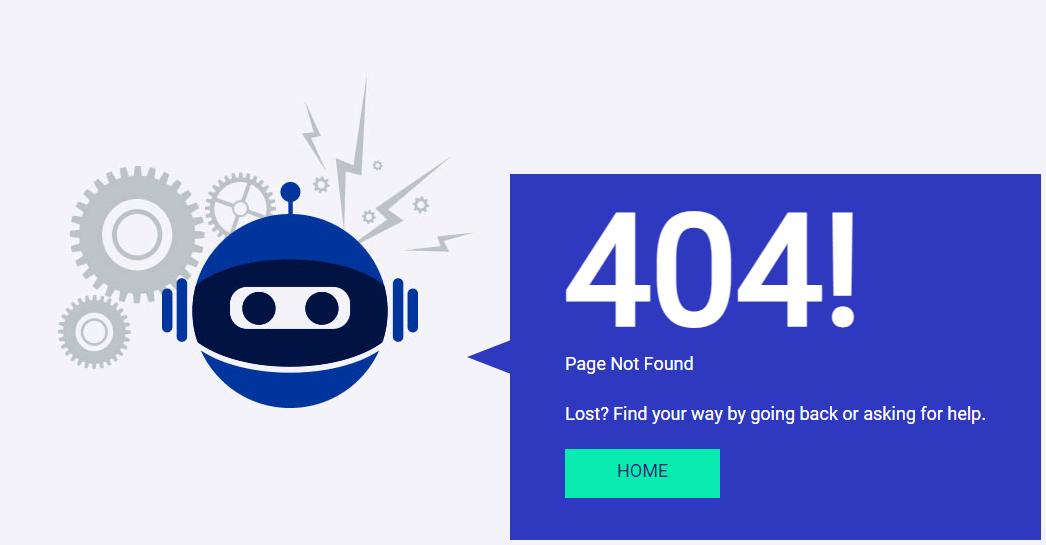
Are 404 errors showing up in Google Search Console causing you concern? While 404 errors are a normal part of website maintenance, excessive broken links can waste crawl budget, frustrate users, and signal poor site quality to search engines.
A 404 error (Not Found) occurs when a user or search engine tries to access a URL that doesn't exist on your server. According to Google's HTTP status code documentation, 404 errors themselves don't harm your site's rankings but the user experience issues and wasted resources they create can indirectly impact SEO performance.
In this comprehensive guide, I'll explain what 404 errors are, when they matter for SEO, how to identify problematic broken links, and provide proven strategies to fix 404 errors without harming your search rankings.
Understanding 404 Errors and SEO
What Is a 404 Error?
A 404 Not Found status code tells browsers and search engines that the requested URL doesn't exist on the server. It's the server's way of saying "I looked everywhere, but this page isn't here."
404 Response Example:
HTTP/1.1 404 Not Found
Content-Type: text/html
Common Causes of 404 Errors:
- Deleted pages or products
- URL structure changes
- Typos in internal links
- Broken external links to your site
- Moved content without redirects
- Expired or outdated content
- Platform migration errors
Do 404 Errors Hurt SEO?
Short Answer: Not directly, but they can cause indirect SEO problems.
Google's Official Stance: John Mueller (Google) has stated multiple times: "404s don't hurt your site." However, context matters.
When 404s DON'T Hurt SEO:
- Old, irrelevant pages that should be gone
- URLs that never existed (typos in external links)
- Temporary content (promotions, events that ended)
- Low-value pages with no backlinks
- Reasonable quantity (< 1% of site)
When 404s DO Hurt SEO:
- Important pages with backlinks returning 404
- Homepage or key landing pages broken
- Products/services people search for
- Hundreds or thousands of 404s
- Internal links pointing to 404s
- Recent content deleted without redirects
Impact on User Experience
User Problems from 404s:
- Frustration from broken links
- Lost conversions (404 on product/checkout)
- Decreased trust in your brand
- Increased bounce rate
- Negative perception of site quality
Business Impact:
- Lost sales (broken product pages)
- Reduced leads (broken contact/form pages)
- Poor brand perception
- Decreased customer satisfaction
Learn about improving user experience in my CRO optimization guide.
Types of 404 Errors
Not all 404 errors are equal. Understanding the difference helps prioritize fixes.
Internal 404 Errors
What They Are: Your own site links to non-existent pages.
Example:
<!-- Internal link to deleted page -->
<a href="/old-product-page">View Product</a>
<!-- Returns 404 -->
Why They're Problematic:
- Completely under your control (should be fixed)
- Wastes crawl budget
- Poor user experience
- Indicates site maintenance issues
Priority: High - Fix immediately
External 404 Errors
What They Are: Other sites link to pages that don't exist on your site.
Example:
External site links to:
https://yoursite.com/prodcut-page (typo)
But correct URL is:
https://yoursite.com/product-page
Why They Happen:
- Typos in external links
- Outdated bookmarks
- Links to deleted content
- URL structure changes you made
Priority: Medium - Can't control external sites, but can redirect
Soft 404 Errors
What They Are: Page returns 200 (OK) status but shows 404 content.
Example:
HTTP/1.1 200 OK
<!DOCTYPE html>
<html>
<body>
<h1>Page Not Found</h1>
<p>Sorry, this page doesn't exist.</p>
</body>
</html>
Why They're Problematic:
- Confuses search engines
- Page gets indexed as valid content
- Wastes crawl budget
- Indicates technical problems
Priority: High - Fix to return proper 404 status
410 Gone Status
What It Is: Permanent deletion signal (stronger than 404).
When to Use:
HTTP/1.1 410 Gone
Use 410 For:
- Permanently removed content
- No intention of replacement
- Want to tell search engines "don't bother looking again"
Example: Discontinued product lines, expired promotions, deleted user accounts.
How to Find 404 Errors
Systematic detection reveals all broken links affecting your site.
Method 1: Google Search Console
Steps:
- Open Google Search Console
- Go to Index → Coverage
- Look for "Not found (404)" errors
- Click to see affected URLs
- Export list for analysis
What You'll See:
- URLs returning 404
- When Google last tried to crawl
- Number of pages linking to 404
- Source of link (if available)
Limitations: Only shows URLs Google tried to crawl.
Method 2: Screaming Frog SEO Spider
Steps:
- Download Screaming Frog
- Enter your domain
- Click "Start" to crawl
- Filter by Response Code → 404
- Review "Inlinks" tab to see what's linking to each 404
Advantages:
- Finds ALL 404s on your site
- Shows internal linking structure
- Identifies source of broken links
- Can crawl thousands of pages
What to Check:
- Status Code: 404
- Inlinks: Which pages link to this 404
- URL: The broken link
- Anchor Text: How it's linked
Find more tools in my SEO tools guide.
Method 3: Server Log Analysis
What to Review:
# Apache/Nginx access logs
grep " 404 " /var/log/apache2/access.log
# Find most frequent 404s
awk '$9 == 404 {print $7}' /var/log/apache2/access.log | sort | uniq -c | sort -rn | head -20
Advantages:
- Shows real user and bot attempts
- Reveals patterns and frequency
- Identifies external broken links
- Historical data available
Method 4: Broken Link Checker Tools
Online Tools:
- Dead Link Checker: Free online tool
- Broken Link Check: Checks entire site
- W3C Link Checker: Official validator
Browser Extensions:
- Check My Links (Chrome)
- LinkMiner (Chrome)
Continuous Monitoring:
- Ahrefs Site Audit
- SEMrush Site Audit
- Screaming Frog (scheduled crawls)
Method 5: Google Analytics
Check for 404 Traffic:
- Go to Behavior → Site Content → All Pages
- Search for "/404" or "not-found"
- Review pageviews and user behavior
- Check referral sources
What This Reveals:
- How many users hit 404 pages
- Which pages send users to 404s
- External sources of 404 traffic
- User behavior after hitting 404
Learn about analytics in my GA4 guide.
How to Fix 404 Errors Properly
Follow this decision framework for each 404 error.
Decision Framework
| Scenario | Action | Why |
| Important page with backlinks | 301 redirect to relevant page | Preserve link equity |
| Moved/renamed page | 301 redirect to new URL | Maintain continuity |
| Similar replacement exists | 301 redirect to replacement | Help users find content |
| Outdated, no replacement | Leave as 404 or use 410 | Proper signal to search engines |
| Never existed (typo) | Leave as 404 | Can't redirect what shouldn't exist |
| Temporary content ended | Leave as 404 or use 410 | Content lifecycle complete |
| Internal link broken | Fix the link | Under your control |
Fix #1: Implement 301 Redirects
When to Use: Page moved, renamed, or has worthy replacement.
Apache (.htaccess):
# Single redirect
Redirect 301 /old-page.html /new-page.html
# Multiple redirects
Redirect 301 /old-product /new-product
Redirect 301 /outdated-post /updated-post
# Redirect pattern
RedirectMatch 301 ^/blog/(.*)$ /articles/$1
Nginx:
# Single redirect
location = /old-page {
return 301 /new-page;
}
# Pattern redirect
rewrite ^/blog/(.*)$ /articles/$1 permanent;
WordPress Plugin:
- Redirection (free, popular)
- Simple 301 Redirects
- Rank Math SEO (built-in redirects)
Best Practices:
- Redirect to most relevant page
- Avoid redirect chains (A→B→C)
- Don't redirect everything to homepage
- Update internal links instead of relying on redirects
- Monitor redirect performance
Fix #2: Restore Deleted Content
When to Use: Accidentally deleted valuable content.
Steps:
- Restore from backup
- Check content still relevant
- Verify all assets (images, etc.) restored
- Update if outdated
- Submit to Search Console for reindexing
Prevention:
- Implement content review before deletion
- Use draft/archive status instead of delete
- Require approvals for deletions
- Maintain regular backups
Fix #3: Update Internal Links
When to Fix: You control the source of broken links.
Find and Fix:
# Find internal links to 404 (using grep)
grep -r "href=\"/old-page" /path/to/site/
# Or use Screaming Frog "Inlinks" report
WordPress Database Update:
-- Update post content links
UPDATE wp_posts
SET post_content = REPLACE(post_content, '/old-url', '/new-url');
-- Update postmeta
UPDATE wp_postmeta
SET meta_value = REPLACE(meta_value, '/old-url', '/new-url');
Manual Update: Review each page linking to 404 and update links to correct URL.
Fix #4: Create New Content
When to Use: High search demand but no existing content.
Indicators:
- Significant search volume for deleted topic
- Many backlinks pointing to 404
- Competitors ranking for the keyword
- User demand evident
Steps:
- Research keyword opportunity
- Create comprehensive new content
- Publish at old URL or 301 from old to new
- Notify linkers of new resource
Fix #5: Return Proper 404 Status (Fix Soft 404s)
Problem: Page shows 404 content but returns 200 status.
How to Fix:
PHP:
<?php
// Set proper 404 header
header("HTTP/1.1 404 Not Found");
?>
<!DOCTYPE html>
<html>
<head><title>Page Not Found</title></head>
<body>
<h1>404 - Page Not Found</h1>
</body>
</html>
WordPress:
// In 404.php template
<?php
status_header(404);
get_header();
?>
<!-- 404 page content -->
Verify:
curl -I https://yoursite.com/non-existent-page
# Should return: HTTP/1.1 404 Not Found
Fix #6: Use 410 for Permanently Gone Content
When to Use: Content permanently removed, won't return.
Implementation:
# Apache .htaccess
<Location /permanently-deleted>
Header set Status "410 Gone"
</Location>
PHP:
<?php
header("HTTP/1.1 410 Gone");
?>
Benefits:
- Stronger signal than 404
- Search engines remove faster from index
- Stops crawl attempts sooner
- Clear communication of intent
Fix #7: Improve 404 Page Experience
Can't Fix All 404s: Make the experience helpful.
Elements of Good 404 Page:
1. Clear Message:
<h1>Oops! Page Not Found</h1>
<p>The page you're looking for doesn't exist or has been moved.</p>
2. Search Box:
<form action="/search" method="get">
<input type="text" name="q" placeholder="Search our site...">
<button type="submit">Search</button>
</form>
3. Helpful Links:
<nav>
<h2>Try These Popular Pages:</h2>
<ul>
<li><a href="/">Home</a></li>
<li><a href="/products/">Products</a></li>
<li><a href="/blog/">Blog</a></li>
<li><a href="/contact/">Contact Us</a></li>
</ul>
</nav>
4. Contact Option:
<p>Can't find what you need? <a href="/contact/">Contact our support team</a></p>
5. Report Broken Link:
<p>
<a href="/report-broken-link?url=<?php echo urlencode($_SERVER['REQUEST_URI']); ?>">
Report this broken link
</a>
</p>
WordPress 404.php Example:
<?php get_header(); ?>
<div class="error-404">
<h1><?php _e('Page Not Found', 'textdomain'); ?></h1>
<p><?php _e("Sorry, but the page you were looking for doesn't exist.", 'textdomain'); ?></p>
<div class="search-form">
<?php get_search_form(); ?>
</div>
<div class="helpful-links">
<h2><?php _e('Popular Pages', 'textdomain'); ?></h2>
<?php wp_nav_menu(array('theme_location' => 'primary')); ?>
</div>
<div class="recent-posts">
<h2><?php _e('Recent Articles', 'textdomain'); ?></h2>
<?php
$recent = wp_get_recent_posts(array('numberposts' => 5));
foreach($recent as $post) {
echo '<li><a href="' . get_permalink($post['ID']) . '">' . $post['post_title'] . '</a></li>';
}
?>
</div>
</div>
<?php get_footer(); ?>
Learn about on-page optimization for better user experience.
Strategic Decisions for Common 404 Scenarios
Scenario 1: Product No Longer Available
E-Commerce Challenge: Discontinued products returning 404.
Options:
A. Redirect to Category:
Redirect 301 /products/discontinued-shoe /products/running-shoes/
B. Redirect to Similar Product:
Redirect 301 /products/old-model-phone /products/new-model-phone
C. Create "No Longer Available" Page (200 status):
<h1>Product No Longer Available</h1>
<p>This product has been discontinued.</p>
<h2>Similar Products You Might Like</h2>
<!-- Show related products -->
D. Use 410 Gone: If no replacement and want to signal permanent removal.
Best Practice for E-Commerce: Keep product pages active with "out of stock" or "discontinued" status + recommendations, rather than 404.
Learn more in my e-commerce SEO guide.
Scenario 2: Blog Post Deleted
Options:
A. Restore if Valuable: Check backlinks, traffic history restore if significant value.
B. Redirect to Related Post:
Redirect 301 /blog/old-seo-tips /blog/updated-seo-guide
C. Redirect to Category:
Redirect 301 /blog/specific-post /category/seo/
D. Leave as 404: If outdated, low-quality, or no good alternative.
Scenario 3: URL Structure Changed
Example: Changed from /blog/post-title to /articles/post-title
Solution: Implement pattern redirects
RedirectMatch 301 ^/blog/(.*)$ /articles/$1
Important: Update sitemap and internal links to new structure.
Scenario 4: Temporary Content Expired
Example: Holiday promotion, limited-time offer, event page
Best Practice:
- Leave as 404 (content lifecycle complete)
- Or use 410 to signal permanent removal
- Don't redirect outdated promotions to current ones (confusing)
Scenario 5: External Links with Typos
Example: External site links to /prodcut instead of /product
Solution: Create redirect for common typos
# Handle common typos
Redirect 301 /prodcut /product
Redirect 301 /servies /services
Redirect 301 /conact /contact
Note: Only redirect actual typos being linked to (check server logs).
Monitoring and Preventing 404 Errors
Ongoing monitoring prevents accumulation of broken links.
Regular Monitoring Schedule
Weekly:
- Check Google Search Console for new 404 errors
- Review server logs for frequent 404s
- Monitor high-traffic 404 page hits
Monthly:
- Full site crawl with Screaming Frog
- Review and clean up redirect chains
- Update 404 page if needed
- Check for soft 404 errors
Quarterly:
- Comprehensive SEO audit
- Backlink analysis for broken external links
- Review redirect strategy effectiveness
- Update broken link fix priorities
Prevention Strategies
1. Content Review Process:
Before Deletion Checklist:
□ Check backlinks to page
□ Review traffic/engagement history
□ Determine if redirect needed
□ Update internal links
□ Add redirect if appropriate
□ Document decision
2. Link Validation:
<!-- Implement broken link checking in CMS -->
<!-- Alert editors when inserting broken links -->
3. Redirect Management:
- Maintain redirect documentation
- Periodically review redirect necessity
- Remove outdated redirects
- Avoid redirect chains
4. URL Structure Planning:
- Design sustainable URL structure
- Avoid frequent reorganizations
- Plan for scalability
- Document URL conventions
5. Change Management:
Site Changes Checklist:
□ Identify affected URLs
□ Create redirect plan
□ Test redirects
□ Update sitemaps
□ Update internal links
□ Monitor for issues
□ Notify stakeholders
Tools for 404 Monitoring
| Tool | Purpose | Cost |
| Google Search Console | Free 404 monitoring | Free |
| Screaming Frog | Full site crawl | Free (500 URLs) / $259/year |
| Ahrefs Site Audit | Ongoing monitoring | $99+/month |
| SEMrush Site Audit | Comprehensive checks | $119+/month |
| Dead Link Checker | Quick online check | Free |
| Redirect Path (Chrome extension) | Manual testing | Free |
Use my website audit checklist for comprehensive site health monitoring.
Common 404 Error Mistakes
Avoid these errors when handling 404s.
Mistake #1: Redirecting Everything to Homepage
Problem: Mass redirecting all 404s to homepage.
Why It's Wrong:
- Poor user experience
- Google may treat as soft 404
- Doesn't help users find content
- Wastes link equity
Correct Approach: Redirect only to relevant pages.
Mistake #2: Ignoring All 404s
Problem: "404s don't hurt SEO" so ignoring completely.
Why It's Wrong:
- Internal 404s waste crawl budget
- Poor user experience
- Lost opportunities from broken backlinks
- Indicates poor site maintenance
Correct Approach: Fix internal 404s, redirect valuable external 404s.
Mistake #3: Never Using 404
Problem: Redirecting or creating content for every 404.
Why It's Wrong:
- 404 is appropriate for deleted content
- Creating thin content to avoid 404 is worse
- Wastes resources
Correct Approach: Use 404 when appropriate it's not inherently bad.
Mistake #4: Not Fixing Internal Links
Problem: Creating redirects for internal broken links instead of fixing links.
Why It's Wrong:
- Redirects waste crawl budget
- Slower page loads
- Unnecessary technical debt
Correct Approach: Fix internal links directly.
Mistake #5: Soft 404s
Problem: Returning 200 status for non-existent pages.
Why It's Wrong:
- Confuses search engines
- Pages get indexed as valid content
- Wastes crawl budget
Correct Approach: Return proper 404 or 410 status.
Real-World 404 Error Fixes
Case Study #1: E-Commerce Site
- Problem: 5,000+ 404 errors from discontinued products
- Cause: Products deleted without redirects
- Solution: Categorized 404s redirected 80% to similar products, 20% to categories
- Result: Crawl errors reduced 95%, conversion recovery of 12%
Case Study #2: Blog Redesign
- Problem: 800 404s after URL structure change
- Cause: No redirects implemented during migration
- Solution: Implemented pattern redirects, fixed internal links, updated sitemap
- Result: Traffic recovered 100%, rankings maintained
Case Study #3: Corporate Website
- Problem: 200 internal broken links pointing to moved pages
- Cause: Restructure without link updates
- Solution: Fixed all internal links, implemented redirects for external links
- Result: Improved crawl efficiency 40%, better user experience
View more success stories in my case studies.
When to Hire a Technical SEO Specialist
Consider professional help when:
- Dealing with hundreds or thousands of 404s
- Complex site migration or restructure
- E-commerce with many discontinued products
- Need comprehensive technical SEO audit
- Recurring 404 problems despite fixes
- Want to implement proper redirect strategy
As an experienced technical SEO specialist, I've resolved 404 error issues for hundreds of websites across various industries.
Conclusion: Fix 404 Errors Strategically
404 errors don't automatically harm SEO, but they require strategic management. By understanding when to redirect, when to leave as 404, and how to prevent future broken links, you maintain site health and user experience without harming search performance.
Quick Action Checklist:
✅ Audit site for 404 errors (Google Search Console + Screaming Frog)
✅ Prioritize 404s by impact (backlinks, traffic, importance)
✅ Fix internal broken links immediately
✅ Redirect valuable pages with backlinks
✅ Leave appropriate 404s (old, irrelevant content)
✅ Fix soft 404s to return proper status
✅ Improve 404 page user experience
✅ Implement monitoring system
✅ Create prevention procedures
✅ Document all redirects
Remember: The goal isn't zero 404s it's proper 404 management that maintains SEO performance while providing good user experience.
Need Help Fixing 404 Errors?
If you're struggling with excessive 404 errors or need expert assistance implementing proper redirect strategy, I can help. With extensive experience fixing broken link issues across various platforms, I'll:
- Audit all 404 errors and prioritize fixes
- Implement proper redirect strategy
- Fix internal broken links
- Improve 404 page experience
- Set up ongoing monitoring
Schedule a free consultation to discuss your 404 error challenges, or contact me to learn more about my technical SEO services.
Let's work together to fix your 404 errors without harming SEO performance.
Frequently Asked Questions About 404 Errors
Do 404 errors hurt my SEO rankings?
No, 404 errors don't directly harm rankings Google has confirmed this multiple times. However, they can indirectly impact SEO through poor user experience, wasted crawl budget on internal broken links, and lost link equity from valuable pages returning 404. Fix internal 404s and redirect important pages with backlinks, but don't worry about every 404 on your site.
Should I redirect all 404 pages?
No, only redirect 404s when there's a relevant, helpful destination. Redirect pages that moved, have valuable backlinks, or have similar replacements. Leave 404s for outdated content with no alternative, URLs that never existed (typos), or temporary content that expired. Mass redirecting everything to your homepage creates poor user experience.
What's the difference between 404 and 410 status codes?
404 means "Not Found" (temporarily unavailable). 410 means "Gone" (permanently removed, won't return). Use 404 for most deleted content. Use 410 when you want to signal permanent removal to search engines, helping them remove pages from index faster. For most situations, 404 is appropriate.
How do I fix soft 404 errors?
Soft 404s occur when pages return 200 (OK) status but show 404 content. Fix by ensuring your 404 pages return proper 404 status codes. In PHP, use header("HTTP/1.1 404 Not Found"); in your 404 template. In WordPress, ensure 404.php includes status_header(404);. Verify with cURL: curl -I yoursite.com/non-existent-page should show HTTP/1.1 404 Not Found.About the Author: I'm Sadekur Rahman, an SEO Specialist from Dhaka, Bangladesh with 4+ years of experience helping businesses fix 404 errors and optimize technical SEO. I've successfully resolved broken link issues for 220+ websites across various industries.Explore my services orbook a consultation to fix your 404 errors.

Written by Sadekur Rahman
SEO & Website Strategy Specialist at Pixelvega and SEO Executive at Daily Amar Desh. 6+ years helping brands grow with data-driven SEO.