How to Conduct a Technical SEO Audit
Run a technical SEO audit that developers actually action: crawl, indexation, architecture, rendering and schema, prioritised by what is costing you traffic.


The most expensive technical audit I have seen was 240 pages long and produced no change whatsoever. Every issue the tool could detect was in it, ranked by the tool's own severity score, with no indication of which ones were costing the business traffic. The development team read four pages, decided it was unactionable, and moved on. Six months later the same problems were still there.
A technical SEO audit is not a list of everything wrong with a website. It is a diagnosis of what is stopping search engines finding, understanding, or trusting your pages, ordered by what it would cost to fix and what fixing it is worth. This guide walks through the sequence I actually use, what to look at in each phase, and how to turn the findings into something a developer will implement.
What Is a Technical SEO Audit?
A technical SEO audit is a structured examination of how well a website can be crawled, rendered, indexed, and served to search engines. It covers crawl accessibility, indexation status, site architecture, page speed, mobile rendering, structured data, and international configuration — producing a prioritised list of defects that block or dilute organic visibility.
The distinction from a content audit matters. A content audit asks whether a page deserves to rank. A technical audit asks whether it can rank at all. When both are wrong, fix the technical layer first, because content improvements on a page Google cannot index produce nothing.
When to Run One
- Before any migration — platform change, redesign, domain move, or protocol change
- After an unexplained traffic drop that does not correlate with a known core update
- At the start of a new engagement, before committing budget to content
- Quarterly as maintenance on any site publishing regularly
- When indexation and page count diverge — you publish 400 pages, Google indexes 90
The Tools You Need
| Tool | Audit Phase | What It Uniquely Shows |
|---|---|---|
| Google Search Console | Indexation, coverage, vitals | Google's actual decisions about your URLs |
| Screaming Frog or Sitebulb | Crawl | Status codes, depth, duplicates, internal links |
| Server log files | Crawl budget | What Googlebot really requested, and how often |
| PageSpeed Insights / CrUX | Performance | Field Core Web Vitals from real users |
| Rich Results Test | Structured data | Whether Google can parse your markup |
| Chrome DevTools | Rendering | What exists only after JavaScript executes |
| Ahrefs or Semrush | Link and history context | Lost backlinks pointing at broken URLs |
You can complete a credible audit on a small site with the free tiers alone. My roundup of free SEO tools covers the workable options, and the broader SEO tools guide explains where paid platforms earn their cost.
Phase 1: Crawl Accessibility
Start where search engines start. If a bot cannot reach a page, nothing else about that page matters.
Robots.txt
Open the file directly and read every line rather than trusting a tool summary. The failures I find most often are a disallow rule left over from staging that blocks a whole directory, a blanket block on /wp-content/ that also blocks CSS and JavaScript needed for rendering, and a missing or wrong sitemap declaration. My guide to robots.txt covers the syntax traps, particularly the difference between blocking a crawl and preventing indexation — a disallowed URL can still appear in results if other pages link to it.
XML Sitemaps
A sitemap should contain only canonical, indexable, 200-status URLs. Check for these specific problems:
- URLs that redirect, 404, or are noindexed sitting in the sitemap
- Sitemap not referenced in robots.txt or submitted in Search Console
- Stale lastmod dates that never change, teaching Google to ignore the signal
- Missing pages — compare sitemap count against your crawl count
- Sitemap index files pointing at sub-sitemaps that themselves return errors
If Search Console reports "Couldn't fetch", the causes are usually a server timeout, an unexpected redirect on the sitemap URL, or a firewall rule blocking Googlebot. My walkthrough on sitemaps not being read covers diagnosis, and the guide to creating a sitemap covers structure.
Status Codes and Redirects
From the full crawl, export every non-200 response. Then check three things: internal links pointing at redirects (fix the link, not the redirect), redirect chains longer than one hop, and any 302 used where a 301 belongs. Chains waste crawl budget and dilute the signals passing through them — the mechanics are covered in my article on redirect chains.
HTTPS and Server Response
Check that every variant — http, https, www, non-www — resolves to one canonical version in a single hop, and that the certificate covers every hostname including any subdomains you serve content from. Mixed content warnings, an expired intermediate certificate, or a redirect loop between www and https versions all degrade crawling in ways that look like a ranking problem. Sites that migrated to HTTPS years ago still carry residual issues from that move; the common ones are listed in my notes on SSL migration fixes.
Server response time belongs in this phase too, not the performance phase. If time to first byte is consistently above roughly 600 milliseconds, Googlebot slows its request rate, which caps how much of a large site gets crawled regardless of how well the rest is configured.
Reading Server Logs
Log files are the only place you can see what Googlebot actually did rather than what a tool predicts it would do. Pull thirty days and answer four questions: which URL patterns absorb the most crawl requests, how often your important pages get crawled, what proportion of requests hit non-200 responses, and whether the bot is spending time on parameters, filters, or paginated URLs that should never be indexed. On large sites this single analysis usually reshapes the whole priority list, because the waste is rarely where anyone expects. My guide to optimising crawl budget covers what to do with the findings.
Phase 2: Indexation
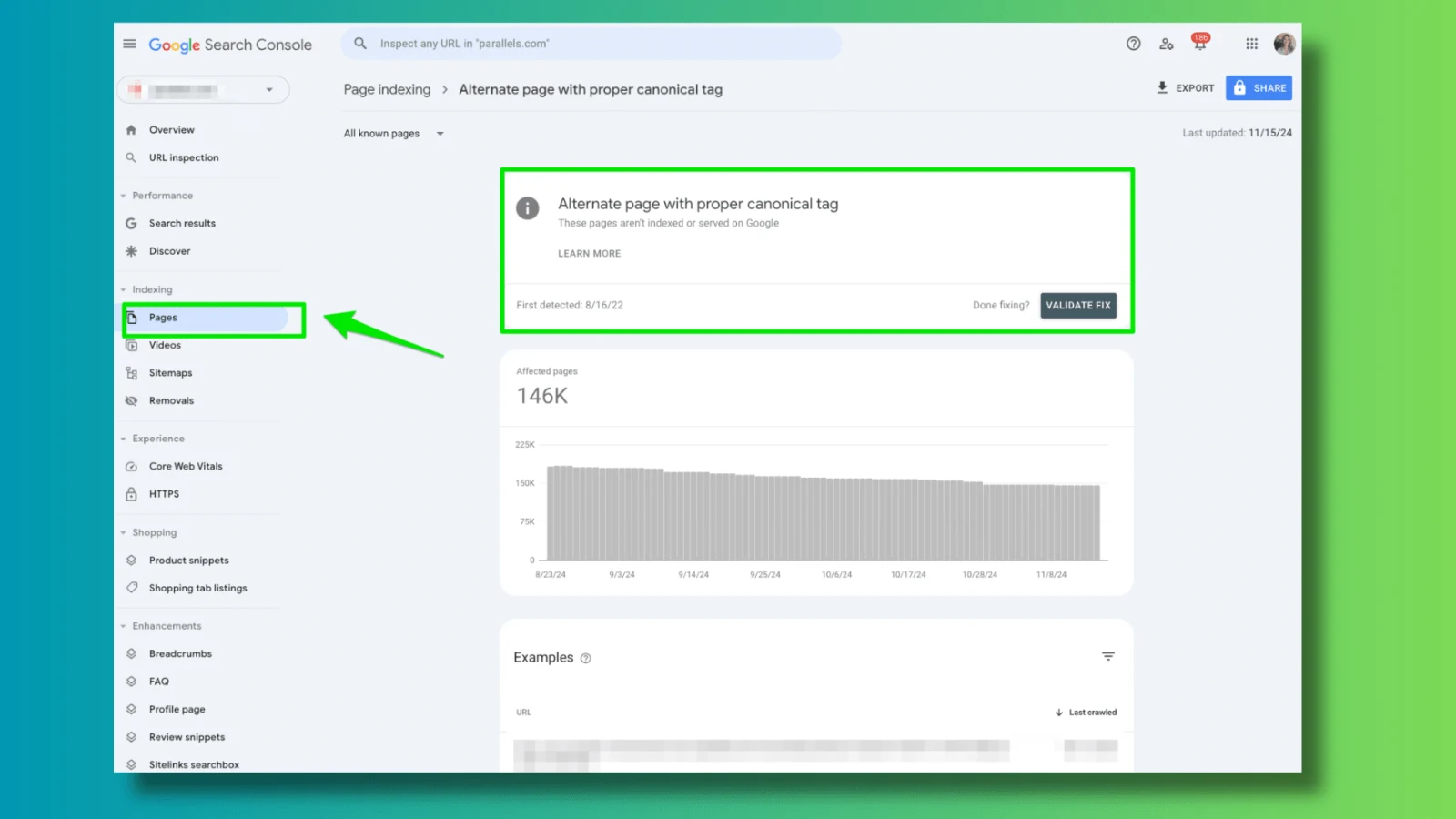
Once you know what can be crawled, establish what Google has actually chosen to keep. The Pages report in Search Console is the source of truth, and the "not indexed" reasons are a diagnostic taxonomy rather than a list of errors.
| Status | Likely Cause | Typical Fix |
|---|---|---|
| Crawled – currently not indexed | Thin, duplicative, or low-value content | Consolidate, improve depth, or noindex deliberately |
| Discovered – currently not indexed | Crawl budget or weak internal linking | Add internal links, improve server response, prune waste |
| Duplicate, Google chose a different canonical | Conflicting canonical signals | Align canonical, internal links, sitemap and hreflang |
| Alternate page with canonical tag | Working as intended, usually | Verify the canonical target is correct |
| Excluded by noindex tag | Intentional, or a template mistake | Audit which templates emit noindex |
| Soft 404 | Empty pages returning 200 | Return a real 404, or add substantive content |
The two that consume most diagnostic time are the not-indexed pair. If large numbers sit in "discovered", you have a crawl efficiency problem — work through crawl budget fixes. If they sit in "crawled but not indexed", you have a quality or duplication problem, and my notes on indexing failures go through the elimination order.
Canonical Consistency
Canonicalisation is where sites quietly lose consolidated ranking signals. For each template, confirm that the canonical tag, the internal links, the sitemap entry, and any hreflang annotation all point at the same URL. A page that canonicalises to itself while every internal link points at a trailing-slash variant is sending Google contradictory instructions. Parameter-heavy URLs on ecommerce sites are the usual culprit — see fixing duplicate content for the patterns.
Phase 3: Architecture and Internal Linking
Site structure determines how authority flows and how deeply crawlers go. From your crawl export, look at:
- Crawl depth — how many clicks from the homepage. Important pages beyond three clicks get crawled less and rank worse.
- Orphan pages — URLs in the sitemap or analytics with no internal links pointing at them. Compare crawl output against sitemap and GA4 landing pages; the reconciliation method is in my piece on orphan pages.
- Internal link distribution — which pages receive the most links, and whether those are your money pages.
- Anchor text — whether internal anchors describe the destination or just say "read more".
- Pagination and faceted navigation — how many near-duplicate URLs the templates generate.
Architecture problems are structural, so the fixes are template-level rather than page-level, which makes them high-leverage. The reasoning behind hub-and-spoke structures is covered in my article on website architecture.
Phase 4: Rendering and Performance
JavaScript Rendering
Use the URL Inspection tool's rendered HTML view, not the browser's view-source. If your primary content, internal links, or canonical tag appear only after JavaScript executes, you are depending on Google's rendering queue — which is slower and less reliable than the initial crawl. Check that navigation links are real anchor elements with href attributes rather than click handlers, since a link a crawler cannot follow contributes nothing. The failure modes are catalogued in my piece on JavaScript rendering issues.
Core Web Vitals
Audit field data, not lab scores. Search Console's Core Web Vitals report groups URLs by template, which tells you whether a problem is site-wide or confined to one page type. Work through the three metrics in order of business impact: LCP is usually an image or server response problem, CLS is usually images without dimensions or late-injected banners, and INP is usually heavy JavaScript on the main thread. Google's Core Web Vitals documentation explains the thresholds and diagnostic path properly, and my walkthrough covers solving Core Web Vitals failures in practice.
Mobile
Google indexes the mobile version. Confirm parity: the same content, the same structured data, the same internal links on mobile as desktop. Hidden accordions are fine; content removed entirely from the mobile template is not. Common defects include tap targets too close together, viewport not set, and interstitials that block content on entry — my notes on mobile usability errors cover the fixes.
Phase 5: Structured Data and Internationalisation
Validate every template that carries markup, not one sample URL. Look for required properties missing, markup describing content not visible on the page, and multiple conflicting Organization or Article blocks emitted by both the theme and an SEO plugin. The schema.org vocabulary is the reference for what each type supports, and my guide to schema markup covers implementation.
For multi-language or multi-region sites, hreflang errors are among the most common serious technical defects. Every annotation must be reciprocal, must use valid language and region codes, must reference absolute URLs, and must include a self-reference. A missing return tag invalidates the whole cluster — the diagnostic sequence is in my article on hreflang errors.
Turning Findings Into a Deliverable
This is the part that decides whether the audit was worth doing. Structure every finding with five fields: what is wrong, which URLs or templates are affected, why it matters in traffic or revenue terms, the specific change required, and who implements it.
Then group into three tiers rather than a severity score:
- Blocking — pages cannot be indexed or served. Rogue noindex, robots.txt blocks, server errors, broken canonicals. Fix this week.
- Diluting — pages are indexed but signals are wasted. Redirect chains, duplicates, orphans, internal links to redirects. Fix this month.
- Optimising — incremental gains. Schema expansion, image formats, minor speed work. Schedule as capacity allows.
Write the fix in the language of whoever will implement it. "Add rel=canonical to the product template pointing at the parameter-free URL" gets built. "Improve canonicalisation" does not. If you need a starting framework, my technical SEO checklist and website audit checklist cover the field structure, and the SEO report guide covers presenting it.
Why Work With Sadekur Rahman
I audit in the order above because it mirrors how search engines encounter a site, which means each phase gives context to the next. Clients get a findings sheet grouped by blocking, diluting and optimising, with each item written as a developer ticket rather than a recommendation, plus a follow-up pass to verify the fixes actually shipped and worked.
If your indexation numbers do not match your published page count, or traffic fell without an obvious cause, see my SEO services and case studies, review plans and pricing, or book a meeting.
Frequently Asked Questions
How long does a technical SEO audit take?
For a site under a thousand pages, two to four days of focused work including the crawl, log analysis, and writing the deliverable. Large ecommerce or multi-region sites run one to three weeks, mostly because reconciling parameter and faceted URLs against indexation data is slow.
How often should I audit?
A full audit annually, a lighter review quarterly, and continuous monitoring of Search Console coverage and Core Web Vitals in between. Always audit before and after a migration — a pre-migration crawl gives you the URL inventory you will need to verify redirects afterwards.
Can I run a technical audit myself?
Yes, up to a point. Search Console plus a free crawler covers crawl accessibility, indexation, redirects and basic architecture on a small site. Log file analysis, rendering diagnosis, and untangling canonical conflicts across templates are where experience starts to matter more than tooling.
What should I fix first?
Anything preventing indexation of pages that should rank — robots.txt blocks, stray noindex tags, server errors, and broken canonicals. Those are binary problems: fixing them changes a page from invisible to visible. Speed and schema work improves pages already competing, which is valuable but slower.

Written by Sadekur Rahman
SEO & Website Strategy Specialist at Pixelvega and SEO Executive at Daily Amar Desh. 6+ years helping brands grow with data-driven SEO.