Google Ignoring Canonical Tags? Diagnose & Fix Common Issues
Is Google ignoring your canonical tags? Learn why it happens, how to diagnose the problem with actionable fixes, and when to seek expert Technical SEO help. Ensure your preferred URLs rank.

When Your "Preferred URL" Isn't Honored
You've meticulously added rel="canonical" tags to your pages, instructing Google which version is the "master" copy. Yet, in Google Search Console, you see a different URL indexed, or your canonical tags seem to have no effect. This frustrating scenario is more common than you think and often points to implementation errors or conflicting signals that Google's algorithms weigh more heavily.
As an SEO Specialist, I, Mr. Sadekur, help businesses cut through technical noise like this. Canonical tags are a fundamental control mechanism for your site’s SEO health. When they fail, it can lead to duplicate content issues, diluted ranking power, and wasted crawl budget. This guide will walk you through why Google might ignore your canonical tags and provide proven solutions.
What Are Canonical Tags? A Quick Refresher
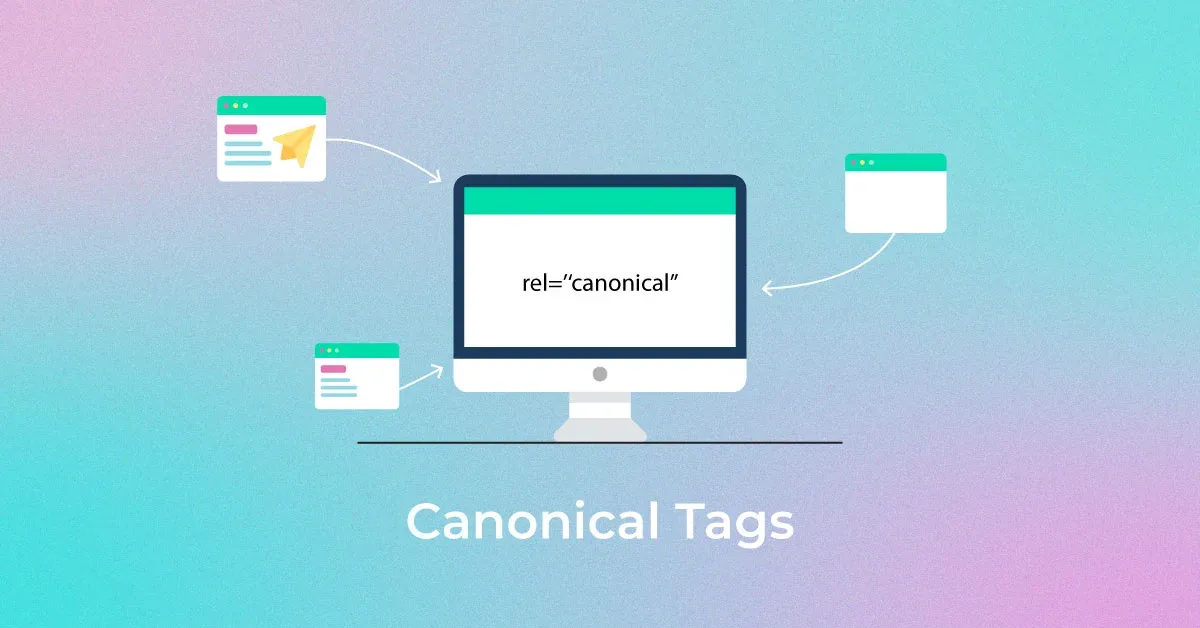
A canonical tag (rel="canonical") is an HTML element that tells search engines which version of a page you consider the primary or "canonical" one when you have multiple URLs with identical or very similar content. It's your way of saying, "Hey Google, this is the main URL I want to appear in search results."
Key Purposes of Canonical Tags:
- Consolidate Duplicate Content: Group ranking signals for similar pages (e.g., product pages with session IDs, printer-friendly versions).
- Manage Syndicated Content: Specify the original source of content published on multiple sites.
- Handle HTTP/HTTPS and WWW/Non-WWW Variations: Although best handled via redirects, canonicals provide a safety net.
- Guide Crawl Budget: Help search engines avoid wasting resources on duplicate pages.
For a deeper dive into foundational SEO concepts, explore our guide on What is SEO?.
Why Google Might Ignore Your Canonical Tags (The Common Culprits)
Google states they "will usually respect your canonical signal" but treat it as a hint, not an absolute directive. Here are the main reasons your hint might be overridden.
1. Incorrect or Self-Referential Canonical Implementation
The most frequent issue is simple implementation error.
- The Tag is Broken: A typo in the rel="canonical" link tag, a missing quote, or incorrect syntax.
- Pointing to a Non-Existent Page (404): If your canonical tag points to a URL that returns a 404 error, Google will ignore it.
- Pointing to a Blocked Page: If the canonical URL is disallowed in robots.txt, Google can't access it to verify it as the canonical, so the tag is ignored.
- Self-Referential Defaults: Every page should have a canonical tag, often pointing to itself. This isn't an error, but it's not solving a duplication problem. The issue arises when pages that should point to a different master copy only point to themselves.
2. Conflicting Signals from Other SEO Elements
Google considers a hierarchy of signals. A stronger signal can override your canonical tag.
- Stronger Internal Links: If most of your internal links point to the "duplicate" URL (e.g., the one with parameters) instead of your declared canonical URL, Google might choose the more linked version.
- Sitemap Inclusions: If you list a non-canonical URL in your sitemap but omit the canonical version, it sends a mixed message. Ensure your sitemap lists the canonical versions. Learn how to create a proper sitemap.
- Redirects (301/302): A redirect is a much stronger signal than a canonical tag. If Page A canonicals to Page B, but Page B redirects to Page A, you’ve created a loop that confuses Google.
3. Content Mismatch
If the content between the duplicate page and your declared canonical page is significantly different, Google may decide they are not true duplicates and ignore the tag.
- Different Page Titles/Meta Descriptions: While not the main content, major differences can be a signal.
- Substantially Different Body Content: One page has 100 words, the other 1000 words on a different subtopic.
4. International & Hreflang Conflicts
For multilingual sites, hreflang annotations work in tandem with canonicals. A common mistake is setting a canonical tag to a different language version, which conflicts with the hreflang specification. Each language version should be self-canonical within its own language cluster.
5. The Canonical Chain is Too Long
While Google says they can follow canonical chains (Page A > Page B > Page C), it’s best practice to point all duplicates directly to the final canonical URL. Long chains increase the chance of a break (like a 404 in the middle) and dilute SEO value.
How to Diagnose & Fix Canonical Tag Issues: A Step-by-Step Guide
Follow this systematic troubleshooting process.
Step 1: Manual Inspection & Crawling
Start with the basics.
- View Page Source: Right-click on your webpage and select "View Page Source." Search for canonical. Check that the href attribute points to the correct, absolute URL.
- Use a Crawler: Tools like Screaming Frog SEO Spider can crawl your site and identify canonicalization issues at scale. Look for reports on:
- Canonicals pointing to 4xx/5xx pages.
- Non-canonical pages in the sitemap.
- Chains and loops.
For more advanced auditing techniques, refer to our Technical SEO Checklist.
Step 2: Leverage Google Search Console (GSC)
GSC is your primary diagnostic tool.
- URL Inspection Tool: Enter a duplicate URL. Under "Indexing," look at "Page is indexed as..." and "Referring page canonicals." This shows what Google has chosen as the canonical.
- Coverage Report: Look for errors related to "Submitted URL not selected as canonical." This directly tells you when Google has chosen a different URL than the one you submitted in your sitemap.
- International Targeting Report: If applicable, check for hreflang errors which often interplay with canonicals.
Step 3: Implement Corrective Actions
Based on your diagnosis, apply the fixes.
| Problem Identified | Recommended Fix |
| Broken canonical syntax | Correct the HTML tag. Ensure it's in the <head> section. |
| Canonical points to a 404 | Either restore the target page or update the canonical tag to a live URL. |
| Conflicting sitemap entries | Update your sitemap to include only canonical URLs. Submit it in GSC. |
| Strong internal links to duplicate | Audit and update internal links to point to the canonical URL. Use our SEO Audit services for a comprehensive link analysis. |
| Content mismatch | Align the content on the duplicate and canonical pages, or decide if they are distinct pages that shouldn't be canonicalized. |
| Canonical chain | Re-configure all duplicate pages to point directly to the final canonical URL. |
Pro Tip: For complex sites (e.g., e-commerce with filters), using parameter handling in Google Search Console alongside canonical tags is often the best strategy.
When to Use Canonical Tags vs. 301 Redirects
Understanding this distinction is crucial for Technical SEO.
- Use a 301 Redirect when: The duplicate page should permanently cease to exist as a separate entity and all user/web traffic should be sent to the new URL. This is the cleanest solution for permanent moves or obsolete pages.
- Use a Canonical Tag when: You need to keep the duplicate URL accessible to users (e.g., filtered product listings, session IDs, tracking parameters for internal analytics) but want to consolidate search equity to a master URL.
For guidance on optimizing specific page types, see our resources on E-commerce SEO and Product Page Optimization.
Why Consistent Technical SEO Management is Critical
Canonical tags are just one piece of the technical puzzle. Inconsistent signals from your robots.txt, sitemap, internal linking, and redirects can undermine even perfect canonical implementation. This is where partnering with an expert ensures not just a one-time fix, but a resilient, high-performing site architecture.
My approach as an SEO Specialist involves a holistic audit to identify these conflicting signals. I don't just fix the canonical tag; I ensure your entire technical foundation supports your ranking goals. Explore my Technical SEO services to see how I structure comprehensive strategies.
Frequently Asked Questions (FAQ)
Q1: Can Google choose a canonical page different from my tag?
A: Yes. Google treats the canonical tag as a strong hint, not a command. They may choose a different canonical if they perceive stronger signals from internal links, sitemaps, or if your tag points to an invalid page. Their goal is to determine the "best" version for users.
Q2: Should every page on my site have a canonical tag?
A: Absolutely. Every page should have a canonical tag, even if it's "self-referential" (pointing to itself). This provides a clear signal to search engines and prevents confusion, especially for pages that have URL parameters.
Q3: How long does it take for Google to respect a fixed canonical tag?
A: Once the page is recrawled and reindexed, Google should recognize the correction. This can take from a few days to a few weeks. You can use the "URL Inspection Tool" in Google Search Console to request indexing of the corrected page to speed up the process.
Q4: Can I use canonical tags across different domains?
A: Yes, this is called cross-domain canonicalization. It's commonly used for content syndication to point back to the original source article on your domain. However, it's a weaker signal than on-domain canonicals, and the publishing site must implement it correctly.
Conclusion: Take Control of Your Site’s Signal
Ignored canonical tags are a symptom of a deeper technical issue. By methodically diagnosing the root cause be it a syntax error, a conflicting redirect, or weak internal linking you can regain control and ensure your preferred URLs receive the ranking power they deserve.
However, managing these intricate technical details can be a distraction from your core business. If you're tired of playing whack-a-mole with SEO errors, it’s time to work with a specialist.
Let me, Mr. Sadekur, conduct a comprehensive Technical SEO audit of your website. I'll identify and resolve canonical issues, crawl budget inefficiencies, and other hidden barriers that are limiting your visibility and growth.
Ready to fix your site’s foundation and improve rankings?
- Book a Free Strategy Meeting: Discuss your site’s specific challenges directly with me. Book a Meeting
- Explore My SEO Plans: Find a tailored service package that fits your needs and budget. View Plans & Pricing
- See Proven Results: Read case studies on how I’ve helped other businesses succeed. Browse Case Studies
Further Reading & Internal Resources:
- Master the basics with our Guide to How Search Engines Work.
- Complement canonical tags with structured data. Learn How to Use Schema Markup for Better SEO.
- For a full suite of optimization strategies, visit my main Services page.
About the Author: Mr. Sadekur is an SEO Specialist dedicated to driving sustainable online growth for businesses through data-driven, white-hat SEO strategies. With expertise spanning technical SEO, content strategy, and local SEO, he helps clients build authoritative, visible, and converting digital presences. Connect via the Contact page.

Written by Sadekur Rahman
SEO & Website Strategy Specialist at Pixelvega and SEO Executive at Daily Amar Desh. 6+ years helping brands grow with data-driven SEO.