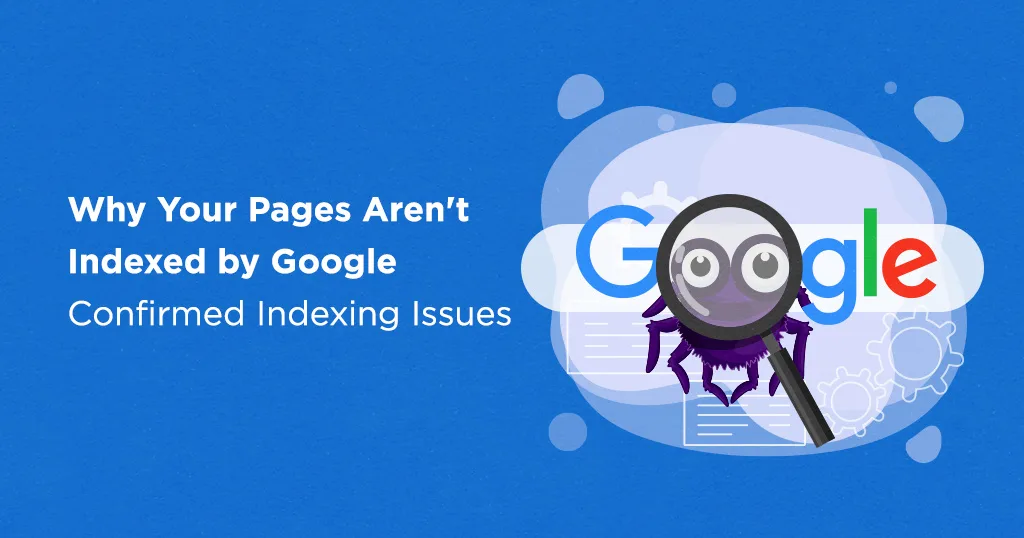
How to Recover Lost Traffic After Site Migration: Complete Recovery Guide
Learn how to recover lost traffic after a site migration. Step-by-step strategies to fix technical issues and restore your search rankings fast.

You migrated your website to a new platform, domain, or hosting provider expecting a smooth transition but instead, your organic traffic plummeted. Rankings disappeared, conversions dropped, and panic set in as you watched months or years of SEO progress seemingly evaporate overnight.
Traffic loss after site migration is one of the most stressful situations website owners face. Whether you moved from HTTP to HTTPS, changed domains, redesigned your site, or switched content management systems, improper migration execution can devastate your search visibility.
The good news? Most migration-related traffic losses are recoverable with systematic diagnosis and strategic fixes. While some temporary fluctuation is normal during migrations, sustained traffic drops indicate specific technical or SEO issues that demand immediate attention.
In this comprehensive guide, I'll explain why site migrations cause traffic loss, how to diagnose the root causes, and proven recovery strategies to restore your rankings and organic traffic.
What Is Site Migration and Why Does It Cause Traffic Loss?
Site migration refers to any substantial change to your website's location, structure, design, platform, or technology that could impact search engine visibility. Common migration types include:
Domain migrations: Moving from oldsite.com to newsite.com
Protocol migrations: Changing from HTTP to HTTPS
Platform migrations: Switching CMS platforms (e.g., WordPress to Shopify)
Redesign migrations: Launching new site architecture or design
Hosting migrations: Moving to new servers or hosting providers
Subdomain/subfolder changes: Restructuring site hierarchy
Each migration type carries SEO risks because search engines must re-evaluate your site's authority, content, and technical implementation. Understanding how search engines work reveals why even small migration errors can cause significant ranking drops.
Why migrations cause traffic loss:
Google must rediscover, recrawl, and reindex your entire website under the new configuration. During this transition, indexing errors, broken redirects, lost content, or technical issues can tank your rankings. Even perfectly executed migrations typically experience temporary 10-20% traffic dips during the adjustment period.
Common Causes of Traffic Loss After Site Migration
1. Broken or Missing 301 Redirects
The most common migration mistake is improper redirect implementation. When old URLs don't properly redirect to new URLs, you lose:
- Link equity from backlinks pointing to old pages
- Indexed pages as Google encounters 404 errors
- User traffic as visitors land on broken pages
- Search rankings as authority signals disconnect
Common redirect errors:
- No redirects implemented at all
- Using 302 (temporary) instead of 301 (permanent) redirects
- Redirect chains causing multiple hops
- Redirecting all old URLs to the homepage instead of relevant new pages
- Missing redirects for category, tag, or filter pages
2. Indexing and Crawling Issues
Technical problems preventing Google from crawling your new site cause traffic to plummet:
- Robots.txt file blocking important pages
- Noindex tags accidentally left on pages
- XML sitemap not updated or submitted
- Server configuration blocking crawlers
- Slow server response times affecting crawl budget
Use this technical SEO checklist to identify crawling issues.
3. Lost or Changed Content
Content changes during migration confuse search engines about what your pages cover:
- Pages removed without redirects
- Content significantly shortened or modified
- Images, videos, or other media removed
- Internal links broken or removed
- Page titles and meta descriptions changed drastically
4. URL Structure Changes Without Mapping
Changing URL structures without comprehensive mapping creates chaos:
Old structure: website.com/blog/article-title New structure: website.com/articles/category/article-title
Without proper 1:1 redirect mapping from every old URL to its new equivalent, you lose rankings for thousands of pages.
5. Site Speed and Performance Issues
New platforms or hosting environments sometimes perform worse than old setups:
- Slower page load times
- Poor Core Web Vitals scores
- Heavy, unoptimized images
- Excessive JavaScript or CSS
- Server response delays
6. Mobile Usability Problems
Mobile-first indexing means mobile issues devastate rankings:
- Non-responsive design on new site
- Mobile navigation problems
- Content hidden on mobile
- Interstitials or pop-ups blocking content
- Touch element spacing issues
7. Canonical Tag Errors
Incorrect canonical tags tell Google to index the wrong pages:
- Self-referencing canonicals pointing to old URLs
- Canonicals pointing to non-existent pages
- Missing canonical tags on duplicate content
- Canonical chains causing confusion
8. Lost Backlinks
Domain or URL changes can break your backlink profile:
- Backlinks still pointing to old domain
- No redirect from old domain to new domain
- Lost link equity from broken redirect chains
- Disavowed links not transferred properly
Maintaining backlink equity requires careful planning and execution.
9. Schema Markup Issues
Structured data problems affect rich results and rankings:
- Schema markup removed during migration
- Incorrect schema implementation on new platform
- Validation errors in structured data
- Missing critical schema types
Learn proper implementation with this schema markup guide.
10. Security and Trust Issues
New SSL certificates or security implementations can cause problems:
- Mixed content warnings (HTTP/HTTPS)
- Invalid or expired SSL certificates
- Security headers not properly configured
- Malware or hacking during vulnerable migration period
How to Diagnose Traffic Loss After Migration
Step 1: Analyze Traffic Patterns in Analytics
Use Google Analytics (GA4) to identify when and how traffic dropped:
- Compare pre-migration vs. post-migration traffic
- Segment by traffic source (organic, direct, referral, social)
- Identify which pages lost the most traffic
- Determine if loss is uniform or concentrated
- Check conversion rates alongside traffic
Step 2: Review Google Search Console Data
Google Search Console reveals indexing and ranking issues:
Coverage Report: Check for errors, warnings, or excluded pages that indicate crawling problems.
Performance Report: Compare impressions, clicks, and average position before and after migration.
Index Coverage: Verify that important pages are indexed and identify any indexing drops.
Core Web Vitals: Check if performance metrics worsened after migration.
Step 3: Audit Redirect Implementation
Verify that redirects work correctly:
- Test a sample of old URLs to ensure they redirect properly
- Check for redirect chains or loops
- Verify 301 status codes (not 302 or other codes)
- Ensure redirects point to relevant new pages, not just homepage
- Test redirects from both www and non-www versions
Use tools like Screaming Frog, Ahrefs Site Audit, or redirect checker tools.
Step 4: Check for Technical SEO Issues
Run comprehensive technical audits to identify problems:
- Verify robots.txt allows crawling of important pages
- Check for noindex tags on pages that should be indexed
- Ensure XML sitemap is updated and submitted
- Test page load speeds and Core Web Vitals
- Verify mobile usability across devices
- Check for canonical tag errors
Step 5: Compare Old vs. New Site Architecture
Document structural changes that might impact SEO:
- Note any removed pages or content
- Identify changes to internal linking structure
- Compare old and new URL structures
- Review changes to navigation and site hierarchy
- Check if important content became harder to access
Understanding website architecture's impact on SEO helps identify structural issues.
Step 6: Monitor Ranking Changes
Track keyword rankings to see which pages lost visibility:
- Use rank tracking tools to compare pre and post-migration rankings
- Identify pages that dropped most significantly
- Determine if drops are across all keywords or specific terms
- Check if competitors gained the positions you lost
Step 7: Review Backlink Profile
Analyze your backlink situation:
- Verify backlinks still point to your site (or redirect properly)
- Check for lost referring domains
- Identify broken backlinks causing 404 errors
- Monitor anchor text distribution changes
Use a backlink checker to audit your link profile.
Step-by-Step Recovery Strategies
Fix Critical Redirect Issues First
Redirects are typically the biggest culprit in migration traffic loss:
Create comprehensive redirect mapping:
- Export all old URLs from your sitemap and analytics
- Map each old URL to its corresponding new URL
- Implement 301 redirects for every mapping
- Test redirects thoroughly before and after implementation
- Monitor for redirect chains or loops
Best practices:
- Redirect to the most relevant new page, not homepage
- Use direct 301 redirects, avoid chains
- Maintain redirects permanently (at least 1 year minimum)
- Update internal links to point directly to new URLs
Submit Updated XML Sitemap
Help Google discover your new structure quickly:
- Generate a fresh XML sitemap including all new URLs
- Remove any old URLs or pages that no longer exist
- Submit sitemap through Google Search Console
- Check sitemap for errors or warnings
- Resubmit if you make significant changes
Learn more about creating proper sitemaps.
Request Reindexing of Important Pages
Accelerate Google's recrawl of your migrated site:
- Use Google Search Console's URL Inspection Tool
- Test live URLs to verify they're accessible
- Request indexing for your most important pages
- Prioritize high-traffic pages and conversion pages
- Monitor indexing progress in Coverage report
Fix Technical SEO Issues
Address technical problems preventing proper crawling and indexing:
Robots.txt optimization:
- Ensure robots.txt doesn't block important pages or resources
- Allow Googlebot to access CSS, JavaScript, and images
- Update any old domain references
Remove blocking tags:
- Search for accidental noindex tags in page headers
- Check for X-Robots-Tag headers blocking indexing
- Remove staging environment tags if they carried over
Improve site speed:
- Optimize images and compress files
- Implement caching and CDN if needed
- Minimize JavaScript and CSS
- Improve server response times
- Address Core Web Vitals issues
Restore Lost Content
If content was removed or significantly changed during migration:
- Identify which content changes coincided with traffic drops
- Restore important content that was removed
- Expand content that was shortened
- Re-add images, videos, or media that was removed
- Ensure content quality meets pre-migration standards
Fix Internal Linking Structure
Repair broken internal links and strengthen architecture:
- Update internal links pointing to old URLs
- Rebuild important internal linking pathways
- Ensure deep pages are accessible within 3 clicks
- Create proper hierarchical structure with topic clusters
- Add breadcrumb navigation if missing
Optimize Mobile Experience
Address mobile usability issues affecting rankings:
- Test site on multiple mobile devices and screen sizes
- Fix navigation issues on mobile
- Ensure content isn't hidden or inaccessible
- Remove intrusive interstitials
- Improve touch element spacing
- Test mobile page speeds specifically
Update and Fix Schema Markup
Restore structured data that may have been lost:
- Audit schema implementation on new site
- Add missing schema types (Article, Organization, Product, etc.)
- Fix validation errors using Google's Rich Results Test
- Ensure schema matches page content accurately
- Test for rich result eligibility
Reclaim Lost Backlinks
Recover valuable backlinks pointing to your old site:
For domain migrations:
- Keep old domain active with 301 redirects (indefinitely if possible)
- Reach out to high-value linking sites requesting updates
- Monitor redirect performance regularly
For URL changes on same domain:
- Update backlinks you control (social profiles, directories)
- Contact webmasters for high-authority backlinks
- Prioritize links from sites driving actual traffic
Professional backlink building services can help reclaim lost link equity.
Monitor and Iterate
Recovery requires ongoing monitoring and adjustment:
- Check Google Search Console weekly for new issues
- Track ranking changes for target keywords
- Monitor traffic trends in analytics
- Measure conversion rates alongside traffic
- Continue testing and fixing issues as they arise
Advanced Recovery Techniques
Implement Change of Address Tool (Domain Migrations)
For domain migrations, use Google Search Console's Change of Address tool:
- Verify ownership of both old and new domains
- Add both properties to Google Search Console
- Navigate to Settings → Change of Address
- Select the new domain and submit the change
- Maintain 301 redirects from old to new domain
This signals to Google that your domain has permanently moved.
Leverage Historical Optimization Data
Review what worked on your old site and replicate it:
- Identify highest-performing pages and optimize new equivalents
- Restore metadata that was working well
- Rebuild content structures that generated rankings
- Implement on-page SEO elements that previously succeeded
Build Fresh Backlinks to New URLs
Accelerate recovery by earning new backlinks:
- Create linkable content assets post-migration
- Conduct outreach campaigns highlighting your new site
- Guest post on relevant industry sites
- Get listed in quality directories with new URLs
- Leverage press releases if appropriate
Update Google Business Profile and Citations
For business websites, update all local listings:
- Change website URL in Google Business Profile
- Update NAP information across all citations
- Fix any inconsistencies created by migration
- Submit to major business directories with new details
This is especially critical for local SEO recovery.
Consider Temporary Paid Traffic
While recovering organic traffic, supplement with paid channels:
- Run targeted Google Ads campaigns
- Increase social media advertising
- Invest in content promotion
- Maintain business continuity while SEO recovers
Communicate with Your Audience
Keep customers informed during the transition:
- Announce the migration on social media
- Send email to subscribers about the change
- Update social profiles with new URLs
- Create blog post explaining improvements
Timeline: How Long Does Traffic Recovery Take?
Week 1-2: Immediate Actions Fix critical technical issues, implement redirects, submit sitemaps
Weeks 2-4: Initial Recovery Google begins recrawling, some rankings may return, monitor closely
Months 1-3: Gradual Recovery Continued indexing, rankings stabilize, traffic approaches pre-migration levels
Months 3-6: Full Recovery Most sites fully recover if issues are properly addressed
Note: Complex migrations or sites with severe technical issues may take 6-12 months for complete recovery. Properly executed migrations should see 80-90% recovery within 2-3 months.
Preventing Future Migration Issues
Create Comprehensive Migration Plans
Before your next migration:
- Document complete URL mapping before any changes
- Create detailed redirect rules
- Test in staging environment first
- Prepare rollback plan in case of issues
- Schedule migration during low-traffic periods
Maintain Migration Checklist
Use a comprehensive migration checklist covering:
- Pre-migration preparation
- Redirect planning and implementation
- Technical SEO verification
- Content preservation
- Post-migration monitoring
- Recovery procedures
Consider Professional Migration Services
Complex migrations benefit from expert oversight:
- SEO services specializing in migrations
- Technical SEO consultants
- Development teams with migration experience
- Ongoing monitoring and optimization services
Tools for Migration Recovery
Essential SEO Tools
Google Search Console: Free tool for monitoring indexing, crawling, and performance issues
Google Analytics (GA4): Track traffic patterns and identify problem areas
Screaming Frog SEO Spider: Crawl your site to identify technical issues and broken links
Redirect Checker Tools: Verify redirect implementation and identify chains or loops
PageSpeed Insights: Measure Core Web Vitals and identify performance issues
Ahrefs Site Audit: Comprehensive technical SEO auditing
SEMrush Site Audit: Identify technical problems and track fixes
Explore more options in this guide to SEO tools.
Case Study: Successful Migration Recovery
Scenario: E-commerce site migrated from Magento to Shopify, lost 65% organic traffic
Issues identified:
- 3,000+ pages without proper redirects
- Duplicate content from poor URL structure
- Slow page load times on new platform
- Missing product schema markup
- Broken internal links
Recovery actions:
- Implemented comprehensive 301 redirect mapping
- Fixed canonical tag issues on product pages
- Optimized images and improved Core Web Vitals
- Restored complete product schema markup
- Rebuilt internal linking structure
- Requested indexing of all product pages
Results:
- 80% traffic recovery within 8 weeks
- 100% recovery plus 15% growth at 16 weeks
- Improved conversion rates on faster site
- Better mobile rankings post-recovery
For similar results, explore my case studies.
FAQ About Recovering Traffic After Site Migration
How long should I expect traffic loss to last after migration?
Temporary traffic fluctuations of 10-20% for 2-4 weeks are normal even with perfect migrations. If traffic drops more than 30% or doesn't recover within a month, investigate for technical issues. Properly addressing issues should restore most traffic within 2-3 months.
Can I recover 100% of my pre-migration traffic?
Yes, most sites can fully recover and even exceed pre-migration traffic levels with proper recovery techniques. However, recovery depends on how well you address technical issues, maintain redirects, and continue SEO efforts. Some migrations actually improve traffic by fixing underlying issues.
Should I keep my old domain active after migration?
Yes, maintain your old domain with 301 redirects for at least 1 year, preferably indefinitely. This preserves link equity from backlinks and prevents users from encountering errors. The small hosting cost is worth maintaining SEO value from existing backlinks.
What if traffic continues dropping months after migration?
Persistent traffic loss indicates unresolved technical issues or ongoing problems. Conduct a comprehensive SEO audit to identify hidden issues, check for Google penalties, and verify all redirects remain functional. Consider professional help if DIY efforts aren't working.
Conclusion: Recover Your Traffic and Prevent Future Losses
Traffic loss after site migration can be devastating, but it's rarely permanent when addressed systematically. The key is rapid diagnosis, strategic fixes, and ongoing monitoring to ensure complete recovery.
Essential recovery steps:
- Diagnose the root causes using analytics and Search Console
- Fix critical redirect issues with proper 301 implementations
- Address technical SEO problems blocking crawling and indexing
- Submit updated sitemaps and request reindexing
- Restore lost content and internal linking structure
- Monitor progress and iterate on improvements
- Learn and prevent future migration issues
Remember that migration recovery requires patience alongside action. Search engines need time to recrawl, reindex, and reassess your site. Consistent monitoring and adjustment accelerate this process.
If you're struggling with traffic loss after a site migration or planning a migration and want to avoid these issues entirely, I'm here to help. Book a meeting to discuss your specific situation, explore my technical SEO services, or review proven results in my case studies.
Don't let a site migration destroy your hard-earned search visibility. Contact me today for expert migration planning, recovery assistance, and ongoing SEO support.

Written by Sadekur Rahman
SEO & Website Strategy Specialist at Pixelvega and SEO Executive at Daily Amar Desh. 6+ years helping brands grow with data-driven SEO.