How to Solve Faceted Navigation SEO Issues on Large E-commerce Stores
Faceted navigation creating SEO problems? Learn how to handle filter pages, prevent duplicate content, and optimize crawl budget on large stores.

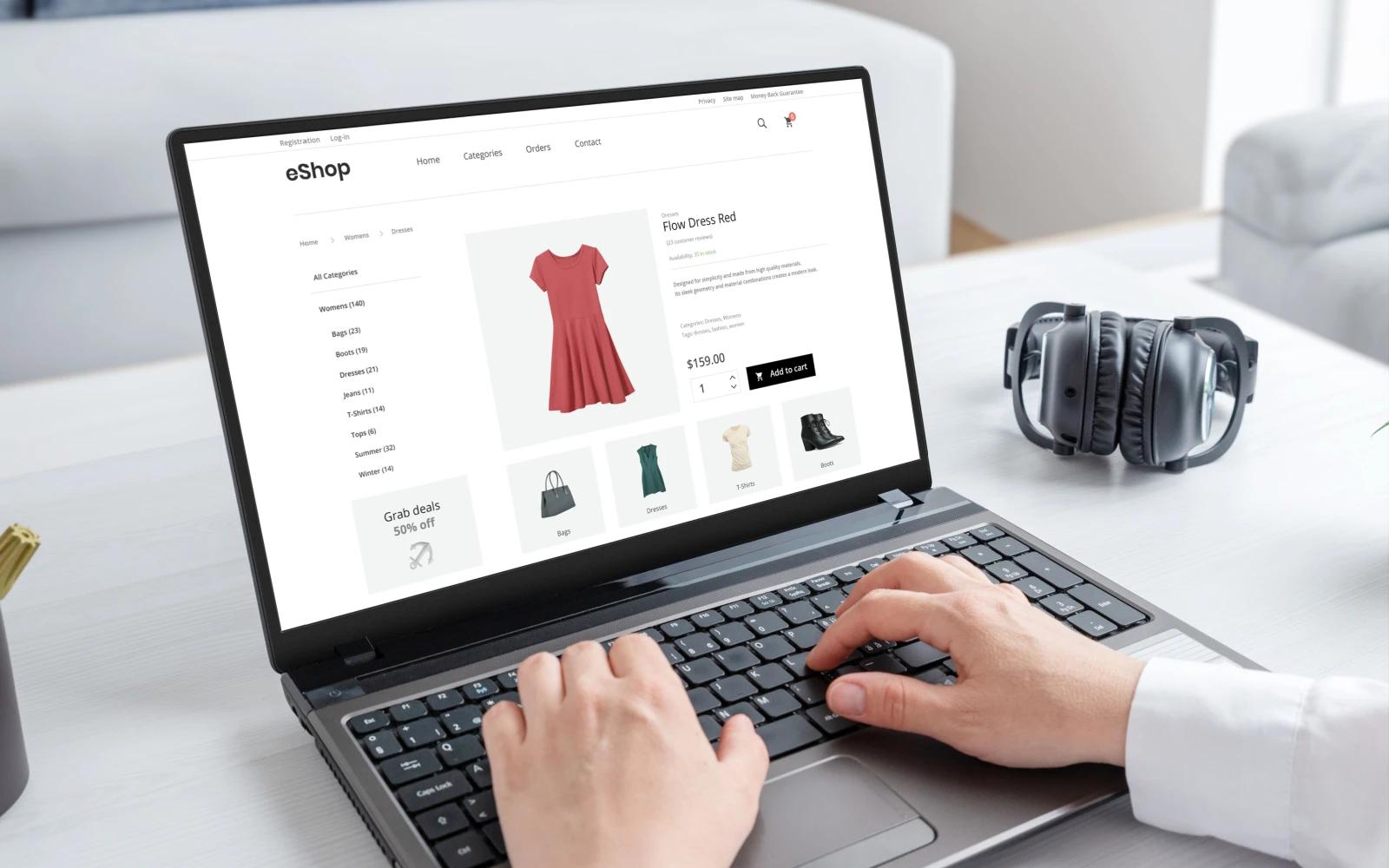
Your e-commerce store offers sophisticated filtering customers can refine by color, size, price, brand, material, and dozens of other attributes. This filtering creates an excellent user experience, helping shoppers find exactly what they need. But it's also creating an SEO nightmare.
Every filter combination generates a unique URL. Your 500-product catalog has spawned 50,000 indexed pages. Google is crawling endless filter combinations instead of your important product pages. You're seeing duplicate content warnings in Search Console. Some filter pages rank while your main categories don't. Your crawl budget is exhausted on worthless URLs.
Faceted navigation is essential for usability on large e-commerce sites but catastrophic for SEO when implemented incorrectly. The challenge is enabling powerful filtering for users while preventing search engine chaos.
This comprehensive guide reveals exactly how to implement faceted navigation that enhances user experience without destroying your SEO, preserving crawl budget, eliminating duplicate content, and ensuring search engines index the right pages.
Understanding Faceted Navigation and Its SEO Challenges
Before solving the problem, understand what you're dealing with:
What Is Faceted Navigation?
Faceted navigation (also called faceted search or guided navigation) allows users to filter products by multiple attributes simultaneously. Common facets include:
Product attributes:
- Color (red, blue, green, etc.)
- Size (small, medium, large, XS-XXL, numeric sizes)
- Price ranges ($0-25, $25-50, $50-100, etc.)
- Brand or manufacturer
- Material (cotton, polyester, leather, etc.)
- Style or design features
- Condition (new, refurbished, used)
Availability and logistics:
- In stock vs. out of stock
- Shipping options (free shipping, same-day, etc.)
- Store availability
- Eco-friendly or sustainable options
Performance specifications:
- Technical specifications
- Performance ratings
- Energy efficiency
- Compatibility features
User ratings and reviews:
- Rating thresholds (4+ stars, 5 stars)
- Number of reviews
- Verified purchases
Each facet and combination creates a unique URL with distinct product sets, resulting in exponential URL multiplication.
The SEO Problems Faceted Navigation Creates
Improper implementation causes severe technical SEO issues:
Crawl budget waste:
Your crawl budget the number of pages Google crawls in a given timeframe is finite. According to Google's crawl budget documentation, large sites must prioritize which pages get crawled.
The problem:
- Googlebot discovers thousands of filter combinations
- Crawls worthless URLs like /category?color=red&size=small&brand=x&price=50-100
- Exhausts crawl budget on filter pages instead of new products
- Important pages get crawled less frequently
- New products take longer to get indexed
Duplicate or near-duplicate content:
Different filter combinations often show the same or similar products:
Examples:
- /shoes (50 products)
- /shoes?color=black (20 products)
- /shoes?size=10 (15 products)
- /shoes?color=black&size=10 (5 products)
All these URLs contain overlapping products, creating duplicate content signals. Google struggles to determine which version to rank, often choosing suboptimal filter pages over your main category.
Diluted link equity:
When faceted pages get indexed:
- Internal links distribute authority across thousands of pages
- External links might target filter URLs instead of main categories
- PageRank gets diluted across unnecessary pages
- Main category pages receive less concentrated authority
Keyword cannibalization:
Multiple URLs targeting similar keywords compete against each other:
- /mens-shoes
- /mens-shoes?brand=nike
- /mens-shoes?color=black
- /mens-shoes?price=50-100
All potentially rank for "mens shoes," fragmenting visibility and weakening overall rankings.
Index bloat:
Thousands of low-value pages in Google's index:
- Dilutes overall site quality perception
- Reduces crawling of important pages
- Creates maintenance overhead
- Wastes server resources
- Complicates analytics and reporting
Our e-commerce SEO services specialize in solving complex faceted navigation challenges.
Strategic Approaches to Faceted Navigation SEO
Different scenarios require different solutions. Choose strategies based on your specific situation:
Solution 1: Robots Meta Noindex for Filter Pages
The most common and often effective approach:
When to use:
- Most filter combinations have no search value
- Users find products through main categories and filtering
- You want complete control over indexed pages
- Filter pages don't target valuable keywords
Implementation:
Dynamically add noindex to filter URLs:
<!-- Add to filter pages only -->
<meta name="robots" content="noindex, follow">
URL pattern detection:
// PHP example - detect filter parameters
$filter_params = ['color', 'size', 'price', 'brand', 'material'];
$has_filters = false;
foreach ($filter_params as $param) {
if (isset($_GET[$param])) {
$has_filters = true;
break;
}
}
if ($has_filters) {
echo '<meta name="robots" content="noindex, follow">';
}
Why "follow" not "nofollow": Use noindex, follow rather than noindex, nofollow. The "follow" directive allows:
- Googlebot to discover product pages through filters
- Link equity to flow to products
- Crawling of pagination within filters
- Discovery of important pages
Advantages:
- Complete control over indexed pages
- Prevents duplicate content issues
- Preserves crawl budget for important pages
- Simple to implement
- Works across all platforms
Disadvantages:
- Potentially valuable filter combinations can't rank
- Requires identifying all filter parameters
- Needs testing to avoid accidentally noindexing important pages
Learn more about technical SEO best practices for e-commerce.
Solution 2: Strategic Indexation of Valuable Filters
Some filter combinations have genuine search value and should rank:
When to use:
- Certain filters match high-volume search queries
- Filter combinations create unique product selections
- You have capacity to optimize specific filter pages
- Competition analysis shows filter pages ranking
Identifying valuable filter combinations:
Keyword research:
- Search for "[category] + [attribute]" patterns
- Identify combinations with search volume
- Example: "red dresses," "running shoes under $100," "cotton t-shirts"
User behavior analysis:
- Most-used filter combinations from analytics
- Filters leading to highest conversions
- Common entry points from search
- Frequently shared filter URLs
Competitive analysis:
- Filter pages ranking for competitors
- Search results showing filtered pages
- Gaps in competition you can fill
Implementation strategy:
Allow indexation selectively:
// Define valuable filter combinations
$indexable_filters = [
'color=red',
'color=black',
'price=0-50',
'brand=nike',
// etc.
];
$current_query = $_SERVER['QUERY_STRING'];
$should_index = in_array($current_query, $indexable_filters);
if (!$should_index) {
echo '<meta name="robots" content="noindex, follow">';
}
Optimize indexed filter pages:
When allowing filters to index, treat them like category pages:
Unique title tags:
<title>Red Women's Dresses | Brand Name</title>
Unique meta descriptions:
<meta name="description" content="Shop our collection of red women's dresses. Find the perfect red dress for any occasion with free shipping on orders over $50.">
Unique H1 headings:
<h1>Red Women's Dresses</h1>
Supporting content: Add unique content to valuable filter pages:
- Brief category description
- Why this combination is popular
- Buying guides for this filter
- Styling tips or usage suggestions
- Related categories or filters
Canonical URL management: Point less valuable variations to the main filter page:
<!-- On /dresses?color=red&sort=price -->
<link rel="canonical" href="https://example.com/dresses?color=red">
Advantages:
- Capture search traffic for valuable combinations
- Rank for long-tail keywords
- Provide direct answers to specific searches
- Leverage filtered product sets
Disadvantages:
- Requires significant content creation
- More complex to maintain
- Risk of creating too many indexed pages
- Needs ongoing optimization
Solution 3: URL Parameters in Google Search Console
Configure how Google handles your filter parameters:
When to use:
- You understand your faceted navigation structure completely
- You want Google to make intelligent crawl decisions
- Your site has consistent parameter usage
- You need crawler guidance without code changes
Implementation:
Access Search Console URL Parameters tool:
- Open Google Search Console
- Navigate to Settings → Crawling → URL Parameters (legacy feature)
- Add each filter parameter
Configuration options:
Let Googlebot decide: Google analyzes how parameters affect content and makes crawling decisions.
No: Doesn't affect page content (rare for filters): Use only if parameter truly doesn't change content (tracking parameters, session IDs).
Yes: Changes or reorders content: Specify how the parameter affects pages:
Active:
- Narrows: Filters down results (most filter parameters)
- Specifies: Selects specific item (usually not filters)
- Translates: Changes language
- Paginates: Handles pagination
Passive:
- Sorts: Changes display order only
- Tracks: Tracking and analytics
Representative URL specification: Tell Google which URL to index when multiple versions exist.
Example configuration:
Parameter: color
Effect: Narrows results
Representative URL: https://example.com/category (main category page)
Parameter: size
Effect: Narrows results
Representative URL: https://example.com/category
Parameter: sort
Effect: Sorts
Crawl: Let Googlebot decide (passive parameter)
Advantages:
- No code changes required
- Google makes intelligent decisions
- Preserves some crawling flexibility
- Works retroactively on existing URLs
Disadvantages:
- Less precise control than meta robots
- Legacy feature with uncertain future
- Takes time for Google to apply
- May not prevent all unwanted indexation
Solution 4: Canonical Tags for Duplicate Filters
Point duplicate filter combinations to preferred versions:
When to use:
- Multiple filters showing identical product sets
- Different paths to same products
- Sorting or display parameters creating duplicates
- Maintaining crawlability while consolidating authority
Implementation examples:
Filter combinations showing same products:
<!-- On /category?color=black -->
<link rel="canonical" href="https://example.com/category?color=black">
<!-- On /category?color=black&sort=price (same products, just sorted) -->
<link rel="canonical" href="https://example.com/category?color=black">
Multiple attributes to single attribute:
<!-- On /category?color=black&condition=new (most products are new) -->
<link rel="canonical" href="https://example.com/category?color=black">
Best practices:
Self-referencing canonicals: Include canonical on preferred pages pointing to themselves:
<!-- On preferred page /category?color=red -->
<link rel="canonical" href="https://example.com/category?color=red">
Consistency:
- Canonical URLs should be consistent across all references
- Use absolute URLs, not relative
- Include protocol (https://)
- Match exact URL format including trailing slashes
Strategic canonical hierarchy:
Create a clear hierarchy:
- Main category (no filters)
- Single valuable filter
- Multiple filter combinations
/shoes (canonical to itself)
↓
/shoes?color=red (canonical to itself if valuable, or to /shoes)
↓
/shoes?color=red&size=10 (canonical to /shoes?color=red or /shoes)
Advantages:
- Consolidates authority to preferred pages
- Allows crawling while preventing duplicate indexation
- Flexible per-page control
- Can adjust as strategy evolves
Disadvantages:
- Requires careful planning
- Incorrect implementation can hurt rankings
- Google may ignore canonicals it disagrees with
- Complex to maintain at scale
Learn about e-commerce SEO tips for implementation guidance.
Solution 5: Robots.txt to Block Parameter Crawling
Use robots.txt to prevent crawling of specific filter patterns:
When to use:
- You have clear, consistent parameter patterns
- You want to prevent discovery entirely
- Your main pages are well-linked otherwise
- You need quick, site-wide implementation
Implementation examples:
Block specific parameters:
# Block all color filter URLs
Disallow: /*?*color=
# Block multiple specific filters
Disallow: /*?*size=
Disallow: /*?*price=
Disallow: /*?*brand=
Block parameter combinations:
# Block URLs with multiple parameters (using & separator)
Disallow: /*?*&
Allow main categories, block filters:
# Allow main category
Allow: /category
# Block filtered versions
Disallow: /category?
# Or more specific
Allow: /category$
Disallow: /category?*
Critical warnings:
⚠️ Robots.txt doesn't remove already-indexed pages:
- Only prevents future crawling
- Won't remove existing indexed filter pages
- Need to use noindex for removal
⚠️ Can block important pages accidentally:
- Test thoroughly before implementation
- Monitor Search Console for blocked resources
- Ensure main pages accessible
- Don't block pagination if important
⚠️ Prevents link equity flow: Unlike noindex, follow, robots.txt blocks completely:
- Googlebot can't follow links on blocked pages
- Link equity doesn't flow through
- May prevent product discovery
Advantages:
- Quick site-wide implementation
- Reduces server load from bot traffic
- Clear in robots.txt file
- Prevents crawl waste before it happens
Disadvantages:
- Blunt instrument with risks
- Blocks link discovery
- Doesn't remove indexed pages
- Easy to misconfigure
Solution 6: AJAX/JavaScript Filtering Without URL Changes
Implement filtering that doesn't create new URLs:
When to use:
- You want complete control
- Willing to sacrifice some SEO for filter combinations
- Modern JavaScript-capable audience
- Simple, clean URL structure priority
Implementation approach:
Client-side filtering:
// Filter without URL change
document.querySelectorAll('.filter-checkbox').forEach(checkbox => {
checkbox.addEventListener('change', function() {
applyFilters(); // Filters products via JavaScript
// No URL change - no new pages created
});
});
function applyFilters() {
// Get selected filters
const filters = getSelectedFilters();
// Filter products client-side
products.forEach(product => {
if (matchesFilters(product, filters)) {
product.show();
} else {
product.hide();
}
});
// Update history for back button (optional)
history.replaceState({filters: filters}, '', window.location.href);
}
Advantages:
- Zero duplicate content issues
- No crawl budget waste
- Fast filtering experience
- Complete SEO control
Disadvantages:
- Filter combinations can't rank
- Can't share filtered results easily
- Back button behavior requires special handling
- JavaScript requirement may hurt accessibility
- Can't bookmark filtered views
Hybrid approach:
Combine benefits of both:
// Use URL hash instead of query parameters
// example.com/category#color=red,size=large
// Filters apply via JavaScript
// Hash changes don't create new server pages
// Still somewhat shareable
// No duplicate content issues
Review our website architecture guide for structural planning.
Advanced Implementation Strategies
Beyond basic solutions, these advanced tactics optimize faceted navigation:
Pagination Handling Within Faceted Navigation
Filtered results often paginate handle carefully:
Preferred approach - rel="prev" and rel="next":
<!-- On page 2 of filtered results -->
<link rel="prev" href="https://example.com/category?color=red&page=1">
<link rel="next" href="https://example.com/category?color=red&page=3">
Alternative - canonical to view-all or page 1:
Some experts recommend:
<!-- All paginated pages point to page 1 -->
<link rel="canonical" href="https://example.com/category?color=red">
Noindex paginated filter pages:
<!-- Pages 2+ of filtered results -->
<meta name="robots" content="noindex, follow">
Implementation considerations:
- Consistent with your overall pagination strategy
- Match approach used on main category pagination
- Consider infinite scroll vs. traditional pagination
- Monitor which pages Google indexes
View-All Pages Strategy
Offer "view all" options to consolidate:
Implementation:
<!-- On paginated filtered results -->
<link rel="canonical" href="https://example.com/category?color=red&view=all">
When effective:
- Manageable product counts per filter
- Fast enough page load with all products
- Users prefer seeing everything
- Reduces duplicate pagination URLs
When not recommended:
- Hundreds of products per filter
- Page load performance suffers
- Mobile user experience degrades
- Server load concerns
Facet Order Normalization
Different filter application orders create duplicate URLs:
Problem:
- /category?color=red&size=large
- /category?size=large&color=red
Both show identical products but different URLs.
Solution - parameter ordering:
// Normalize parameter order
function normalizeURL(params) {
const sortedKeys = Object.keys(params).sort();
const normalized = sortedKeys.map(key => `${key}=${params[key]}`).join('&');
return `/category?${normalized}`;
}
// Always redirect to normalized version
if (currentURL !== normalizedURL) {
redirect(normalizedURL, 301);
}
Server-side implementation:
// Sort parameters alphabetically
ksort($_GET);
$canonical_query = http_build_query($_GET);
$canonical_url = '/category?' . $canonical_query;
// Redirect if current doesn't match canonical
if ($_SERVER['QUERY_STRING'] !== $canonical_query) {
header('Location: ' . $canonical_url, true, 301);
exit;
}
Internal Linking Strategy
How you link to filtered pages matters:
For noindexed filter pages:
- Link normally in navigation
- Don't worry about passing PageRank to noindexed pages
- Focus on user experience
For indexed filter pages:
- Include in XML sitemaps
- Link from relevant category descriptions
- Add to internal navigation when valuable
- Build breadcrumb trails
- Consider faceted navigation as site architecture
Link text optimization:
<!-- Descriptive, keyword-rich anchor text for indexed filters -->
<a href="/dresses?color=red">Red Dresses</a>
<a href="/shoes?brand=nike">Nike Shoes</a>
<!-- Generic for unindexed filters -->
<a href="/category?filter=applied">Filter Results</a>
Monitoring and Maintaining Faceted Navigation SEO
Ongoing monitoring ensures your strategy works:
Google Search Console Monitoring
Coverage reports:
- Monitor indexed page counts
- Watch for unexpected index growth
- Track "Excluded" pages (noindexed filters)
- Identify crawl anomalies
URL inspection:
- Test filter pages individually
- Verify canonical tags are respected
- Check indexation status
- Confirm robots meta tags
Crawl stats:
- Monitor total pages crawled
- Watch for crawl budget waste
- Identify most-crawled URLs
- Track crawl response times
Regular Audits
Quarterly faceted navigation review:
Index analysis:
- site:yourdomain.com inurl:? (find parameter URLs)
- Review which filter pages are indexed
- Identify unintended indexation
- Check for duplicate content
Traffic analysis:
- Which filter pages receive organic traffic?
- Are intended pages ranking?
- Are filter pages outranking main categories?
- Conversion rates by page type
Technical validation:
- Crawl site with Screaming Frog
- Verify noindex implementation
- Check canonical tag correctness
- Identify orphaned filter pages
Performance monitoring:
- Page load times for filtered results
- Server response times
- Mobile performance
- Core Web Vitals for filter pages
A/B Testing Different Approaches
Test approaches to find optimal balance:
Test scenarios:
- Noindex all filters vs. selectively index valuable ones
- Canonical vs. noindex for duplicates
- AJAX filtering vs. URL-based filtering
- Different canonical hierarchies
Metrics to compare:
- Organic traffic overall
- Filter page traffic specifically
- Main category rankings
- Conversion rates
- Bounce rates
- Server load
Testing methodology:
- Implement on specific categories first
- Run for 60-90 days minimum
- Control for seasonality
- Monitor in Search Console
- Track rankings for key terms
Learn about SEO analytics for comprehensive tracking.
Platform-Specific Implementation
Different platforms require different approaches:
Shopify Faceted Navigation
Default behavior:
- Shopify uses /collections/category?filter.v.option.color=red format
- Creates parameters for each filter
- No built-in faceted navigation SEO controls
Recommended solutions:
Liquid template modification:
{% if collection.filters_applied? %}
<meta name="robots" content="noindex, follow">
{% endif %}
Apps and plugins:
- SEO Manager for canonical control
- Product Filter & Search apps with SEO features
- Custom filter solutions with SEO options
Shopify Plus:
- More control over templates
- Can implement sophisticated canonicalization
- Script editor for parameter handling
WooCommerce Filtering
Plugin options:
- WooCommerce Product Filter plugins
- Layered navigation extensions
- Custom filter solutions
SEO configuration:
// Add noindex to filtered results
add_action('wp_head', 'noindex_filtered_pages');
function noindex_filtered_pages() {
if (is_filtered()) {
echo '<meta name="robots" content="noindex, follow">';
}
}
function is_filtered() {
return isset($_GET['filter_color']) ||
isset($_GET['filter_size']) ||
isset($_GET['filter_price']);
}
Yoast SEO integration:
- Configure filter parameters in Yoast
- Set canonical URLs appropriately
- Use Yoast's noindex options
Magento Faceted Navigation
Native capabilities:
- Advanced layered navigation
- Built-in filter management
- SEO-friendly URLs option
Configuration:
Stores → Configuration → Catalog → Catalog → Search Engine Optimization:
- Use canonical link meta tag for categories: Yes
- Canonical link configurations
- Category URL Suffix management
Custom development:
- Override filter template files
- Implement dynamic noindex logic
- Custom canonical rules
- Parameter normalization
Custom Platform Solutions
For custom e-commerce platforms:
Requirements checklist:
- Detect filter parameters automatically
- Apply noindex/canonical dynamically
- Generate SEO-friendly filter URLs
- Normalize parameter order
- Track valuable filter combinations
- Sitemap generation for indexed filters
Frequently Asked Questions About Faceted Navigation SEO
Should I noindex all faceted navigation pages?
Not necessarily. While noindexing all filter pages is the safest, simplest approach, some filter combinations have genuine search value. Research keywords like "[attribute] + [product category]" (e.g., "red dresses," "leather jackets under $200") to identify valuable combinations worth indexing and optimizing. Index these selectively while noindexing the rest. Most stores should noindex 95%+ of filter combinations and strategically index the valuable 5%.
What's better: canonical tags or noindex for faceted navigation?
It depends on your goal. Use noindex when you want to prevent indexation entirely Google won't show these pages in results. Use canonical when you want Google to crawl the pages (for link discovery) but consolidate ranking signals to a preferred version. For most filter combinations, noindex with follow is recommended. Use canonicals when you have nearly identical content (like sorting parameters) and want to direct authority to the preferred version.
Will blocking faceted pages in robots.txt hurt my SEO?
Robots.txt prevents crawling entirely, which blocks link discovery and equity flow. While it saves crawl budget, you lose the benefit of Googlebot finding products through filter pages. Additionally, robots.txt doesn't remove already-indexed pages. The better approach is usually "noindex, follow" which prevents indexation while allowing Googlebot to discover products and follow links. Reserve robots.txt for extreme cases or parameters that truly shouldn't be crawled at all.
How do I find which filter combinations are worth indexing?
Use keyword research tools to identify searches matching filter combinations (e.g., "blue dresses," "waterproof hiking boots"). Analyze your Google Analytics to see which filter URLs already receive organic traffic. Check Search Console to see filter pages already ranking. Research competitors to see if their filter pages rank for valuable terms. Calculate potential traffic value and conversion likelihood before committing to optimize specific filters. Generally, focus on filters matching specific product attributes rather than broad selections.
Why Choose Sadekur Rahman for E-commerce Technical SEO
Faceted navigation represents one of e-commerce SEO's most complex technical challenges, requiring deep expertise and strategic implementation.
Our E-commerce Technical SEO Expertise
As an experienced SEO specialist, I provide comprehensive e-commerce technical optimization:
- Faceted navigation strategy development
- Technical implementation and testing
- Crawl budget optimization
- Duplicate content elimination
- Strategic filter indexation
- Platform-specific solutions
- Ongoing monitoring and refinement
- Performance optimization
Proven E-commerce Success
Our case studies demonstrate success optimizing complex e-commerce sites:
- Solved faceted navigation duplicate content issues
- Improved crawl budget efficiency by 300%+
- Increased organic traffic while reducing indexed pages
- Strategic filter optimization capturing long-tail traffic
- Platform migrations with faceted navigation preservation
- Large catalog optimization (10,000+ products)
Comprehensive E-commerce Services
Our complete e-commerce SEO services address every technical challenge:
- Site architecture optimization
- Product page SEO and optimization
- Category structure and navigation
- Technical SEO and schema markup
- Crawl budget management
- Duplicate content resolution
- Site speed and performance
- Analytics and conversion tracking
Technical Implementation Support
We provide hands-on implementation:
Platform expertise:
- Shopify and Shopify Plus
- WooCommerce / WordPress
- Magento / Adobe Commerce
- BigCommerce
- Custom platforms
Technical solutions:
- Dynamic noindex/canonical implementation
- Parameter handling and normalization
- JavaScript filtering without SEO issues
- URL structure optimization
- XML sitemap configuration
- Robots.txt strategic blocking
Explore our plans and pricing for e-commerce businesses.
Fix Your Faceted Navigation Today
Don't let faceted navigation waste your crawl budget and create SEO chaos. Book a meeting to discuss your e-commerce technical SEO challenges and discover how we can optimize your filtering for both users and search engines.
Need a technical audit? Contact us for a comprehensive analysis of your faceted navigation implementation and optimization opportunities.
Conclusion
Faceted navigation creates an inherent tension between user experience and SEO. Users need sophisticated filtering to find products in large catalogs. Search engines struggle with the thousands of URLs these filters create, wasting crawl budget, creating duplicate content, and diluting authority across worthless pages.
The solution isn't eliminating faceted navigation it's implementing it strategically. For most e-commerce sites, the winning approach combines noindexing the majority of filter combinations while selectively indexing and optimizing valuable filters that match real search queries.
The key principles are clear: preserve crawl budget by preventing search engines from wasting resources on valueless combinations, eliminate duplicate content by either noindexing or canonicalizing filter pages, strategically index filters matching valuable keywords with search volume, provide excellent user experience regardless of SEO considerations, and monitor continuously to ensure your strategy works as intended.
Implementation requires technical expertise and ongoing refinement. The optimal approach depends on your platform, catalog size, filter complexity, technical resources, and business priorities. Start with conservative noindexing, identify valuable filter combinations through keyword research and analytics, gradually test strategic indexation of selected filters, monitor results and adjust based on data, and maintain vigilance as your catalog grows.
Your faceted navigation should be your competitive advantage in user experience, not your SEO liability. Implement these strategies today to harness the power of sophisticated filtering while maintaining technical SEO excellence. The businesses that master this balance dominate their markets combining outstanding usability with powerful organic visibility.
Related Articles:

Written by Sadekur Rahman
SEO & Website Strategy Specialist at Pixelvega and SEO Executive at Daily Amar Desh. 6+ years helping brands grow with data-driven SEO.