How to Diagnose Complex SEO Problems Using Data Analysis: A Complete Guide
Master SEO troubleshooting with data-driven diagnosis techniques. Learn to identify root causes, fix technical issues, and recover rankings fast.

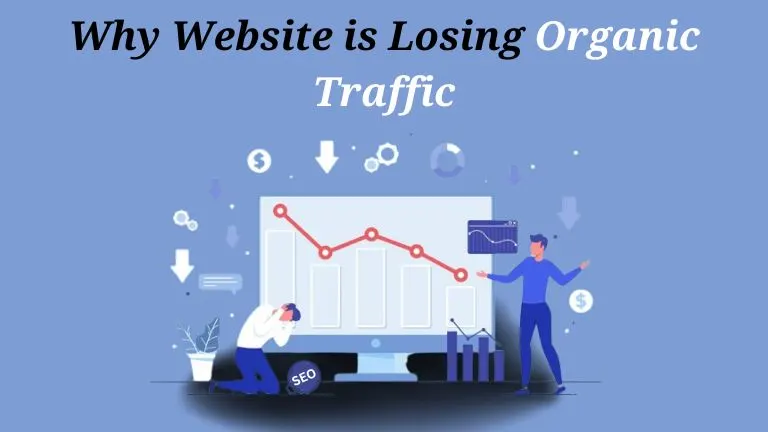
Your organic traffic has dropped 40% over the past three months. Rankings that took years to build have disappeared overnight. Your analytics dashboard is flashing red with warnings, but you're not sure where to start fixing the problem.
Sound familiar? Complex SEO problems can feel overwhelming, especially when symptoms point in multiple directions. Is it a technical issue? Algorithm update? Competitor surge? Manual penalty? Without a systematic diagnostic approach, you risk applying random fixes that waste time and budget while the real problem continues damaging your visibility.
This guide provides a complete framework for diagnosing complex SEO problems using data analysis—from identifying symptoms to uncovering root causes and implementing targeted solutions that actually work.
Understanding SEO Diagnosis: The Debugging Pyramid
SEO debugging is the structured process of identifying and fixing technical issues that prevent search engines from accessing, understanding, or ranking your site effectively. Unlike random troubleshooting, systematic diagnosis traces problems back to their root causes through targeted testing and analysis.
The Hierarchy of SEO Issues
Think of SEO problems as a pyramid with four levels:
Level 1: Crawling Issues (Foundation)
- Can search engines access your site?
- Are pages being discovered?
- Is the crawl budget optimized?
Level 2: Indexing Problems (Structure)
- Are pages being added to search indexes?
- Is the right content indexed?
- Are there indexation errors?
Level 3: Ranking Challenges (Visibility)
- Are pages appearing in search results?
- What positions are you ranking?
- Are you targeting the right keywords?
Level 4: Performance Issues (Outcomes)
- Are you getting clicks?
- Is traffic converting?
- What's the ROI on organic efforts?
Problems at lower levels cascade upward. A crawling issue prevents indexing, which blocks ranking, which eliminates performance. This is why systematic diagnosis starts at the foundation and works up.
For comprehensive site health monitoring, regular SEO audits provide the foundation for identifying issues before they become crises.
Step 1: Gather Diagnostic Data from Multiple Sources
Effective diagnosis requires combining data from various tools to build a complete picture. Relying on a single source leads to blind spots and misdiagnosis.
Essential Data Sources
Google Search Console (Primary Diagnostic Hub)
Search Console provides unmatched visibility into how Google perceives your site:
- Performance Report: Impressions, clicks, CTR, and average position by query
- Coverage Report: Indexing status and errors
- URL Inspection Tool: Detailed analysis of individual URLs
- Core Web Vitals: User experience metrics affecting rankings
- Manual Actions: Penalty notifications
Set up weekly automated reports and monitor critical metrics daily during diagnosis.
Google Analytics 4 (Traffic Behavior Analysis)
GA4 tracks how users find and interact with your site:
- Acquisition Reports: Traffic sources and channels
- Engagement Metrics: Bounce rate, session duration, pages per session
- Conversion Tracking: Goal completions and revenue attribution
- User Paths: How visitors navigate your site
- Audience Insights: Demographics, interests, and device usage
Filter specifically for organic search traffic to isolate SEO-related patterns.
Third-Party SEO Tools (Competitive Context)
Tools like Ahrefs, SEMrush, or Moz provide context Google tools cannot:
- Ranking Tracking: Position changes over time for target keywords
- Backlink Analysis: Link profile growth, losses, and quality
- Competitor Comparison: How you're performing relative to rivals
- SERP Features: Featured snippets, knowledge panels, local packs
- Technical Audits: Automated site crawls identifying issues
These tools help you understand whether your problem is site-specific or industry-wide.
Log File Analysis (Advanced Diagnosis)
Server logs show exactly how search engines interact with your site:
- Crawl Rate: How frequently bots visit
- Crawl Depth: Which pages get attention
- Status Codes: Errors bots encounter
- Bot Types: Which search engines are crawling
Log analysis reveals crawling inefficiencies that other tools miss.
Learn more about using professional SEO tools to streamline your diagnostic process.
Creating Your Diagnostic Dashboard
Build a centralized dashboard combining key metrics from all sources:
| Metric | Data Source | Alert Threshold |
|---|---|---|
| Organic Traffic | GA4 | -15% week-over-week |
| Impressions | Search Console | -20% month-over-month |
| Average Position | Search Console | Drop of 5+ positions |
| Click-Through Rate | Search Console | Below 2% for top 3 |
| Index Coverage | Search Console | >5% error rate |
| Core Web Vitals | Search Console | Any "Poor" ratings |
| Backlinks | Ahrefs/SEMrush | -10% monthly loss |
| Domain Authority | Moz | Any decrease |
Automated alerts notify you immediately when problems emerge, enabling faster diagnosis.
Step 2: Identify Symptoms vs. Root Causes
The symptoms you observe are rarely the actual problem. Systematic diagnosis distinguishes between what you see and what's actually broken.
Common Symptom Patterns
Traffic Drop Patterns:
Gradual decline (weeks/months):
- Symptom: Slow erosion of rankings
- Possible causes: Competitor gains, content decay, link profile deterioration
Sudden drop (days):
- Symptom: Immediate visibility loss
- Possible causes: Algorithm update, manual penalty, technical error, major competitor change
Seasonal fluctuation:
- Symptom: Predictable traffic cycles
- Possible causes: Search demand changes, not necessarily a problem
Category-specific losses:
- Symptom: Some topics drop while others remain stable
- Possible causes: Algorithm targeting specific content types, competitor surge in those niches
The "5 Whys" Diagnostic Method
For each symptom, ask "why" five times to reach the root cause:
Example Diagnosis:
Symptom: Organic traffic dropped 30%
- Why? Average ranking position fell from 5 to 15
- Why? Pages lost featured snippets they previously held
- Why? Google started favoring video-rich content for these queries
- Why? Algorithm update prioritized multimodal content
- Why? Our content lacked video elements competitors added
Root Cause: Missing video content in content strategy Solution: Create video tutorials embedding in existing articles
This method prevents surface-level fixes that don't address underlying issues.
Step 3: Diagnose Crawling and Indexing Problems
Approximately 10% of websites experience regular server errors that block proper crawling. Before worrying about rankings, ensure search engines can even access your content.
Crawl Diagnostic Checklist
Server and Hosting Issues:
Check: Server uptime and response times
Tool: Pingdom, UptimeRobot, Search Console
Fix: Upgrade hosting, implement CDN, optimize server configuration
Robots.txt Configuration:
Check: Verify robots.txt isn't blocking important pages
Tool: Search Console Robots.txt Tester
Fix: Remove overly restrictive disallow rules
XML Sitemap Health:
Check: Sitemap submitted and error-free
Tool: Search Console Sitemaps Report
Fix: Regenerate sitemap, remove non-canonical URLs, submit fresh version
Crawl Budget Optimization:
Check: Crawl efficiency and resource allocation
Tool: Log file analysis, Screaming Frog
Fix: Consolidate parameters, noindex low-value pages, fix redirect chains
Indexing Diagnostic Process
Use Search Console Coverage Report:
- Excluded pages: Identify why pages aren't indexed
- Noindex tags (intentional or accidental)
- Canonical pointing elsewhere
- Soft 404 errors
- Duplicate content
- Error pages: Fix critical indexing blockers
- Server errors (5XX)
- Redirect errors (3XX chains)
- Submitted URL not found (404)
- Soft 404
- Valid pages: Confirm important content is indexed
- Compare indexed pages to total sitemap URLs
- Identify high-value pages missing from index
Manual Index Check:
Use the site: operator with specific intent:
site:yourdomain.com→ Total indexed pagessite:yourdomain.com/category/→ Category-specific indexingsite:yourdomain.com intitle:"product name"→ Specific page verification
Remember: The site operator isn't perfectly accurate for large sites, but dramatic discrepancies (50%+ difference from expected) indicate real issues.
For step-by-step guidance on fixing indexing problems, review our technical SEO checklist.
Step 4: Analyze Ranking Problems and Algorithm Impacts
Once crawling and indexing are confirmed healthy, investigate why rankings have changed.
Algorithm Update Diagnosis
Google releases multiple algorithm updates annually. Correlate your traffic drops with known updates:
Check Algorithm Update Timelines:
Monitor resources like:
- Google Search Central Blog (official announcements)
- Search Engine Land Algorithm History
- SEMrush Sensor (volatility tracking)
- MozCast (SERP temperature monitoring)
Identify Update Type:
Different updates target different issues:
Core Updates → Broad quality assessment
- Check: Overall content quality, E-E-A-T signals
- Common impacts: YMYL sites, thin content, ad-heavy pages
Product Reviews Update → Review content quality
- Check: Depth, originality, expertise of product reviews
- Common impacts: Affiliate sites, comparison content
Helpful Content Update → Content value and purpose
- Check: User-first vs. search-engine-first content
- Common impacts: AI-generated content, keyword-stuffed pages
Spam Update → Link manipulation and spam
- Check: Backlink profile quality, unnatural link patterns
- Common impacts: Sites with paid links, PBNs, manipulative schemes
Recovery Timeline:
Core updates typically take 2-4 weeks to fully roll out. If you're negatively impacted:
- Recovery may require 3-6 months of improvements
- Next core update provides opportunity for gains
- Immediate fixes show incremental improvement
Competitive Analysis for Ranking Diagnosis
Your rankings don't exist in a vacuum. Analyze what's changed in your competitive landscape:
Identify Ranking Competitors:
For each lost keyword:
- Check current top 10 rankings
- Compare to historical data (Ahrefs, SEMrush)
- Identify new entrants and their strategies
Analyze Competitor Advantages:
| Analysis Area | What to Check | Tools |
|---|---|---|
| Content Depth | Word count, comprehensiveness | Manual review, Clearscope |
| Backlink Profile | Quality, quantity, velocity | Ahrefs, Majestic |
| Technical Performance | Site speed, Core Web Vitals | PageSpeed Insights |
| User Experience | Engagement signals, layout | Manual testing, SimilarWeb |
| SERP Features | Snippets, images, videos | Manual SERP analysis |
| Freshness | Content update frequency | Manual review |
Gap Analysis:
Identify specific elements competitors have that you lack:
- Video content embedded in articles
- Comparison tables and interactive tools
- Expert author credentials and E-E-A-T signals
- Superior mobile experience
- More comprehensive coverage of subtopics
This analysis reveals exactly what improvements will help you regain rankings.
Learn how to effectively analyze competitors through our guide on using Ahrefs for competitor analysis.
Step 5: Diagnose Technical SEO Issues
In 2025, technical excellence is non-negotiable. Google now recalculates Core Web Vitals on a near-weekly basis through the Chrome User Experience Report (CrUX), meaning fixes—or problems—impact rankings faster than ever.
Core Web Vitals Diagnosis
Interaction to Next Paint (INP):
The most critical 2025 metric, replacing First Input Delay:
Good: < 200 milliseconds
Needs Improvement: 200-500ms
Poor: > 500ms
Diagnosis process:
- Use PageSpeed Insights for field and lab data
- Identify slowest-responding elements
- Check for main thread blocking
- Analyze JavaScript execution time
Common INP issues:
- Heavy JavaScript frameworks
- Unoptimized third-party scripts
- Excessive DOM size
- Poor event handler efficiency
Largest Contentful Paint (LCP):
Good: < 2.5 seconds
Needs Improvement: 2.5-4.0s
Poor: > 4.0s
Common LCP issues:
- Unoptimized hero images
- Render-blocking resources
- Slow server response times
- Client-side rendering delays
Cumulative Layout Shift (CLS):
Good: < 0.1
Needs Improvement: 0.1-0.25
Poor: > 0.25
Common CLS issues:
- Images without dimensions
- Ads, embeds, iframes without reserved space
- Web fonts causing FOIT/FOUT
- Dynamically injected content
Mobile Usability Diagnosis
With mobile-first indexing fully implemented, mobile issues directly impact all rankings:
Check Search Console Mobile Usability Report:
- Viewport not set
- Text too small to read
- Clickable elements too close together
- Content wider than screen
Additional Mobile Diagnosis:
- Test on real devices across different screen sizes
- Check mobile page speed separately
- Verify mobile-specific navigation works
- Ensure no interstitials block content
Structured Data Diagnosis
Structured data helps search engines understand content and can earn rich results:
Validation Process:
- Use Google's Rich Results Test
- Check Search Console Enhancements reports
- Identify missing or invalid schema
- Verify schema types match content
Priority Schema Types:
- Product (for e-commerce)
- Article/BlogPosting (for content)
- LocalBusiness (for local sites)
- FAQ/HowTo (for featured snippet opportunities)
- Organization (for brand establishment)
Discover advanced techniques for schema implementation in our guide on using schema markup for better SEO.
Step 6: Content Quality and Relevance Diagnosis
Even with perfect technical execution, low-quality content won't rank. Diagnose content issues systematically.
E-E-A-T Assessment
Google prioritizes content demonstrating Experience, Expertise, Authoritativeness, and Trustworthiness, especially for YMYL (Your Money, Your Life) topics.
Experience Signals:
- First-hand product testing or usage
- Original photos and videos
- Case studies and real results
- Unique perspectives from personal involvement
Expertise Signals:
- Author credentials and qualifications
- Detailed, accurate technical information
- Industry-recognized certifications
- References to credible sources
Authoritativeness Signals:
- Backlinks from reputable sites
- Citations and media mentions
- Awards and recognitions
- Social proof and community respect
Trustworthiness Signals:
- HTTPS security
- Clear privacy policies and terms
- Contact information and support
- Transparent about affiliations and sponsorships
Diagnosis Questions:
- Does content demonstrate genuine experience?
- Are authors clearly identified with credentials?
- Is the site recognized as authoritative in its niche?
- Would users trust the information for important decisions?
Content Freshness and Relevance
Outdated content loses rankings as fresher competitors emerge:
Freshness Audit Process:
- Identify stale content:
- Pages with declining traffic
- Articles with visible old dates
- Content with outdated statistics or examples
- Prioritize updates:
- High-traffic pages first
- YMYL topics requiring currency
- Competitive keywords you're losing
- Update comprehensively:
- Refresh statistics and data
- Add new sections covering recent developments
- Update images and examples
- Expand word count if competitors are more thorough
- Change modified date visibly
Never change dates without adding real value. Search engines detect superficial freshness attempts.
Keyword Cannibalization Diagnosis
Keyword cannibalization occurs when multiple pages compete for the same keywords, confusing search engines and splitting ranking power.
Detection Method:
- Export keyword data from Search Console
- Identify keywords with multiple ranking URLs
- Check if URLs flip positions frequently
- Assess whether pages serve different intents
Resolution Strategies:
If pages serve same intent:
- Consolidate into one comprehensive page
- 301 redirect weaker pages to strongest
- Update internal linking to primary page
If pages serve different intents:
- Differentiate keyword targeting
- Adjust title tags and headings
- Modify content focus clearly
- Update internal anchor text
Learn more about creating effective, non-cannibalized content through our SEO-friendly blog writing guide.
Step 7: Backlink Profile Diagnosis
Link-related issues can devastate rankings. Diagnose both quality problems and sudden profile changes.
Link Profile Health Check
Toxic Link Identification:
Use Ahrefs, SEMrush, or Moz to identify problematic backlinks:
Red flags:
- Links from known spam sites or PBNs
- Exact-match anchor text over-optimization
- Links from irrelevant foreign-language sites
- Sudden spikes in low-quality links
- Links from adult, gambling, or pharmaceutical sites
Action steps:
- Export complete backlink profile
- Filter for low Domain Authority (<20)
- Identify spammy anchor text patterns
- Check for negative SEO attacks
- Compile disavow file for Google
Link Loss Analysis:
Sudden ranking drops often correlate with backlink losses:
Diagnosis process:
- Check "Lost Backlinks" report in Ahrefs/SEMrush
- Identify high-authority links that disappeared
- Investigate why links were removed
- Assess impact on rankings (did drops correlate?)
Common link loss causes:
- Site redesigns breaking linked pages
- Content deletions or URL changes
- Link sellers removing paid links
- Competitors requesting link removal
- Sites going offline or changing ownership
Recovery strategies:
- Recreate valuable content at same URLs
- Reach out requesting link restoration
- Build replacement links of equal quality
- Fix technical issues that broke links
Implement systematic link building through our proven backlink building strategies.
Step 8: Performance and Conversion Diagnosis
Traffic is meaningless without conversions. Diagnose why visitors aren't converting.
Engagement Metrics Analysis
Bounce Rate Diagnosis:
High bounce rates indicate content-visitor mismatch:
Acceptable benchmarks:
- Blog posts: 70-90%
- Landing pages: 70-80%
- E-commerce product pages: 40-60%
- Service pages: 30-50%
If bounces are too high:
- Check search intent alignment (are visitors finding what they expect?)
- Review page load speed (slow pages = bounces)
- Assess content quality and relevance
- Check mobile usability issues
- Verify ad placement isn't intrusive
Session Duration Analysis:
Short sessions suggest content isn't engaging:
Diagnosis questions:
- Is content scannable and well-formatted?
- Are videos and images loading properly?
- Is navigation intuitive?
- Are internal links encouraging exploration?
- Is content depth sufficient?
Conversion Funnel Analysis
Track where users drop off in conversion paths:
E-commerce funnel:
- Product page views
- Add to cart
- Checkout initiation
- Purchase completion
Lead generation funnel:
- Landing page visit
- Form view
- Form start
- Form submission
Common drop-off points:
Product/landing page:
- Poor value proposition
- Unclear call-to-action
- Missing trust signals
- Price concerns
Cart/form:
- Unexpected costs (shipping)
- Complex checkout process
- Required account creation
- Security concerns
Implementation:
Use GA4's Exploration reports to visualize funnels and identify exact abandonment points.
For comprehensive conversion improvement, explore our conversion rate optimization services.
Step 9: Create a Prioritized Action Plan
Data collection means nothing without action. Prioritize fixes based on impact and effort.
The Impact/Effort Matrix
Classify all identified issues:
Quick Wins (High Impact, Low Effort):
- Fix broken internal links
- Update meta descriptions for low-CTR pages
- Add missing alt text to images
- Resolve simple technical errors
Major Projects (High Impact, High Effort):
- Comprehensive content rewrites
- Site architecture overhaul
- Building significant backlinks
- Migrating to new platform
Fill-Ins (Low Impact, Low Effort):
- Minor formatting improvements
- Social media profile updates
- Small content additions
Time Sinks (Low Impact, High Effort):
- Avoid these unless strategic reasons exist
- Example: Perfect grammar in low-traffic pages
Sample Diagnostic Action Plan
| Priority | Issue | Impact | Effort | Timeline | Owner |
|---|---|---|---|---|---|
| 1 | INP > 500ms on product pages | High | Medium | 2 weeks | Dev team |
| 2 | 15 high-value pages not indexed | High | Low | 1 week | SEO team |
| 3 | Keyword cannibalization (10 pages) | High | Medium | 3 weeks | Content team |
| 4 | Update top 20 traffic pages | High | High | 6 weeks | Content team |
| 5 | Disavow 150 toxic backlinks | Medium | Low | 1 week | SEO team |
| 6 | Add FAQ schema to 50 pages | Medium | Medium | 4 weeks | Dev team |
| 7 | Fix 200 broken internal links | Medium | Low | 1 week | SEO team |
| 8 | Build 25 quality backlinks | High | High | Ongoing | Outreach team |
Step 10: Monitor, Measure, and Iterate
Diagnosis is ongoing, not a one-time project. Implement continuous monitoring to catch issues early.
Monitoring Framework
Daily Checks:
- Search Console critical errors
- Site uptime and availability
- Major keyword position changes (top 20)
Weekly Reviews:
- Organic traffic trends
- Ranking fluctuations
- New backlinks and losses
- Crawl error patterns
Monthly Analysis:
- Comprehensive ranking report
- Traffic by landing page and keyword
- Conversion rate trends
- Backlink profile growth
- Competitor movements
- Content performance review
Quarterly Audits:
- Full technical SEO audit
- Content quality assessment
- Backlink profile cleanup
- Strategic adjustments based on data
Setting Up Automated Alerts
Configure notifications for critical issues:
Search Console Alerts:
- Coverage issues increase >10%
- Manual actions applied
- Security issues detected
- Mobile usability problems
Analytics Alerts:
- Organic traffic drops >15% week-over-week
- Bounce rate increases >20%
- Conversion rate decreases >15%
Third-Party Tool Alerts:
- Keyword ranking drops (top 20 positions)
- Significant backlink losses
- Domain authority decreases
- Competitor ranking improvements
Automated alerts enable rapid response before small issues become crises.
For comprehensive ongoing monitoring, utilize our SEO analytics resources and tools.
Common SEO Diagnostic Mistakes to Avoid
Learn from others' failures to accelerate your diagnosis:
Mistake 1: Treating Symptoms Instead of Root Causes
Rewriting content when the actual problem is technical won't solve anything. Always dig deeper to find root causes.
Mistake 2: Over-Relying on Single Data Sources
Google Analytics alone doesn't tell the complete story. Combine multiple tools for accurate diagnosis.
Mistake 3: Ignoring Seasonality and External Factors
Not every traffic drop is a problem. Seasonal businesses have natural fluctuations. Industry-wide search volume changes affect everyone.
Mistake 4: Making Multiple Changes Simultaneously
Changing ten things at once makes it impossible to identify what actually worked. Test systematically with controlled changes.
Mistake 5: Not Documenting Changes
Without documentation, you can't correlate improvements with specific actions. Maintain detailed logs of all changes and their dates.
Mistake 6: Expecting Instant Results
SEO changes typically take 2-8 weeks to show measurable impact. Algorithm update recovery can take months. Patience is essential.
Advanced Diagnostic Techniques
For complex problems requiring deeper investigation, these advanced methods provide additional insights.
JavaScript Rendering Diagnosis
Modern sites often use JavaScript frameworks that create rendering challenges:
Testing method:
- View page source (Ctrl+U) to see raw HTML
- Use "Inspect Element" to see rendered DOM
- Compare differences
- Use Google's Mobile-Friendly Test to see rendered version
- Check Search Console URL Inspection for rendering issues
Common problems:
- Content only visible after JavaScript execution
- Important links and text hidden from crawlers
- Slow client-side rendering impacting Core Web Vitals
Log File Analysis for Crawl Diagnosis
Server logs reveal exactly how bots interact with your site:
Analysis insights:
- Which pages get crawled most frequently
- Crawl budget waste on low-value pages
- Bot behavior patterns
- Status codes bots encounter
- Crawl rate fluctuations
Tools for log analysis:
- Screaming Frog Log File Analyzer
- Botify (enterprise)
- Manual analysis with spreadsheets
A/B Testing for Diagnosis
When diagnosis points to UX or conversion issues, controlled testing confirms:
Testable elements:
- Headlines and value propositions
- Call-to-action placement and copy
- Page layouts and content organization
- Form fields and length
- Trust signals and social proof
Proper A/B testing:
- Test one variable at a time
- Run until statistical significance
- Account for seasonality
- Implement winners permanently
Frequently Asked Questions
How long does it take to diagnose complex SEO problems?
Simple technical issues can be diagnosed in hours, while complex ranking problems requiring competitive analysis and content audits may take 1-2 weeks for thorough diagnosis. The key is systematic investigation rather than rushed conclusions. For enterprise sites with thousands of pages, comprehensive diagnosis might require 3-4 weeks. However, you should identify the primary issue category (technical, content, backlinks) within the first 2-3 days of investigation.
What's the best tool for diagnosing SEO problems?
There's no single "best" tool—effective diagnosis requires combining multiple data sources. Google Search Console is essential for understanding how Google sees your site. Google Analytics provides user behavior insights. Third-party tools like Ahrefs or SEMrush offer competitive context and backlink analysis. Technical crawlers like Screaming Frog identify site-wide issues. The optimal approach uses 4-6 complementary tools rather than relying on any single platform.
How do I know if my traffic drop is from an algorithm update or something else?
Compare your traffic drop timing with known algorithm update rollouts using resources like Search Engine Land's algorithm history or SEMrush Sensor. If your drop correlates with an update and industry-wide volatility increased, it's likely algorithm-related. However, also check Search Console for technical errors, manual actions, and indexing issues. Examine Analytics for sudden bot traffic changes or tracking problems. Algorithm impacts typically affect many pages across your site, while technical issues often impact specific sections or page types.
Should I hire an SEO specialist for complex diagnostics?
For severe traffic losses (>30%), manual penalties, or when internal diagnosis hasn't identified clear causes after 2-3 weeks, professional help often provides ROI. Experienced specialists have pattern recognition from diagnosing hundreds of sites and access to advanced tools and methodologies. However, for routine optimization and minor issues, internal teams with proper training and tools can handle most diagnostic work effectively. Consider professional audits annually even without obvious problems to catch issues early.
Take Control of Your SEO Health
Complex SEO problems can feel overwhelming, but systematic data-driven diagnosis transforms chaos into clarity. The framework outlined in this guide—from gathering data across multiple sources to prioritizing fixes by impact—gives you a repeatable process for identifying and resolving issues that damage your organic visibility.
Remember that diagnosis is ongoing, not a one-time project. Search algorithms evolve, competitors improve, and technical issues emerge continuously. The most successful SEO strategies include proactive monitoring that catches problems before they significantly impact traffic.
Ready for Expert SEO Diagnosis?
If your site is experiencing unexplained traffic losses, ranking drops, or technical issues you can't resolve internally, professional SEO diagnosis can identify root causes and create a targeted recovery plan. As an SEO specialist, I help businesses systematically diagnose and resolve complex SEO problems using data-driven analysis and proven troubleshooting methodologies.
Whether you need:
- Comprehensive SEO services addressing technical, content, and authority issues
- Detailed SEO audits identifying hidden problems blocking your growth
- Technical SEO fixes improving crawling, indexing, and performance
- Strategic content marketing addressing quality and relevance issues
- Recovery strategies after Google penalties
I'm here to help diagnose what's broken and implement solutions that restore your organic visibility and traffic.
Contact me today to discuss your specific SEO challenges and get a preliminary diagnostic assessment, or book a consultation for an in-depth analysis of your site's technical health, content quality, and competitive positioning.
You can also explore my plans and pricing to find the diagnostic and optimization service level matching your needs, or review case studies showing real diagnosis and recovery results I've delivered for clients facing complex SEO challenges.
Stop guessing about what's wrong with your SEO. Get data-driven diagnosis that identifies root causes and creates actionable recovery plans.
For more SEO insights, explore our related content on SEO basics, SEO tips, and SEO reporting.

Written by Sadekur Rahman
SEO & Website Strategy Specialist at Pixelvega and SEO Executive at Daily Amar Desh. 6+ years helping brands grow with data-driven SEO.