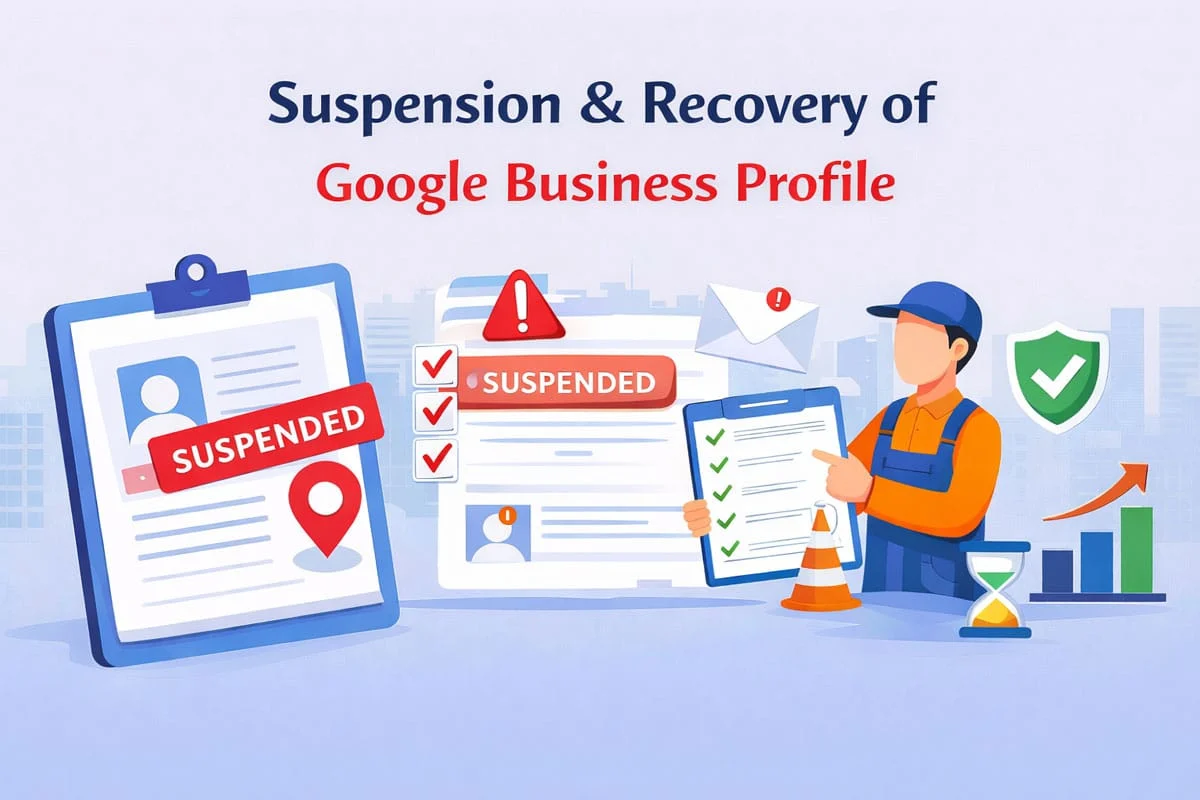
Why Is My Google Business Profile Suspended? Complete Recovery Guide
Google Business Profile suspended? Learn why suspensions happen and follow our step-by-step recovery guide to get your GBP reinstated quickly.

You wake up, check your Google Business Profile, and see the dreaded message: "Suspended." Your business has vanished from Google Maps and local search results overnight. Potential customers can't find you. Your phone stops ringing. Revenue takes an immediate hit.
Google Business Profile (GBP) suspensions are every local business owner's nightmare. Whether you operate a restaurant, law firm, medical practice, or retail store, losing your Google presence can devastate your business in hours.
The good news? Most suspensions are reversible. Understanding why Google suspended your profile and following the correct recovery process can restore your visibility often within days or weeks.
This comprehensive guide explains exactly why Google Business Profile suspensions happen, how to diagnose your specific situation, and the step-by-step process to recover your listing and prevent future suspensions.
What Is a Google Business Profile Suspension?
A Google Business Profile suspension occurs when Google determines your business listing violates their guidelines and removes it from appearing in Google Search and Maps. There are two types of suspensions:
Hard Suspension (Profile Disabled)
Your entire profile is disabled and completely invisible to customers. When users search for your business name, nothing appears. This is the most severe suspension type and typically indicates serious guideline violations.
Signs of a hard suspension:
- Your profile dashboard shows "Suspended" or "Disabled" status
- Your business doesn't appear when searching your exact business name
- Your listing is completely removed from Google Maps
- You cannot edit any information in your profile
- Customers cannot find your business through Google
Soft Suspension (Profile Unpublished)
Your profile exists but is unpublished, meaning it's hidden from public view while you retain dashboard access. This often occurs when Google needs additional verification or suspects policy violations but hasn't confirmed them.
Signs of a soft suspension:
- Dashboard shows "Unpublished" status
- You can still access and edit your listing
- Your business doesn't appear in search results or Maps
- You may see messages requesting additional verification
- The suspension might be temporary pending verification
Both suspension types severely impact your local SEO performance and customer acquisition, making immediate action critical.
Common Reasons for Google Business Profile Suspensions
Understanding why Google suspended your profile is the first step toward recovery. These are the most common violation categories:
Violating Google's Service Area Guidelines
Google has strict rules about how service area businesses (SABs) can represent their locations. Violations include:
Virtual offices or coworking spaces: Using a virtual office address when you don't have a physical location where customers visit violates guidelines. Google specifically prohibits mailbox services, virtual offices, or addresses where no staff members work regularly.
Inconsistent service areas: Claiming to serve areas you don't actually service, or having service areas that don't make geographic sense (e.g., non-contiguous cities far apart).
Incorrect business category: Service area businesses should hide their address if customers don't visit the location. Showing an address while also setting a service area often triggers suspensions.
P.O. boxes as addresses: Using a P.O. box instead of a physical address violates Google's guidelines. Your address must be where your business operates.
Service area business rules are complex, and even unintentional violations can result in suspension. Our local SEO services include proper GBP setup to avoid these common pitfalls.
Creating Multiple Listings for the Same Location
Google prohibits creating multiple listings for a single business location. Common violations include:
- Creating separate listings for different departments or practitioners at the same address
- Listing both the business name and a DBA (Doing Business As) name separately
- Creating listings for temporary locations or pop-up shops without proper categorization
- Having both a service area business listing and a storefront listing at the same address
- Keyword-stuffing variations of your business name to target different search terms
Each physical location should have exactly one Google Business Profile. Multiple listings for the same address dilute your presence and trigger algorithmic suspensions.
Misleading or Inaccurate Business Information
Google prioritizes accurate, consistent information. Suspensions occur when:
Business name violations: Adding keywords to your business name (e.g., "Joe's Plumbing - Best Emergency Plumber in NYC" instead of just "Joe's Plumbing"). Your business name must match your real-world signage and legal business name.
Fake addresses or phone numbers: Listing an address where your business doesn't operate, or using forwarding numbers that don't connect to your actual business.
Misrepresenting business category: Selecting categories that don't accurately describe your business to appear in irrelevant searches.
Inconsistent NAP data: Your Name, Address, and Phone number (NAP) must be identical across your website, citations, and Google Business Profile. Inconsistencies flag potential fraud.
False business hours: Listing hours that don't match your actual operating schedule, especially being marked as "open" when closed.
Suspicious or Spam Activity
Google's algorithms detect patterns suggesting manipulation or spam:
- Rapid bulk edits to your listing
- Adding excessive photos in short timeframes
- Receiving unusual spikes in reviews, especially fake positive reviews
- Getting flagged by users or competitors as spam
- Using prohibited services to boost reviews or engagement
- Mass-editing multiple listings using the same IP address or account
Even if you haven't intentionally violated guidelines, hiring disreputable SEO agencies or review services can trigger suspensions based on their actions.
Identity Verification Issues
Google requires businesses to verify their identity to prove legitimacy. Suspension triggers include:
- Failing to complete video verification when requested
- Providing documents that don't match your listed business information
- Using addresses that can't be verified through public records
- Operating under different legal names than what's registered
- Having registration documents that appear fraudulent or altered
According to Google's Business Profile Help documentation, verification is mandatory and suspensions occur when businesses can't prove they legitimately operate at their claimed location.
Prohibited Business Types
Google doesn't allow profiles for certain business types:
- Businesses that sell prohibited items (weapons, tobacco, adult content in certain categories)
- Ongoing or seasonal rentals where the owner doesn't actively participate (like Airbnb properties)
- Lead generation businesses that don't provide direct services
- Businesses without direct customer contact
- Some financial services and multi-level marketing operations
If your business operates in a prohibited category or uses your profile primarily for lead generation without providing actual services, suspension is likely.
Violating Google's Review Policies
Review-related violations trigger suspensions:
- Soliciting fake or paid reviews from services
- Offering incentives or discounts in exchange for reviews
- Posting reviews of your own business from fake accounts
- Asking employees or contractors to leave reviews
- Leaving fake negative reviews on competitors' listings
- Using automated tools to generate or solicit reviews
Google's review detection has become increasingly sophisticated. Even if reviews appear legitimate, patterns suggesting manipulation can result in suspension.
Competitor Sabotage and False Reports
Unfortunately, malicious competitors sometimes report legitimate businesses as spam. While Google investigates reports, false flags can trigger temporary suspensions, especially if:
- Multiple users flag your listing within a short period
- Your profile recently changed significantly (new address, name change, etc.)
- You're in a highly competitive local market
- Your competitors employ unethical tactics to eliminate competition
Most false-flag suspensions are resolved through the reinstatement process, but they still cause temporary disruption.
How to Diagnose Why Your Profile Was Suspended
Before you can fix a suspension, you need to understand the specific cause. Follow this diagnostic process:
Check Your Email and Dashboard Notifications
Google sometimes (but not always) sends notifications explaining suspension reasons:
- Check the email associated with your Google Business Profile account
- Look for messages from Google My Business or Google Support
- Review your GBP dashboard for any warning messages or notifications
- Check if you received requests for additional verification that went unanswered
Review Your Recent Changes
Suspensions often follow recent profile modifications:
- Did you recently change your business name, address, or phone number?
- Have you added new categories or services?
- Did you modify your business description or attributes?
- Have you uploaded many photos or posts recently?
- Did you adjust your service areas?
Document any changes made in the 2-4 weeks before suspension these often provide clues to violation causes.
Audit Your Profile Against Google's Guidelines
Systematically compare your profile to Google's Business Profile guidelines:
Business Name Compliance:
- Does your listed name exactly match your real-world signage?
- Have you added keywords, locations, or marketing language to your business name?
- Are you using a DBA correctly?
Address Verification:
- Is your address a real physical location where customers can visit or where employees work?
- Are you using a virtual office, coworking space, or mailbox service?
- Does your address match your website, citations, and business registration?
Category Accuracy:
- Are your categories accurate descriptions of your primary business activities?
- Have you selected categories just to appear in more searches?
- Are you using prohibited categories for your business type?
Service Area Compliance:
- If you're a service area business, is your address properly hidden?
- Do your service areas make geographic sense?
- Are you claiming areas you don't actually serve?
Check for Duplicate Listings
Search Google Maps for your business name and address variations:
- Are there multiple listings at your address?
- Do you have old listings that were never properly removed?
- Are different departments or practitioners listed separately?
- Did previous owners' listings remain active?
Duplicate listings are among the most common suspension causes and must be merged or removed.
Examine Your Review Profile
Review-related issues often contribute to suspensions:
- Have you received an unusual spike in reviews recently?
- Do reviews come from accounts with limited activity or suspicious patterns?
- Are there many reviews from the same geographic area (suggesting review farms)?
- Have you used any review solicitation services or software?
- Did you incentivize reviews in any way?
Suspicious review patterns flag potential manipulation even if you didn't intentionally violate policies.
Assess Competitor Reporting Risk
Consider whether competitors might have reported your listing:
- Have you recently outranked competitors in local search?
- Are you in a highly competitive industry (legal, medical, home services)?
- Have you noticed unusual activity or messages from competitors?
- Did your suspension coincide with increased local competition?
While you can't prevent false reports, understanding this possibility helps frame your reinstatement request.
Step-by-Step Google Business Profile Recovery Process
Once you've diagnosed the likely suspension cause, follow this structured recovery process:
Step 1: Fix All Guideline Violations
Before requesting reinstatement, correct every identified violation:
For business name violations:
- Change your business name to exactly match your real-world signage
- Remove any keywords, locations, or marketing phrases
- Ensure consistency with your business registration documents
For address issues:
- If using a virtual office, obtain a physical location or convert to a service area business
- Ensure your address is verifiable through public records
- Update all citations to match your correct address
For service area problems:
- Hide your address if you're a service area business
- Adjust service areas to accurately reflect where you actually work
- Remove any unrealistic or non-contiguous service areas
For duplicate listings:
- Request removal of duplicate profiles through the GBP dashboard
- Contact Google Support to merge legitimate duplicate listings
- Remove old listings that are no longer relevant
For category issues:
- Select only categories that accurately describe your business
- Choose the most specific category as your primary category
- Remove any categories selected purely for search visibility
For review violations:
- Stop any review solicitation services immediately
- Don't offer incentives for reviews
- Flag obviously fake reviews on your profile
- Focus on naturally earning reviews through excellent service
Document all corrections you make you'll reference them in your reinstatement request.
Step 2: Gather Supporting Documentation
Prepare documentation proving your business legitimacy:
Required documents typically include:
- Business license or registration certificate
- Utility bill showing your business address (within last 3 months)
- Business tax returns or EIN documentation
- Lease agreement or property deed for your location
- Professional licenses (for regulated industries)
- Photos of your business exterior showing signage
- Photos of your business interior showing operations
- Website domain registration proving you own your website
Additional helpful documentation:
- Bank statements showing business activity
- Insurance policies listing your business address
- Vendor invoices or contracts
- Customer receipts or invoices
- Marketing materials (business cards, brochures)
- Social media profiles demonstrating real business activity
The more documentation you provide, the stronger your reinstatement case.
Step 3: Request Reinstatement Through Proper Channels
Google provides specific processes for requesting reinstatement:
For most suspensions: Navigate to your Google Business Profile dashboard and look for a "Request Reinstatement" option. If available, clicking this begins the official review process.
If no dashboard option appears:
- Visit the Google Business Profile Help Center
- Select "Contact Us" or "Request Support"
- Choose "My Business is Suspended" as your issue
- Follow the prompts to submit your request
Through the business reinstatement form: Google sometimes provides a direct reinstatement request form. Fill out all fields completely and accurately.
What to include in your reinstatement request:
Write a clear, professional explanation covering:
- Acknowledgment of the specific violation(s)
- Detailed explanation of corrections you've made
- Evidence that your business is legitimate and operates at the listed location
- Commitment to following Google's guidelines going forward
- Request for specific guidance if you're unsure about any violations
Example reinstatement request:
Subject: Reinstatement Request for [Business Name] - [Profile ID]
Dear Google Business Profile Support Team,
I am writing to request reinstatement of my business listing for [Business Name], which was suspended on [date]. I have identified the likely violation and taken corrective action.
Violation Identified: I believe my listing was suspended because I included keywords in my business name (listed as "[Business Name] - Best [Service] in [City]" instead of just "[Business Name]").
Corrective Actions Taken:
- Changed business name to match my actual registered business name and storefront signage
- Updated my website and all online citations to reflect the correct business name
- Removed all keyword additions from the listing
- Verified all other listing information matches Google's guidelines
My business is a legitimate [business type] that has operated at [address] since [year]. I have attached documentation proving business legitimacy:
- Business license from [issuing authority]
- Recent utility bill showing business address
- Photos of storefront with visible signage matching our correct business name
- Lease agreement for our location
I understand and will strictly adhere to Google's Business Profile guidelines going forward. I apologize for the violation and appreciate your consideration of this reinstatement request.
Please let me know if you require any additional information or documentation.
Sincerely, [Your Name] [Business Name] [Contact Information]
This approach demonstrates accountability, shows concrete corrections, and provides evidence of legitimacy.
Step 4: Follow Up and Respond Promptly
After submitting your request:
Response timeframes:
- Most reinstatement reviews take 3-5 business days
- Complex cases may require 2-3 weeks
- Google may request additional information or verification
If Google requests additional information:
- Respond within 24-48 hours
- Provide exactly what they request, no more or less
- Be professional and concise in all communications
- Include any supporting documentation requested
If your request is denied:
- Read the denial reason carefully
- Address any newly identified issues
- Wait at least 7 days before submitting a new request
- Provide additional documentation in your second attempt
- Consider seeking professional help if multiple attempts fail
Step 5: Complete Any Required Verification
Google may require additional verification before reinstatement:
Video verification: Google may request a live video call to verify your business location and operations. Prepare by:
- Ensuring someone is available at your location during business hours
- Having all documentation ready
- Being prepared to show your business premises on camera
- Demonstrating active business operations
Postcard verification: If required to verify your address again:
- Request the postcard through your dashboard
- Ensure mail delivery to your business address
- Enter the verification code within 30 days
- Don't request multiple postcards (this can delay the process)
Document verification: Upload clear, readable copies of requested documents:
- Business licenses must be current and match your business name
- Utility bills must be recent (typically within 3 months)
- All documents should clearly show your business address
- Scan at high resolution to ensure readability
Complete all verification steps promptly to avoid delays.
Preventing Future Google Business Profile Suspensions
Once reinstated, protect your profile from future suspensions:
Maintain Accurate, Consistent Information
Consistency across all online platforms prevents future issues:
- Keep NAP (Name, Address, Phone) identical across your website, social media, citations, and GBP
- Update information simultaneously across all platforms when changes occur
- Regularly audit your business information for accuracy
- Ensure your business name always matches your real-world signage
Follow All Google Guidelines Strictly
Familiarize yourself with and follow Google's guidelines:
- Review Google's Business Profile guidelines annually
- Stay updated on policy changes through Google's official channels
- Never add keywords or marketing language to your business name
- Only select categories that accurately describe your business
- Represent your service areas honestly and accurately
Earn Reviews Naturally and Ethically
Build a review profile without violating policies:
- Encourage satisfied customers to leave honest reviews
- Never offer incentives, discounts, or compensation for reviews
- Don't use review generation services or software
- Respond professionally to all reviews, positive and negative
- Report obviously fake reviews through proper channels
- Focus on providing excellent service that naturally generates positive reviews
Learn more about building genuine reviews through our guide on content marketing strategies.
Monitor Your Profile Regularly
Catch and address issues before they become suspensions:
- Check your GBP dashboard weekly for unusual activity or notifications
- Monitor your email for messages from Google
- Use Google alerts to track when your business information changes online
- Regularly search for your business to ensure your listing appears correctly
- Watch for duplicate listings that might appear
- Track your reviews for suspicious patterns
Be Cautious with Third-Party Services
Many suspensions result from poor vendor practices:
- Thoroughly vet any SEO or marketing agency before hiring
- Ask about their GBP optimization methods specifically
- Avoid services promising unrealistic results (e.g., "guaranteed top ranking")
- Never use automated tools to post, edit, or manage your GBP
- Don't purchase review services or bulk review generation
- Ensure any hired agency follows white-hat practices exclusively
Our SEO services strictly adhere to Google's guidelines to protect your business from suspension risks.
Document Everything
Maintain records that can help during future issues:
- Keep copies of all business documentation (licenses, registrations, leases)
- Screenshot your GBP information regularly
- Document any significant changes to your listing with dates and reasons
- Save correspondence with Google Support
- Maintain records of verification processes
When Reinstatement Requests Fail
If multiple reinstatement attempts don't succeed, consider these options:
Request Phone Support
For persistent issues, escalate to phone support:
- Request a callback through the Google Business Profile Help Center
- Prepare a clear, concise explanation of your situation
- Have all documentation ready during the call
- Take detailed notes of the conversation
- Get case numbers for all interactions
Escalate Through Social Media
Sometimes public channels get faster attention:
- Tweet @GoogleMyBiz on Twitter (now X) with your case details
- Post in the official Google Business Profile community forum
- Be professional and factual in all public communications
- Include your case number if you have one
- Avoid anger or threats stick to facts
Seek Professional Help
Complex or persistent suspensions may require expert assistance:
Professional local SEO specialists can:
- Audit your profile to identify all violations
- Navigate Google's support channels more effectively
- Leverage industry connections for escalation
- Provide documentation and evidence more likely to succeed
- Handle the entire reinstatement process on your behalf
Our local SEO services include Google Business Profile optimization and suspension recovery assistance.
Consider Creating a New Profile (Last Resort)
In extreme cases where reinstatement seems impossible, starting fresh might be necessary:
Before creating a new profile:
- Ensure you've genuinely corrected all violations
- Wait at least 30 days from your last reinstatement attempt
- Change any potentially problematic business information
- Gather all documentation for immediate verification
- Be prepared to explain the previous suspension if asked
Creating a new profile:
- Use a different Google account than the suspended profile
- Ensure all information is 100% accurate and compliant
- Complete verification immediately
- Don't rush take time to set up the profile correctly
- Monitor closely for any issues in the first 30 days
Note that creating a new profile should be an absolute last resort, as it means losing your review history and previous SEO value.
Understanding the Impact of GBP Suspension on Your Business
Suspensions affect more than just your Google visibility:
Immediate Traffic and Revenue Loss
The direct impact hits immediately:
- Disappearance from "near me" searches where local businesses get most traffic
- Loss of Google Maps visibility during critical customer decision moments
- Reduced phone calls and direction requests
- Decreased website visits from local search
- Immediate revenue drop, especially for businesses dependent on local customers
For most local businesses, Google Business Profile drives 40-60% of new customer acquisition. Suspension eliminates this channel completely.
Damage to Competitive Position
Your competitors benefit from your suspension:
- Your market share transfers to competitors still visible in local pack results
- Customers seeking your services find competitors instead
- Competitors may deliberately report you to maintain their advantage
- Recovery time allows competitors to capture your customers
Every day your profile remains suspended strengthens competitors and weakens your position.
Long-Term SEO Consequences
Even after reinstatement, impacts persist:
- Review velocity slows during suspension, affecting long-term ranking signals
- Competitors accumulate reviews while you're suspended
- Local pack rankings may take weeks to recover fully
- Trust signals weaken during suspension period
- Some customers may have switched to competitors permanently
Reputation Concerns
Suspension raises questions about business legitimacy:
- Savvy customers may notice your business disappeared from Google
- Competitors might publicly point out your suspension
- Some review platforms show suspended status
- Business partners may question your company's standing
Tools and Resources for GBP Management
Proper tools help prevent suspensions and manage your profile effectively:
Free Google Tools
- Google Business Profile Dashboard: Primary management interface for your listing
- Google Search Console: Track how customers find your business in search
- Google Analytics: Monitor traffic from your GBP listing
- Google Alerts: Track mentions of your business name online
Third-Party Management Tools
- BrightLocal: Local SEO and GBP monitoring platform
- Moz Local: Citation management and GBP optimization
- Yext: Multi-platform business listing management
- Whitespark: Local citation building and tracking
- GMB Everywhere: Chrome extension for efficient GBP management
Monitoring and Audit Tools
- GBP Audit Tools: Check your profile for common violations
- Citation Tracking: Ensure NAP consistency across the web
- Review Monitoring: Track and respond to reviews from one dashboard
- Rank Tracking: Monitor your local pack rankings
Regular use of these tools helps catch issues before they trigger suspensions.
Frequently Asked Questions About GBP Suspension
How long does Google Business Profile reinstatement take?
Most reinstatement reviews take 3-5 business days, though complex cases may require 2-3 weeks. Google may request additional information during the review, which can extend the timeline. If you don't receive a response within 7 business days, follow up through the support channels. Multiple reinstatement attempts or appeals may take longer as cases move through different review tiers.
Can I create a new Google Business Profile if mine is suspended?
Creating a new profile while one is suspended typically isn't allowed and may result in both profiles being permanently disabled. You should always attempt to recover your existing profile first. Only consider creating a new profile as an absolute last resort after exhausting all reinstatement options, waiting at least 30 days, and ensuring you've corrected all violations. Even then, there's risk that Google may connect the new profile to the suspended one.
Will my reviews be restored after reinstatement?
In most cases, yes. When Google reinstates your profile, your previous reviews, photos, and other content typically return. However, if Google removed fake or policy-violating reviews during the suspension, those specific reviews won't be restored. Occasionally, some legitimate reviews may not reappear immediately after reinstatement, but they usually return within a few days as Google's systems update.
Can competitors get my Google Business Profile suspended?
While competitors can report your listing, Google investigates all reports before taking action. A legitimate, compliant profile shouldn't be permanently suspended based solely on competitor reports. However, malicious reporting can trigger temporary suspensions while Google reviews your profile. This is why maintaining perfect guideline compliance is crucial it protects against both algorithmic detection and competitor sabotage. If you suspect competitor interference, mention it in your reinstatement request but focus primarily on demonstrating your compliance.
Why Choose Sadekur Rahman for Google Business Profile Recovery
Recovering from a Google Business Profile suspension requires expertise, patience, and deep knowledge of Google's guidelines and review processes. Professional assistance can mean the difference between quick recovery and extended suspension.
Our GBP Recovery Services
As an experienced SEO specialist, I provide comprehensive Google Business Profile recovery services:
- Complete profile audit identifying all potential violations
- Detailed documentation preparation for reinstatement requests
- Professional communication with Google Support on your behalf
- Strategic guidance on verification processes
- Monitoring to ensure successful reinstatement
- Ongoing optimization to prevent future suspensions
Proven Track Record
Our case studies demonstrate successful recovery from various suspension types across different industries. We've helped businesses recover from:
- Business name violations and keyword stuffing
- Service area guideline violations
- Duplicate listing issues
- Review policy violations
- Verification problems
- Complex multi-violation suspensions
Complete Local SEO Solutions
GBP recovery is just one component of effective local SEO. Our comprehensive local SEO services include:
- Google Business Profile optimization and management
- Local citation building and consistency management
- Review generation and reputation management
- Local content strategy development
- Location-specific landing page optimization
- Local link building and community partnerships
Transparent Process and Pricing
We provide clear communication throughout the recovery process:
- Detailed violation assessment before beginning work
- Regular updates on reinstatement request status
- Transparent pricing with no hidden fees
- Educational approach so you understand the issues
- Preventive strategies to avoid future suspensions
Explore our plans and pricing to find a solution that fits your needs.
Get Your Profile Reinstated Fast
Don't let a suspended Google Business Profile continue damaging your business. Book a meeting to discuss your specific situation and discover how we can help recover your profile quickly.
Have questions about your suspension? Contact us for a free initial assessment of your situation and guidance on next steps.
Conclusion
A Google Business Profile suspension can feel like a catastrophic blow to your business, but it's rarely permanent. Most suspensions result from unintentional guideline violations that can be corrected with the right approach.
The key to successful recovery is understanding the specific violation that triggered your suspension, correcting all issues thoroughly, and communicating professionally with Google during the reinstatement process. While the process can be frustrating and time-consuming, persistence and attention to detail usually result in successful reinstatement.
Remember that prevention is always better than recovery. Once reinstated, maintain strict compliance with Google's guidelines, monitor your profile regularly, and avoid risky tactics that might trigger future suspensions.
Your Google Business Profile is too valuable to neglect or risk. It's often your business's first impression on potential customers and a critical driver of local customer acquisition. Protect it by following guidelines, or work with professionals who can ensure your profile remains compliant and effective.
If you're struggling with a suspended profile or want to ensure your listing stays compliant, professional help can save time, frustration, and lost revenue. Take action today to recover your Google visibility and protect your business's local presence.
Related Articles:

Written by Sadekur Rahman
SEO & Website Strategy Specialist at Pixelvega and SEO Executive at Daily Amar Desh. 6+ years helping brands grow with data-driven SEO.