Free QR Code Scanner: Scan QR Code Instantly Online
Scan any QR code online using your webcam or an image file. Our free QR code scanner and generator tool helps you decode and create custom QR codes in seconds.

QR Code Scanner
📷 Initializing camera...
📄 Scanned Result:
Your Free Online QR Code Scanner
Instantly decode any QR code without downloading an app. Use your device's camera for a live scan or upload a QR code image file—including screenshots—to reveal its content. This tool is fast, private, and works directly in your browser.
- Scan with Camera: Click to activate your webcam. Grant camera permission when prompted, then point your device's camera at the QR code. The decoded information will appear instantly.
- Scan from Image: Click to upload or simply drag and drop an image file (e.g., JPG, PNG, screenshot) containing a QR code. The tool will immediately process the image and display the results.
This online scanner is compatible with desktops, laptops, and mobile devices, offering a seamless experience whether you're at your desk or on the go. All scanning is performed locally on your device; your images and data are never uploaded or stored, ensuring complete privacy.
Create Your Own Free Static QR Code
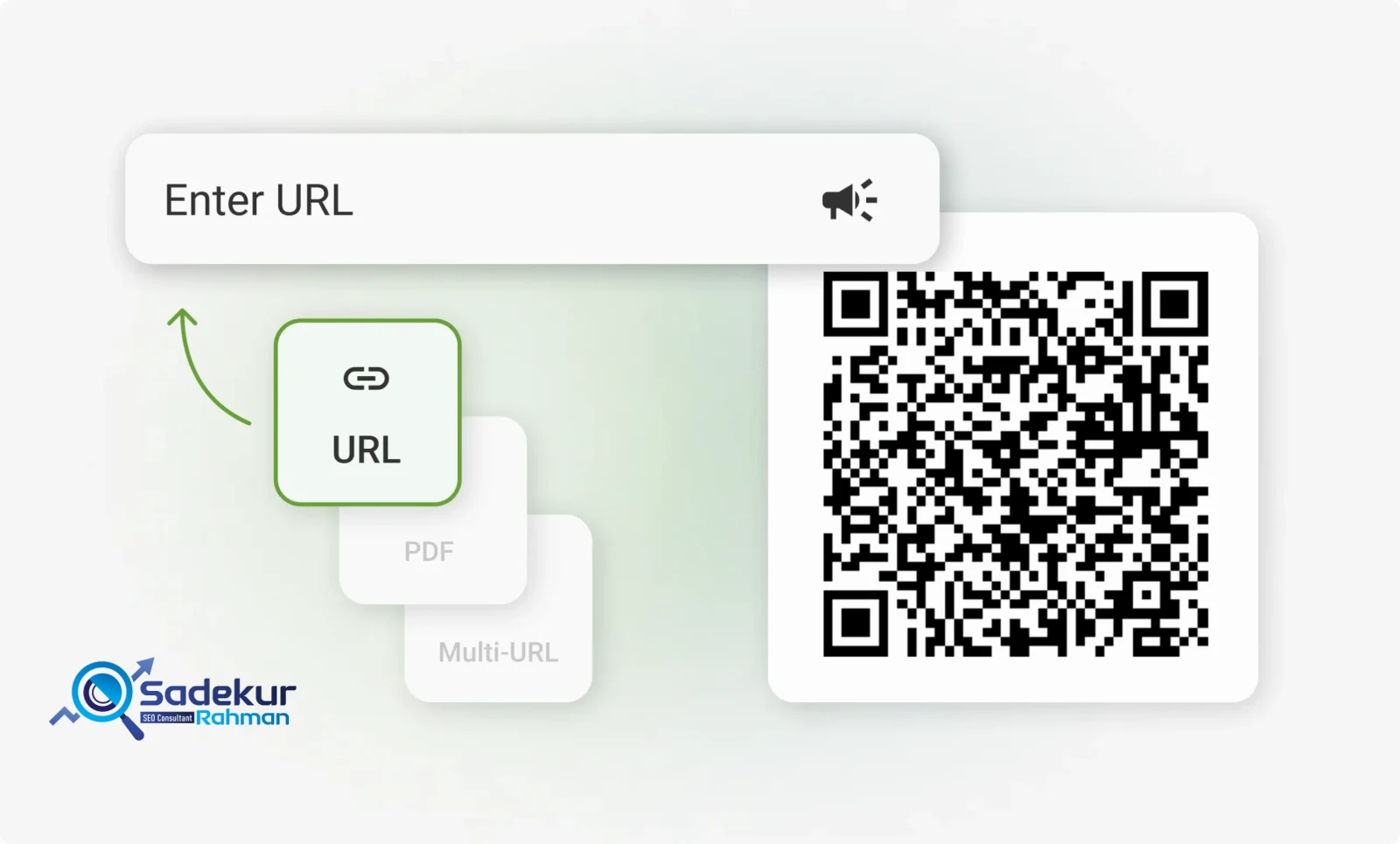
Generate a simple, permanent QR code for your website, Wi-Fi network, contact information, and more. This free QR code builder creates high-quality static codes that never expire and have unlimited scans.
Follow these three simple steps:
- Select QR Code Type: Choose from URL, Text, Wi-Fi, vCard (Contact), Email, or SMS.
- Enter Your Data: Fill in the required information, such as your website link or Wi-Fi network credentials.
- Download Your Code: Your static QR code is ready for immediate download and use.
Please note that these are static QR codes. The information you encode is permanent and cannot be edited or tracked once the code is created. They are perfect for information that doesn't change, like a link to your homepage or sharing your office Wi-Fi. For marketing campaigns that require editing and analytics, a dynamic QR code is the required solution.
What is a QR Code? From Automotive Parts to Global Marketing
A QR code, or Quick Response code, is a type of two-dimensional matrix barcode designed for high-speed reading and large data storage capacity. Though now ubiquitous in marketing and daily life, its origins lie in the demanding world of industrial manufacturing.
The technology was invented in 1994 by a team at Denso Wave, a Japanese subsidiary of Toyota, led by engineer Masahiro Hara. The primary goal was to overcome the limitations of traditional one-dimensional barcodes, which could only store about 20 alphanumeric characters and were slow to scan. The automotive assembly line needed a more robust system to track thousands of parts with greater efficiency.
Inspired by the black and white patterns of the board game Go, Hara's team developed a square, two-dimensional code that could be read from any angle and could store significantly more information, including Kanji and Kana characters. This innovation allowed a single code to contain detailed information for identifiers, locators, and web tracking, revolutionizing product tracking and item identification.
Denso Wave made the technology publicly available by not exercising their patent rights, and it was later standardized as ISO/IEC 18004. This open approach was fundamental to its global adoption. While used in industry for years, two major events propelled QR codes into the mainstream:
- The integration of high-quality cameras into smartphones around 2002 made scanning accessible to everyone.
- The COVID-19 pandemic in 2020 created an urgent need for contactless interactions, leading to widespread use for menus, payments, and public health information.
Today, what began as a tool for tracking car parts is now a vital bridge between the physical and digital worlds, used in everything from marketing campaigns and event ticketing to currency and even gravestones.
How Do QR Codes Work? The Anatomy of a Scan
At its core, a QR code functions by encoding data into a unique pattern of black and white squares, called modules. A scanner, such as a smartphone camera or a dedicated QR reader, captures an image of this pattern and translates it into human-readable information. Unlike traditional barcodes that store data linearly, QR codes are two-dimensional, allowing them to hold exponentially more data by encoding it both horizontally and vertically.
Every QR code has a standardized structure that ensures it can be read quickly and accurately. An annotated image would reveal the following key components:
- Finder Patterns (Position Markers): These are the three large, identical squares located in the top-left, top-right, and bottom-left corners. They act like anchors, allowing a scanner to instantly recognize the presence of a QR code, determine its orientation, and read it at high speed, even if it's tilted or upside down. The specific ratio of black to white areas in these patterns (1:1:3:1:1) was meticulously researched to be the least common pattern in printed materials, preventing scanners from confusing other shapes with a QR code.
- Alignment Pattern: This is a smaller square, typically found near the bottom-right corner in larger QR codes. Its purpose is to correct for any distortion, ensuring the code can be read even if it's printed on a curved surface or viewed at an angle.
- Timing Pattern: This L-shaped line of alternating black and white modules connects the three finder patterns. It functions like a set of coordinates, helping the scanner determine the size of the data matrix and identify the position of individual modules within the grid.
- Quiet Zone: This is the mandatory, empty white border surrounding the entire QR code. It is a critical component that separates the code from other visual elements on a page, preventing misreads and ensuring the scanner can clearly distinguish the code.
- Data and Error Correction Modules: The remaining area of the QR code is filled with modules that represent the actual encoded information in binary (black squares for '1' and white squares for '0'). Crucially, this area also contains redundant data thanks to the Reed-Solomon error correction algorithm. This built-in mechanism allows a QR code to remain scannable even if a portion of it is damaged, dirty, or obscured. Error correction levels can range from Low (7% recovery) to High (30% recovery). This robustness is precisely what enables the popular marketing practice of embedding a logo in the center of a QR code; the logo covers a part of the data, and the error correction system compensates for the missing information, allowing the code to function perfectly.
Static vs. Dynamic QR Codes: A Critical Decision for Your Business
When creating a QR code for business or marketing purposes, the most important decision is whether to use a static or dynamic code. While they may look identical, their underlying technology and capabilities are fundamentally different, with significant strategic implications.
A Static QR Code embeds the destination data (like a website URL) directly into its black and white pattern. This means the code is completely self-contained and permanent. Once generated, the information cannot be changed, and you cannot track how many times it has been scanned. They are ideal for information that will never change, such as a link to your company's "About Us" page, contact details on a business card, or providing Wi-Fi access in your office.
A Dynamic QR Code, by contrast, encodes a short, static URL that acts as a redirect. This short URL points to the servers of the QR code generator service you use. When a user scans the code, they are first sent to this intermediary link, which then instantly redirects them to the final destination URL you've specified in your dashboard. This two-step process is what makes dynamic codes powerful: you can edit the final destination URL at any time without having to reprint the QR code, and the provider can collect valuable scan analytics (like time, location, and device type) during the redirect.
However, this power comes with a critical dependency. A dynamic QR code's functionality relies entirely on the provider's service remaining active and your subscription being current. If the provider goes out of business or you stop paying for the service, the intermediary link will break, and your QR code will become a useless, dead link. Therefore, choosing a dynamic QR code provider is not just a tool selection; it is a strategic partnership. You are entrusting a part of your customer journey to a third-party service, making reliability, security, and provider longevity paramount considerations.
The following table breaks down the key differences to help you make an informed decision.
| Feature | Static QR Code | Dynamic QR Code | Strategic Implication for Your Business |
| Editability | Fixed and permanent. Cannot be changed after creation. | Editable. Destination URL can be changed at any time. | Dynamic codes future-proof your marketing materials, allowing you to update campaigns, fix errors, or change promotions without costly reprinting. |
| Scan Analytics | Not trackable. Provides no data on scans. | Trackable. Provides data on scan count, location, time, and device. | Dynamic codes allow you to measure campaign ROI, understand customer engagement, and gather data to optimize marketing strategies. |
| Cost | Typically free to create with most generators. | Requires a paid subscription for full features and continued functionality. | Static codes are a no-cost option for permanent links. Dynamic codes are an operational expense that must be budgeted for. |
| Lifespan & Reliability | Works forever as long as the destination URL is live. No dependencies. | Depends on the QR code provider's service and your subscription. Can become a dead link if the service fails. | Static codes offer maximum reliability. Dynamic codes introduce a third-party dependency, making provider choice a critical business decision. |
| Visual Complexity | Denser pattern for long URLs, which can affect scannability at small sizes. | Cleaner, less dense pattern as it only encodes a short redirect URL. | Dynamic codes are generally more reliable for scanning, especially when printed at small sizes or on complex surfaces. |
| Ideal Use Cases | Wi-Fi access, contact info (vCard), permanent website links, one-time event info. | Marketing campaigns, product packaging, event ticketing, retail displays, any scenario where content may change or tracking is needed. | Choose static for "set and forget" information. Choose dynamic for any application that is part of an active, evolving business strategy. |
A Universe of Data: Types of QR Codes and Their Potential
Modern QR code generators have evolved beyond simply encoding URLs. They now offer a wide range of pre-formatted QR code types designed to trigger specific actions on a user's smartphone, turning a simple scan into a seamless, interactive experience. Understanding these types allows you to tailor your QR code to a specific business objective, reducing friction for the user and increasing the likelihood of conversion.
Here are some of the most common and strategically valuable QR code types available.
| QR Code Type | What It Does | Strategic Business Application |
| URL | Opens a specific website or landing page in the user's browser. | Drive traffic to promotional pages, product details, blog posts, or your homepage. The most versatile type for marketing. |
| vCard | Prompts the user to save your contact information directly to their phone's address book. | Modernize networking at events and on business cards. Ensures your contact details are saved accurately without manual entry. |
| Wi-Fi | Automatically connects the user's device to a specified Wi-Fi network without them needing to enter a password. | Enhance customer experience in physical locations like cafes, offices, or hotels by providing frictionless internet access. |
| Email / SMS | Opens the user's default mail or messaging app with a pre-filled recipient address and optional subject/message. | Simplify customer support inquiries, lead generation, or contest entries by removing the need for users to type contact details. |
| PDF / Image Gallery | Links to a hosted PDF file (e.g., a menu, brochure, manual) or a gallery of images for viewing or download. | Provide detailed product information, digital menus for restaurants, or visual portfolios without cluttering physical space. |
| App Store | Detects the user's device (iOS/Android) and directs them to the correct app store page for your application. | Drive app downloads directly from physical marketing materials like posters, packaging, or in-store displays. |
| Social Media | Links to a landing page with buttons to all your social media profiles (Facebook, Instagram, LinkedIn, etc.). | Grow your online following by making it easy for customers to find and follow you on their preferred platforms with a single scan. |
| Business Page | Directs to a simple, mobile-optimized landing page displaying key business info, hours, location, and contact links. | Create a digital "front door" for your business, perfect for window displays or print ads to give customers all essential info at a glance. |
| Google Reviews | Takes the user directly to your Google Business Profile page to leave a review. | Increase the quantity and quality of your online reviews by making the feedback process as simple as possible for satisfied customers. |
Transforming Business Operations: Real-World QR Code Case Studies
Leading brands across industries have successfully integrated QR codes into their strategies, demonstrating their power to engage customers, streamline operations, and drive measurable results. These examples provide a blueprint for how this technology can be leveraged beyond simple links.
| Brand | Industry | Objective | How They Used QR Codes | Key Takeaway |
| Nike | Retail / Apparel | Enhance In-Store Experience & Product Discovery | Placed QR codes throughout concept stores for shoppers to scan and access product details, interactive content, and unique digital art installations. | QR codes can transform physical retail spaces into interactive showrooms, bridging the gap between offline browsing and rich online content. |
| Starbucks | Food & Beverage | Drive Loyalty & App Adoption | Used QR codes extensively in-store to encourage customers to download the Starbucks app, join the loyalty program, and place mobile orders. | QR codes are a highly effective tool for driving digital adoption and integrating customers into a loyalty ecosystem, boosting repeat business. |
| IKEA | Retail / Home Goods | Streamline Checkout & Provide Information | Uses QR codes on price tags that customers can scan to add items to a digital list and pay at a checkout kiosk, and also on catalogs to access assembly instructions. | QR codes can significantly reduce friction at the point of sale and improve the post-purchase experience by providing easy access to helpful information. |
| 19 Crimes | Wine & Spirits | Create Memorable Brand Engagement | Featured QR codes on wine labels that, when scanned, trigger an augmented reality (AR) experience, bringing the characters on the labels to life. | QR codes can serve as a gateway to immersive experiences like AR, creating a unique and highly shareable brand moment that drives word-of-mouth marketing. |
| McDonald's | Quick Service Restaurant | Build Hype & Provide Transparency | Used QR codes on billboards for exclusive "early access" drops of new products and on packaging to provide customers with detailed nutritional information. | QR codes can be used for both exclusive, time-sensitive promotions to create urgency and for transparently providing important consumer information. |
Revolutionizing the Customer Journey: QR Codes in Retail and E-commerce
The retail sector has become a primary testing ground for innovative QR code applications, fundamentally changing how customers interact with products and brands. By seamlessly connecting the physical and digital worlds, QR codes empower retailers to create a more informed, efficient, and engaging shopping journey.
Key applications include:
- Enhanced Product Information: In a physical store, packaging space is limited. QR codes on product tags or shelf talkers can direct shoppers to a wealth of information, including detailed specifications, material sourcing, customer reviews, and video demonstrations, helping them make confident purchasing decisions on the spot.
- The "Endless Aisle": Retailers can overcome the limitations of physical shelf space by using QR codes to link to their full online catalog. A shopper can scan a code to see different colors or sizes of an item that aren't in stock, and order it for home delivery, effectively preventing a lost sale due to inventory gaps.
- Contactless and Mobile Payments: To reduce checkout friction, QR codes can link to secure payment portals. This speeds up transactions, improves customer satisfaction, and caters to the growing preference for mobile payments.
- Simplified Loyalty Programs: QR codes eliminate the need for physical loyalty cards and cumbersome sign-up forms. A quick scan can allow a customer to join a rewards program, check their points balance, or redeem an exclusive offer, boosting participation and repeat business.
- Seamless Returns and Logistics: E-commerce giants like Amazon have streamlined the returns process by replacing paper forms with a QR code that contains all the necessary information. The customer simply shows the code at a drop-off point for a hassle-free return. This same principle is used in logistics for real-time package tracking.
- Product Authentication: In the luxury goods market, brands like Ralph Lauren use QR codes on labels to allow customers to verify a product's authenticity, combating counterfeiting and building consumer trust.
Enhancing Engagement: QR Codes for Customer Service and Feedback
The utility of QR codes extends far beyond the initial sale. They are a powerful tool for improving the post-purchase experience, providing efficient customer support, and gathering invaluable feedback.
- Instant Access to Support: Instead of including bulky, multi-language paper manuals, companies can place a QR code on the product itself. A scan can lead to a digital user manual, a how-to video library, or a troubleshooting guide, reducing printing costs and empowering customers to solve common issues independently.
- Direct Lines of Communication: A QR code can be configured to initiate a specific action, such as composing a pre-addressed email to the support team, starting an SMS conversation, or even dialing a customer service number. This directs the customer to the correct channel immediately, reducing frustration.
- Frictionless Feedback Collection: Encouraging customers to leave reviews is critical for social proof and service improvement. By placing a QR code on a receipt, product packaging, or at a point of service, businesses can link customers directly to a feedback form or a review platform like Google or Yelp. Brands like BMW and Subway have used this strategy effectively, sometimes offering a small incentive (like a free cookie) to increase participation.
- Easy Reordering: For consumable products or items with replaceable parts, a QR code can link directly to a product page for reordering. This simplifies the process for the customer and encourages repeat purchases.
Choosing the Right Platform: A Review of Top QR Code Generators
For any business serious about using QR codes for marketing, selecting the right generator platform is a critical decision. The best platforms offer not just code creation but a full suite of tools for management, design, and analytics. While many free options exist for static codes, a professional strategy requires a subscription-based service for dynamic codes.
Key features to look for in a business-grade platform include:
- Dynamic QR Code Management: The ability to create, edit, and organize a large number of dynamic codes.
- Advanced Analytics: A dashboard to track scan data, including location, time, device, and unique vs. total scans.
- Customization Options: Tools to add logos, brand colors, custom shapes, and frames to make your QR codes stand out.
- Bulk Creation: The ability to generate hundreds or thousands of unique QR codes at once by uploading a data file (e.g., for event tickets or inventory).
- Team Collaboration: Features that allow multiple team members to access and manage campaigns.
- Security and Compliance: Adherence to standards like GDPR and SOC 2 certification, ensuring data privacy and security.
- API Access: For integrating QR code generation directly into your own business applications or workflows.
Here is a comparison of leading platforms tailored for business needs:
| Platform | Best For | Key Business Features | Starting Price (Dynamic) |
| Bitly | Businesses focused on link management and robust analytics. | Dynamic codes, detailed analytics dashboard, URL shortening, branded links and QR codes. | Starts at $10/month |
| Uniqode (formerly Beaconstac) | Scalable enterprise use and advanced security. | Bulk creation, advanced security (SOC 2), CRM integrations, geofencing, multi-user support. | Starts at $15/month |
| QR Code Generator PRO | All-around business use with strong customization. | Dynamic codes, scan analytics, bulk creation, custom frames and landing pages, team collaboration. | Starts at $9.99/month |
| QRCodeChimp | Creative design and a wide range of code types. | Custom shapes and stickers, logo embedding, extensive analytics, bulk upload, whitelabeling, SOC 2 certified. | Starts at $6.99/month |
Why Your QR Code Strategy Needs a Strong SEO Foundation
A QR code is a brilliant piece of technology, but it is only a delivery mechanism. It is the start of a conversation, not the end. The ultimate success of any QR code campaign is determined by the quality of the digital experience that follows the scan. A beautifully designed code that leads to a slow, confusing, or non-mobile-friendly landing page will fail to convert and can even damage your brand's reputation.
This is where a holistic digital strategy becomes essential. The data and traffic generated by your QR codes are only valuable if they are directed to a destination that is optimized for performance and user experience. As an SEO specialist, I ensure that every touchpoint in your digital ecosystem works in harmony to achieve your business goals.
- We can design and build high-converting landing pages specifically for your QR code campaigns, ensuring the journey from physical scan to digital action is seamless and effective. Explore our digital marketing services to learn more.
- We will ensure these landing pages are technically sound, load instantly, and are fully optimized for search engines, maximizing the long-term SEO value of the traffic your QR codes generate.
- See how we have helped other businesses turn their marketing initiatives into measurable growth and positive ROI in our case studies.
A QR code gets the user to your digital doorstep. A strong SEO and UX strategy invites them inside and turns them into a loyal customer.
Partner with Sadekur Rahman to Elevate Your Digital Presence
I help businesses like yours improve online visibility and turn powerful digital tools like QR codes into strategic growth engines. A successful campaign requires more than just generating a code; it requires a deep understanding of the entire customer journey.
Let's build a comprehensive digital strategy where every component, from a simple QR code on a flyer to the core architecture of your website, works together to achieve your business objectives.
Ready to discuss how a holistic approach can transform your business? (https://sadekurrahman.com/book-a-meeting/) with me to explore the possibilities.
Alternatively, you can explore my plans and pricing or get in touch with a specific question.
Frequently Asked Questions (FAQ)
How do I scan a QR code from a picture or screenshot on my phone?
You can use an online QR code scanner tool, like the one provided on this page. Simply choose the "Scan from Image" option and upload the picture or screenshot from your device's gallery. The tool will instantly decode the QR code without needing a separate app.
Are dynamic QR codes better for business marketing?
Yes, for almost all marketing applications, dynamic QR codes are superior. Their key advantages are editability and trackability. You can update the destination link at any time without reprinting the code, and you can gather valuable analytics on scan performance to measure your campaign's ROI.
Can a QR code expire?
Static QR codes do not expire because the destination data is permanently encoded in the pattern itself. As long as the destination link is active, the code will work. Dynamic QR codes, however, can "expire" or stop working if your subscription with the generator service lapses or if the provider ceases operations, as they rely on the provider's redirect server to function.
Is it safe to scan any QR code?
While the technology itself is secure, caution is advised. Malicious actors can create QR codes that link to phishing websites or prompt unwanted downloads. Always be mindful of the context in which you are scanning a code. Use a trusted scanner app that includes security checks, like those from Kaspersky, and preview the destination URL before you tap to open it. If a link looks suspicious or unfamiliar, do not proceed.

Written by Sadekur Rahman
SEO & Website Strategy Specialist at Pixelvega and SEO Executive at Daily Amar Desh. 6+ years helping brands grow with data-driven SEO.